
Every Studio starts
from what MAPS already knows.
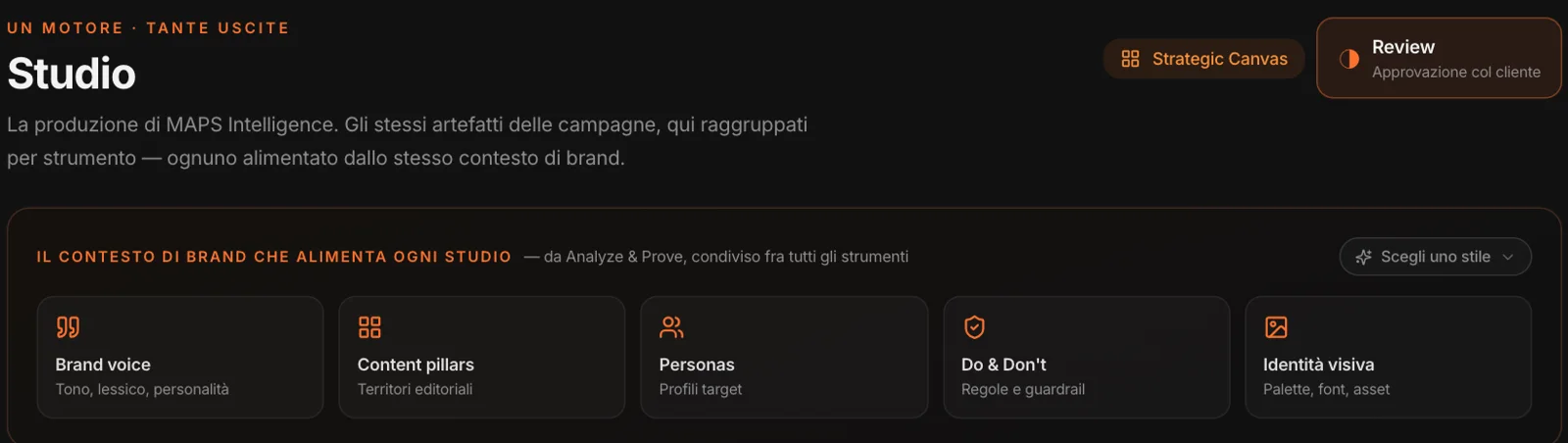
At the top of the Studios is the context that feeds them: the brand voice, the editorial territories, the people you speak to, the rules — dos and don’ts —, the visual identity. You don’t rewrite it in every brief: it comes from Analyze and Prove, and updates along with them.
Next to it, “Choose a style”: a reference style — the DNA of communication you like, from the brand or a competitor — to use as a lens in every Studio. MAPS adapts it rather than copying it, and the brand always wins in a conflict. Styles are created in the Brand & Visual Studio and can live in the workspace library, ready for every client.
Seven tools,
in the same order as in the app.
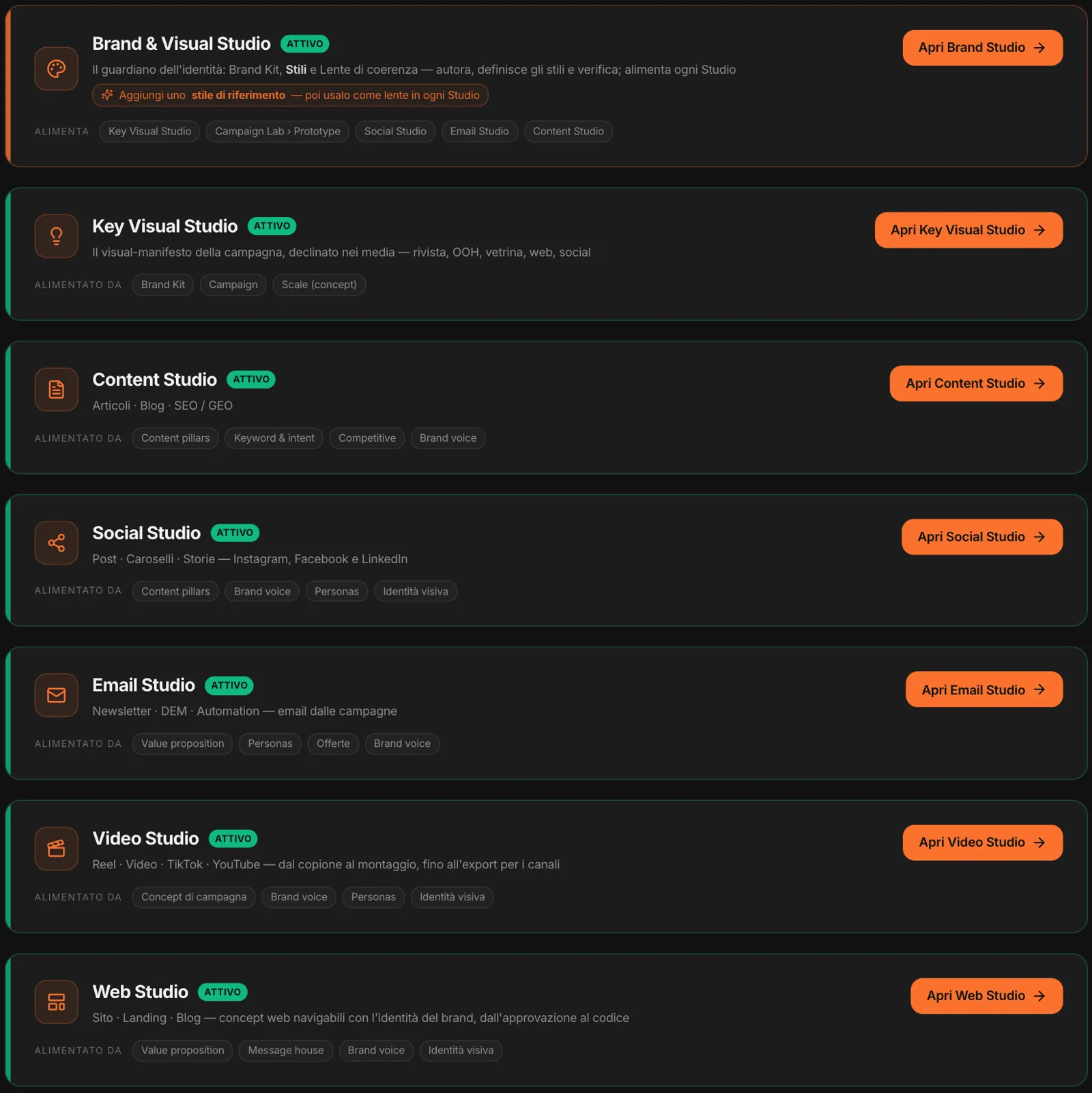
Each one tells you what feeds it: the Social Studio, the territories, voice, people and visual identity; the Email Studio, the value proposition and the offers; the Content Studio, the keywords and the competition.
Brand & Visual Studio →
The guardian of identity: Brand Kit, reference styles, consistency lens. It doesn’t produce content: it feeds it.
Key Visual Studio →
A campaign’s manifesto visual, adapted across media: billboard, magazine, shop window, website, social.
Content Studio →
Articles and blogs designed for SEO and for AI assistants (GEO), from the keywords and the real questions in the market.
Social Studio →
Posts, carousels and stories for Instagram, Facebook and LinkedIn: one piece of content, one version per channel.
Email Studio →
Newsletters, DEMs and automations, starting from the campaigns and the segments.
Video Studio →
Reels, TikTok, YouTube: from script to storyboard, all the way to editing and export for each channel.
Web Studio →
Clickable sites, landing pages and blogs in the brand’s identity, from approval to code.
The project changes,
and so do the Studios.
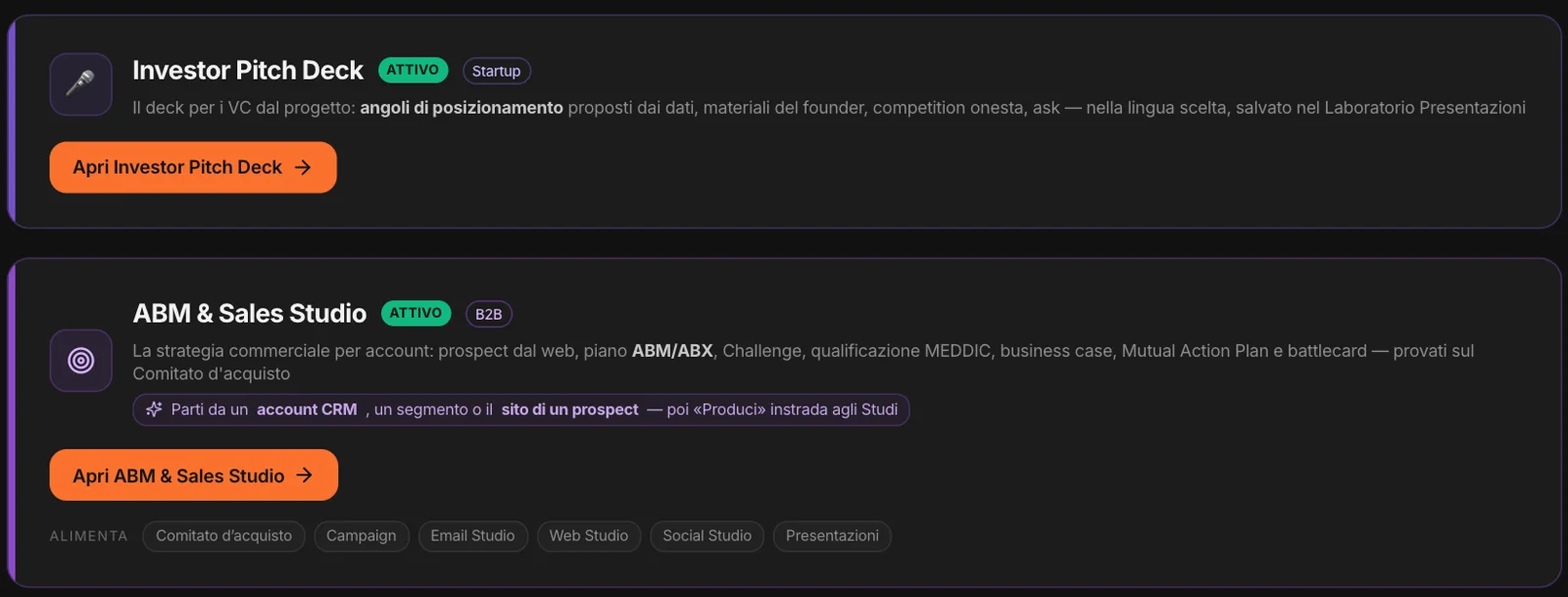
In B2B projects, the ABM & Sales Studio appears: account-based sales strategy — prospects from the web, ABM plan, qualification, business case, battlecards — tested against the Buying Committee, then routed to the other Studios. In startup projects there’s the Investor Pitch Deck: the investor deck, built from the project’s data.
And inside the Studios you can tell it’s B2B: posts, emails, pages, articles and scripts come out in a professional register with B2B calls to action — request a quote, meet a sales rep, download the spec sheets —, and the cultural judge and the synthetic users read the content as business decision-makers.
Before it goes out,
every piece of content comes through here.
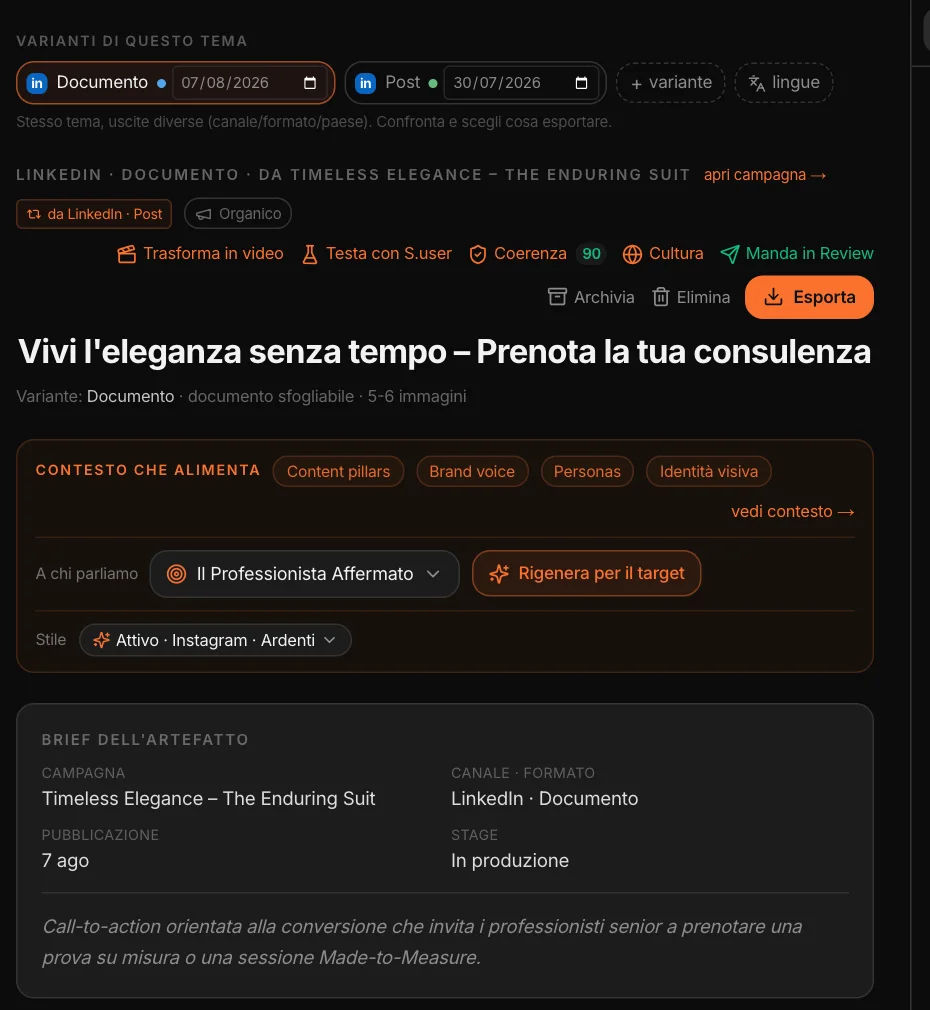
Above every piece of content is the same row of tools: Test with S.user, Consistency, Culture, Send to Review. And next to it, the context that fed it, the target it speaks to — with “Regenerate for the target” — and the active style.
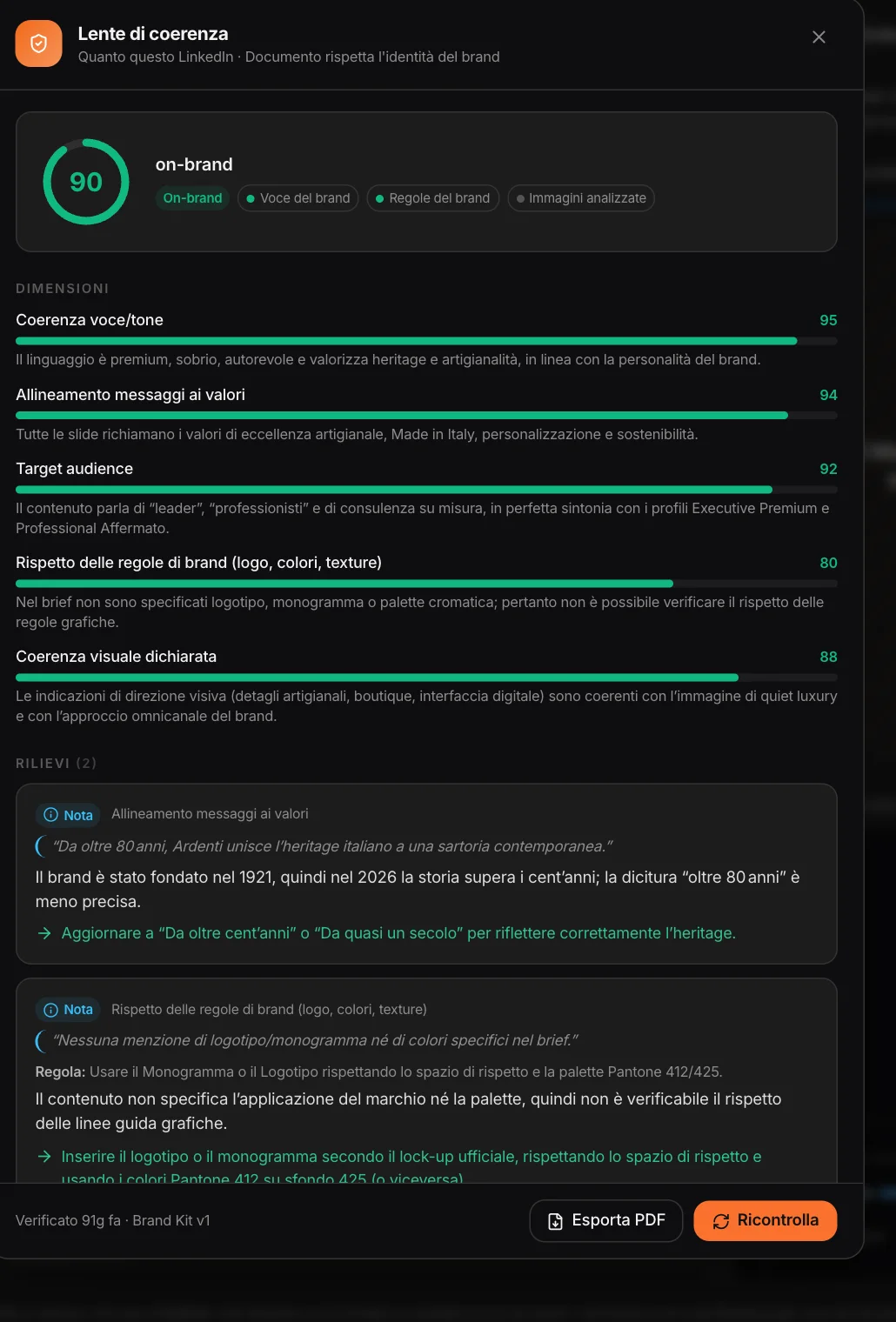
Here, a LinkedIn document for a tailoring campaign: brand consistency has already been checked — 90 — and the rest takes one click.
On-brand or not,
and why.
The consistency lens checks the content against the brand voice and the Brand Kit rules — logo, colors, what not to say — and looks at the images too. It gives a score, the dimensions that matter for that content, and the findings: the rule involved, the exact sentence, the suggested fix.
In the Social, Email and Key Visual Studios it works on the individual piece of content. In the Brand & Visual Studio you use it on any material — a text, an image, a PDF made by another agency. The report exports as a PDF.
How it lands
in that country.
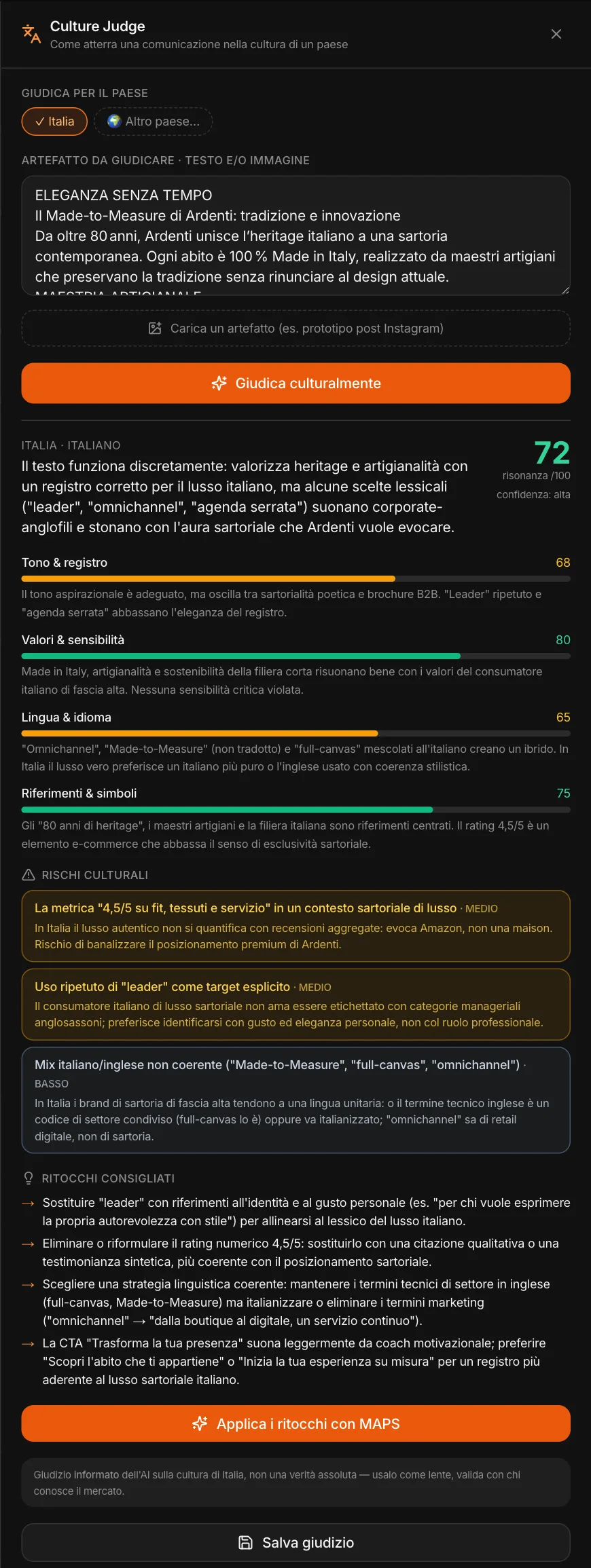
The Culture Judge reads the content through the eyes of a country’s audience — the project’s country, or another of your choice. It gives a resonance score out of 100, four dimensions — tone and register, values, language and idiom, references and symbols —, the cultural risks with their severity, and the suggested tweaks.
In the Social, Email, Web and Content Studios there’s Apply tweaks with MAPS: the text gets corrected and judged again. It’s an informed judgment, not absolute truth — MAPS says so itself: it should be validated with someone who knows the market. Here the judge for Italy finds the copy solid but too much like a corporate brochure for tailored luxury.
Have it read
by the people who should buy.
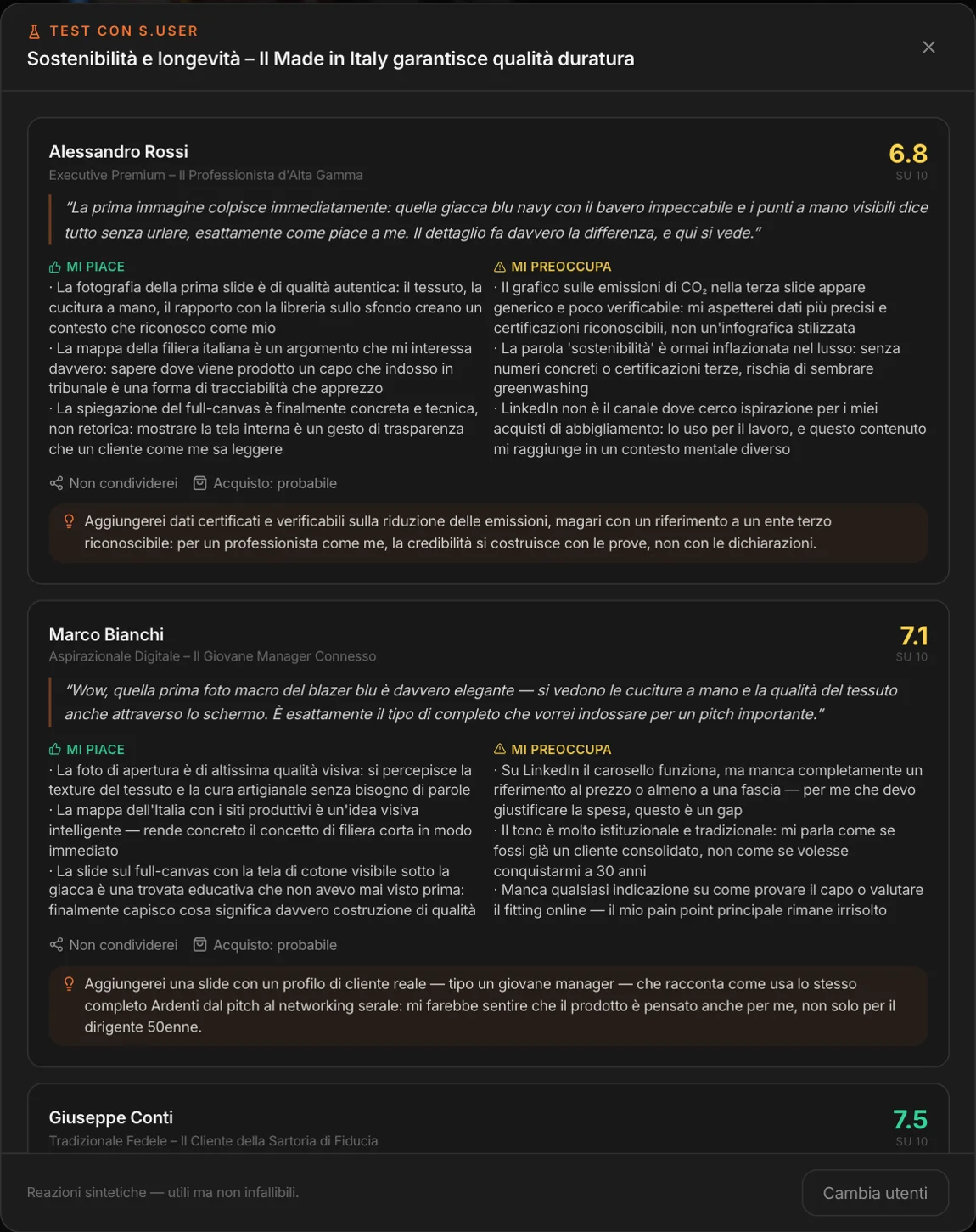
Choose from the project’s people — the Prove profiles, the CRM clusters — and get their reactions. Each one gives a score out of 10, a first impression in their own words, what they like and what worries them, whether they’d share it, how likely they are to buy, and a suggestion. They look at the images too.
Here, three different customers looking at the same carousel about sustainability: the high-end professional wants verifiable certifications, the young manager wonders what it costs.
The same tools,
where you need them.
Not every Studio has everything: the table shows where to find each tool.
| Brand & Visual | Key Visual | Social | Web | Video | Content | ||
|---|---|---|---|---|---|---|---|
| Brand consistency | ◆ | ● | ● | ● | · | · | · |
| Cultural judge | · | ● | ● | ● | ● | ● | ● |
| Test with synthetic users | · | ● | ● | ● | ● | ● | ● |
| Reference style | ◆ | ● | ● | ● | ● | ● | ● |
| Other countries and languages | · | · | ● | ● | ● | ● | ● |
| Strategic Canvas | · | · | ● | ● | ● | ● | · |
| Client review | · | · | ● | ● | ● | ● | ● |
● inside the Studio, on the individual piece of content · ◆ the Brand & Visual Studio is where it originates: styles are created there, and the consistency lens checks any material, even material made outside MAPS.
The client approves,
no account needed.
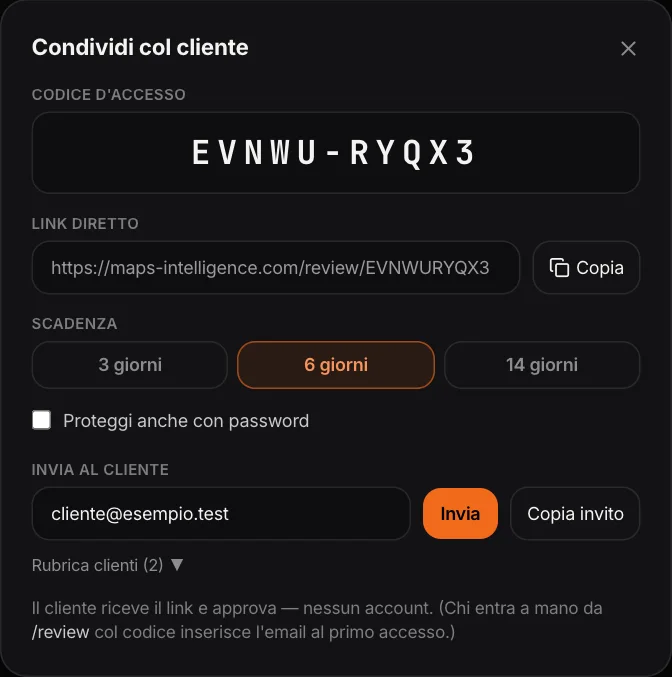
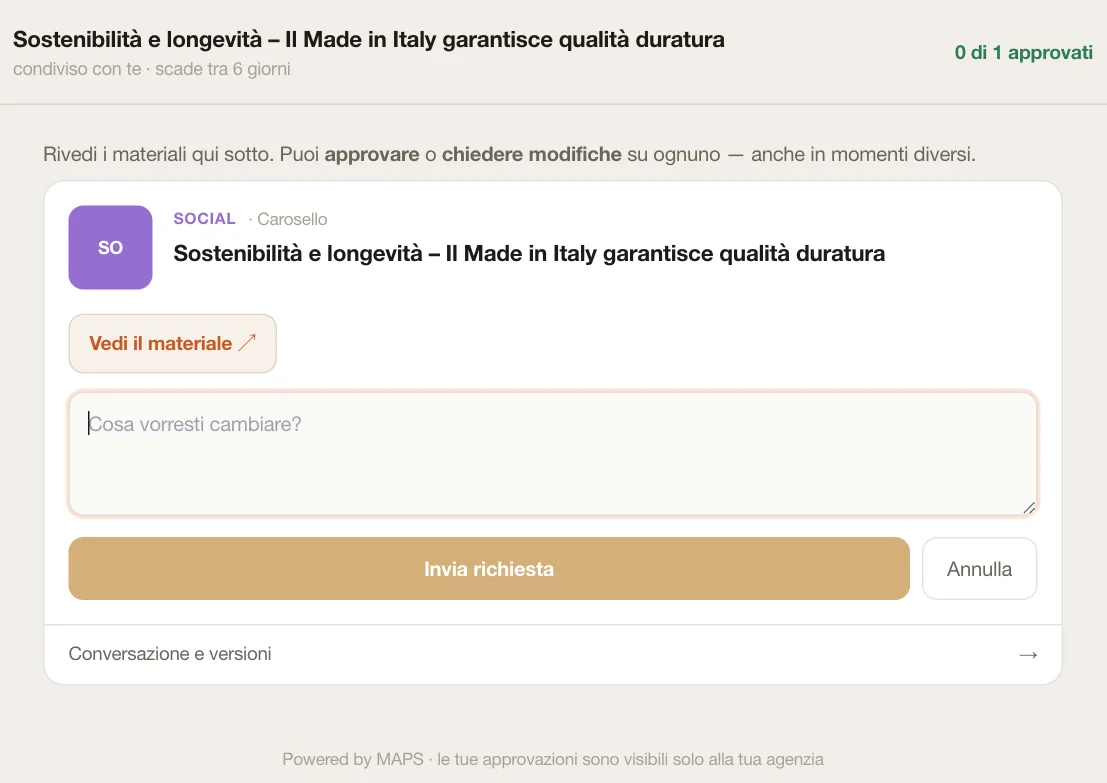
From the Studios you send content to Review: a delivery with a code, a direct link, an expiry — 3, 6 or 14 days —, a password if needed. The client opens the link, leaves their email only to sign off, and on each piece of content approves or requests changes with a note.
You see it all in one inbox: what’s waiting on the client, what needs revising, what’s approved. There’s the conversation with the client, you upload a new version, and from the content that needs fixing you go straight back to the Studio.
From the campaign to the Studio,
from the Canvas to the Studio.
A campaign’s artifacts reach the Studios as briefs: channel, format, date, goal. The status — brief, in production, approved, published — is also visible in Campaign. Social, Email, Web and Video are linked to the Strategic Canvas both ways: from a piece of content on the canvas you open the Studio, and from the Studio you go back to the canvas.
Other countries
Content is created in the market’s language. With “Languages” you adapt it to another country — not a word-for-word translation — using what MAPS knows about that market. You can always read it in your own language.
Export
MAPS doesn’t publish for you: you export. Texts and images, PDFs, a CSV calendar for Buffer, Later or Metricool; the email HTML; the website as a .zip project; videos as MP4 in 9:16, 16:9 and 1:1; articles as .md, .html or PDF.
Edits with AI
In every Studio you can regenerate a part or ask for a change in plain words: “Improve with MAPS” in Social, a copilot on the selected block in Email and Web, a copilot on the script in Video.