
A queue,
an email made of blocks.
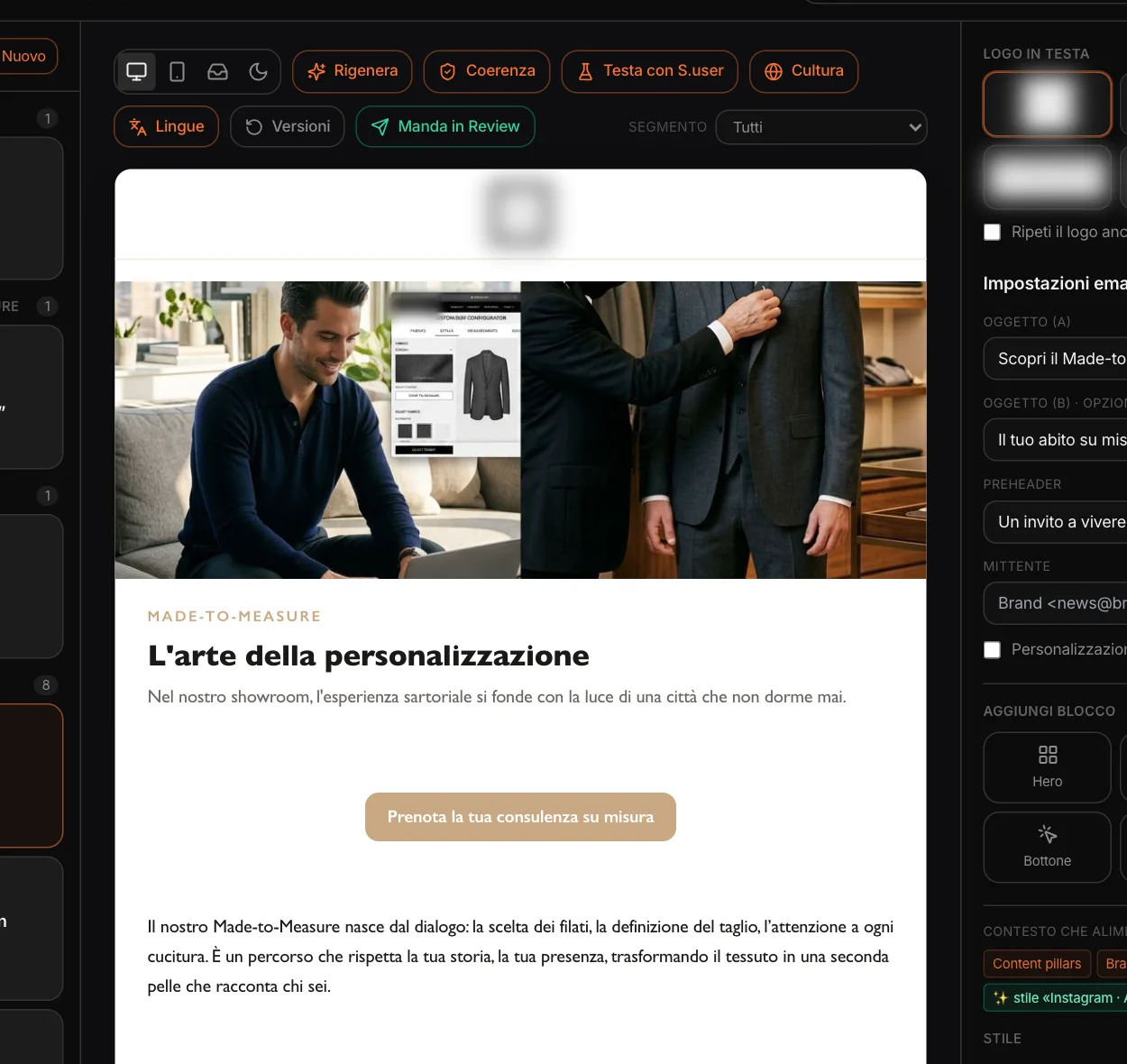
On the left, the project’s emails, grouped by campaign and filterable by type. In the middle, the email as it is, block by block. On the right, the settings: the logo at the top (and, if you want, in the footer), two subject lines to test against each other, the preheader, the sender. With personalization, a greeting line with your sending platform’s first-name tag, written the way it expects.
At the top, the tools: regenerate, consistency, synthetic users, culture, languages, versions, Review. And the segment to preview.
Type, brief,
structure.
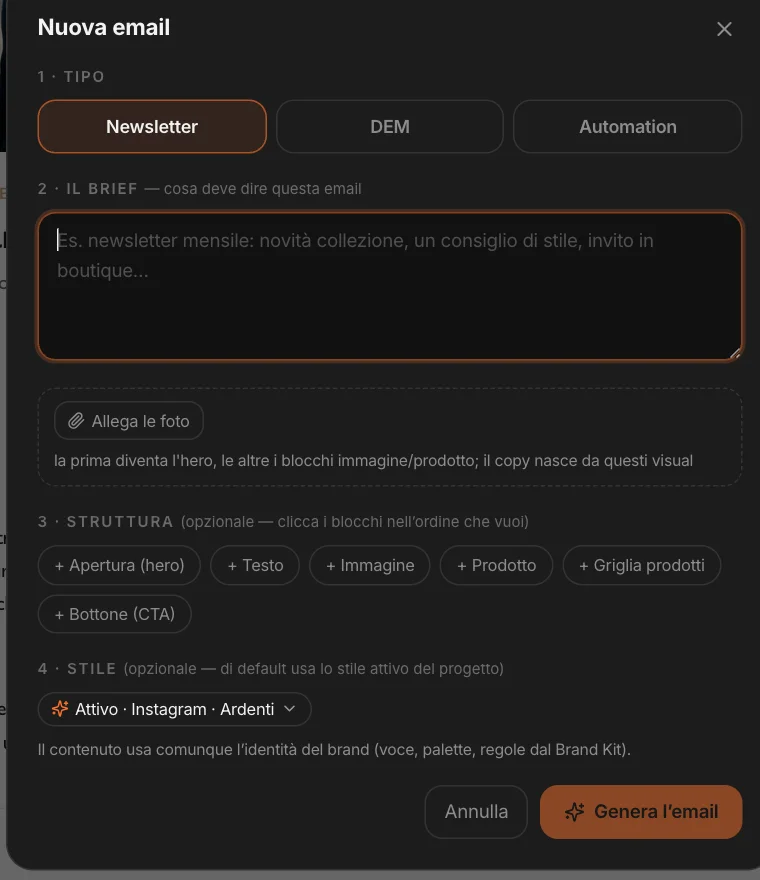
Choose the type — an editorial newsletter, a promotional DEM with products and prices, or an automation email: welcome, nurturing, reactivation —, write the brief and, if you want, attach photos: the first becomes the opening, the others the image and product blocks, and the copy is written for those images.
You can set the structure by clicking the blocks in the order you want, and a reference style just for this email. Emails also come from campaigns, from the action plan built on CRM data, from the ABM & Sales Studio and from the canvas. Automation means one email for one moment in the lifecycle: there are no timed sequences.
It writes
from what you already know.
Every email starts from the project’s context.
The brand
Voice, positioning and context gathered in the analysis phases, with the Brand Kit’s dos and don’ts and the reference style.
Who we’re talking to
If the email comes from a CRM plan or from ABM, it brings its target with it: MAPS writes for that profile.
The market’s language
It writes in the language of the project’s market; a version for another country stays in that country’s language.
If you sell to businesses
With the B2B profile the register is professional and the calls to action are business ones, in the subject lines and rewrites too.
Nothing invented
No prices or numbers that aren’t in the context. Links point to the brand’s real site, or stay empty for you to fill in.
Compose,
move, rewrite.
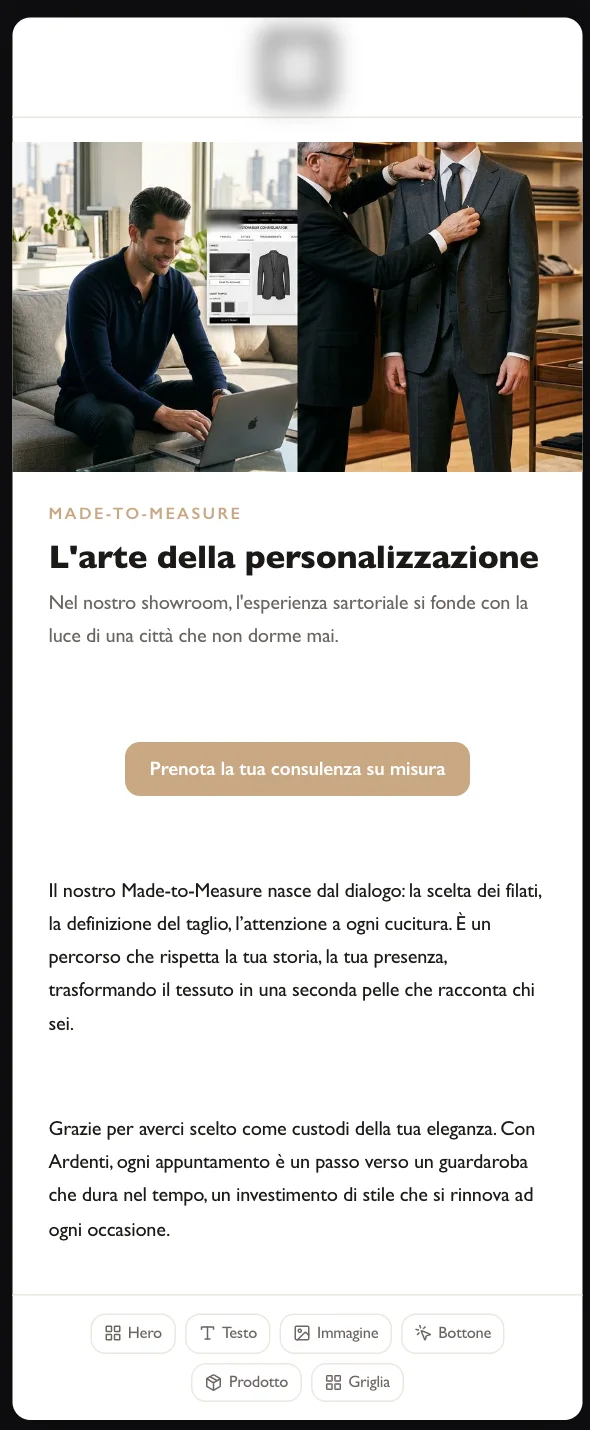
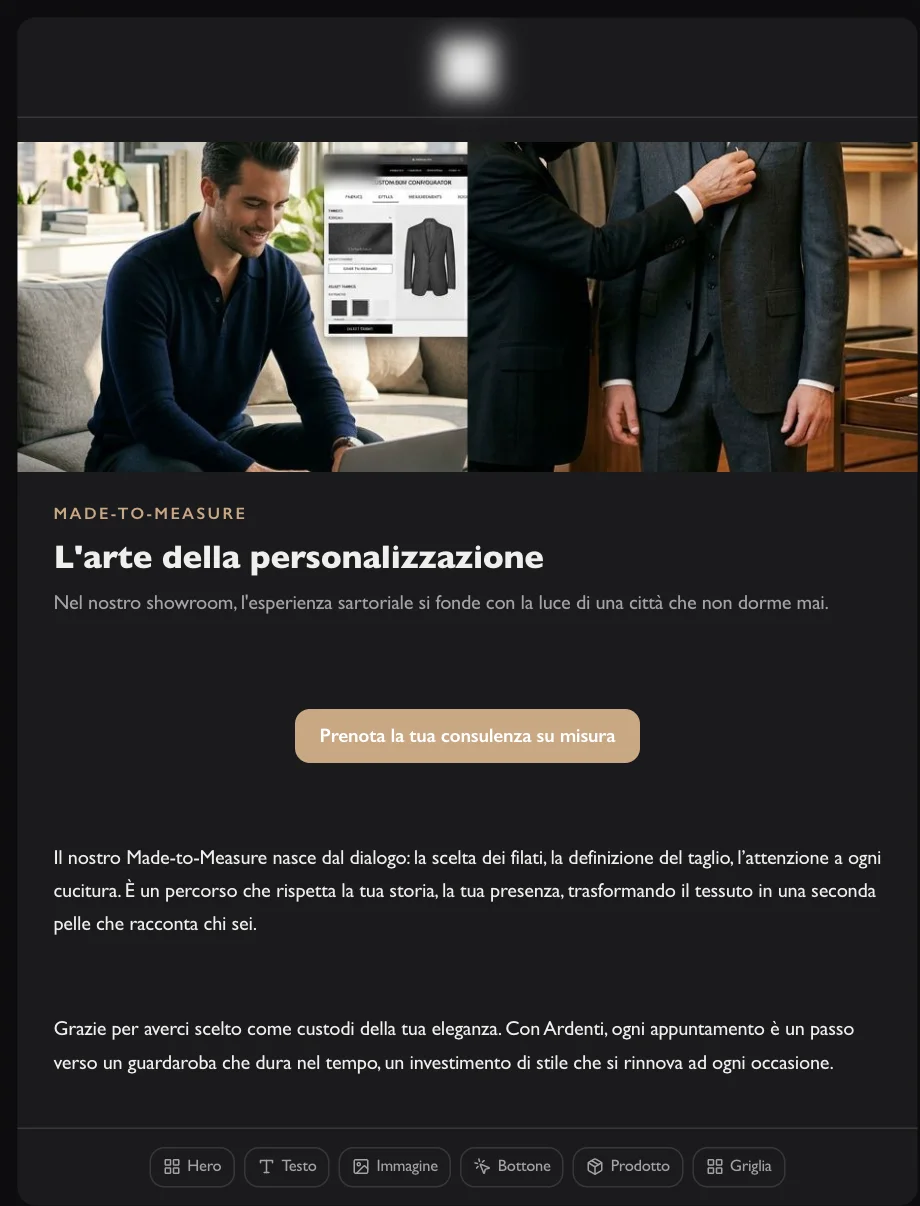
Opening with image and button, text, image, button, product with price and strikethrough price, product grid. You add them between blocks, drag them, duplicate them.
A piece of text can be rewritten or shortened in one click. Images are generated from the art direction, in the brand’s palette, or uploaded. And each block can be shown to a segment: if the project has the CRM, its customer clusters — for example “Recent top spenders” or “Low-value dormant” —, otherwise everyone, active customers, new subscribers, people who haven’t bought in three months. The preview and the export change accordingly.
Ask,
and choose what to apply.
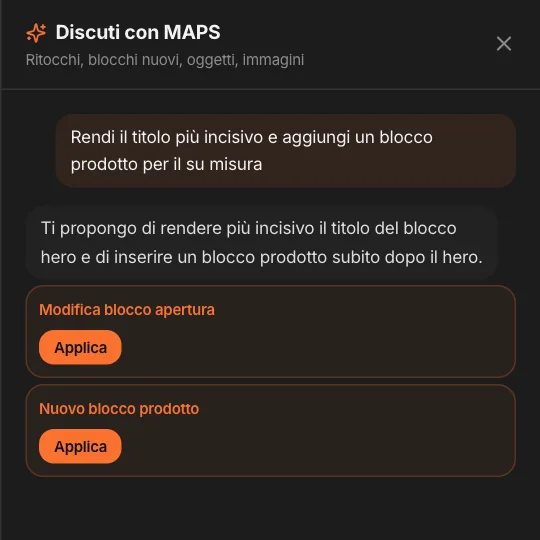
“Make the headline punchier and add a product block”: MAPS answers with proposals — an edit to a block, a new block, subject lines and preheader, an image to generate — and you apply them one by one.
If you select a block, the conversation is about that one. The voice stays the brand’s, the language stays the email’s.
How it arrives,
before it arrives.
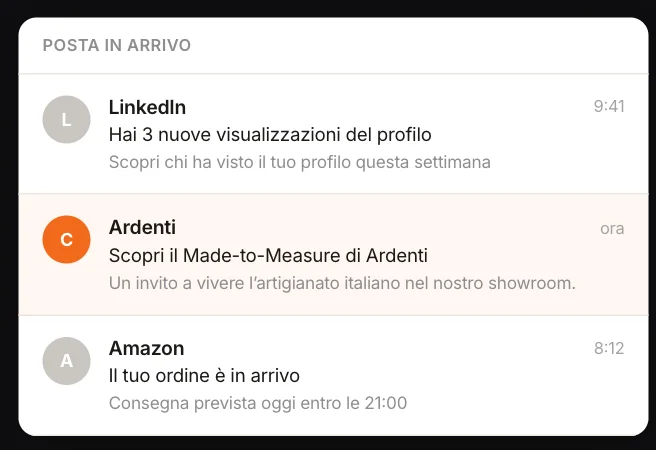
The email on a computer or a phone, in the inbox among other emails, and in dark mode. These are simulations meant for judging at a glance, not the rendering of every email client.
Before the client
sees it.
The same checks as the other Studios, on the whole email.
Consistency
An on-brand score, with the findings and the Brand Kit rule they touch. MAPS looks at the images too.
Synthetic users
The project’s personas read the subject line, copy and images, and react: score, quote, what they would change.
Culture
How the email lands in the country of the project or of the variant; the suggested tweaks are applied with MAPS.
Review
The email goes to the client as the recipient will see it; their response updates the status.
Languages
The version for another country: not a translation, but the email rewritten for that market, with the same structure.
Versions
Before every regeneration a copy of the email is kept: restore it in one click.
HTML
for your platform.
The email comes out as HTML ready to upload to the platform you send from: tables and inline styles, hidden preheader, columns that stack on the phone, dark colors for email clients in dark mode, the email’s own language and footer, and the unsubscribe link to connect to your platform’s. Download it or copy it; with segments, a ZIP with one file per segment.
MAPS prepares the email; you do the sending, from your platform. And you can ask the project chat “what newsletters have we prepared, and for which campaigns?”: it knows the emails, subject lines, statuses and dates.