A queue,
an editor, the preview.
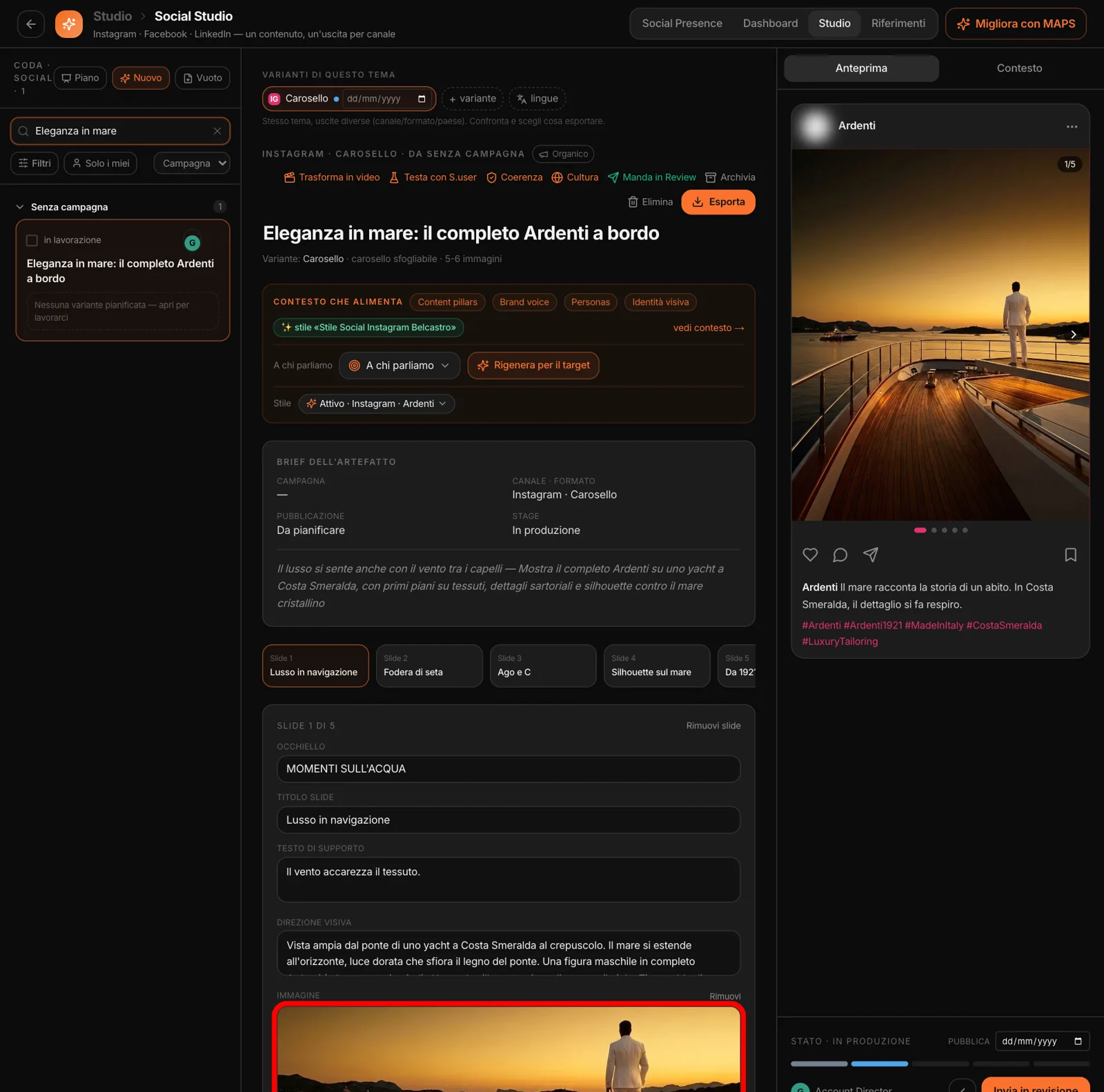
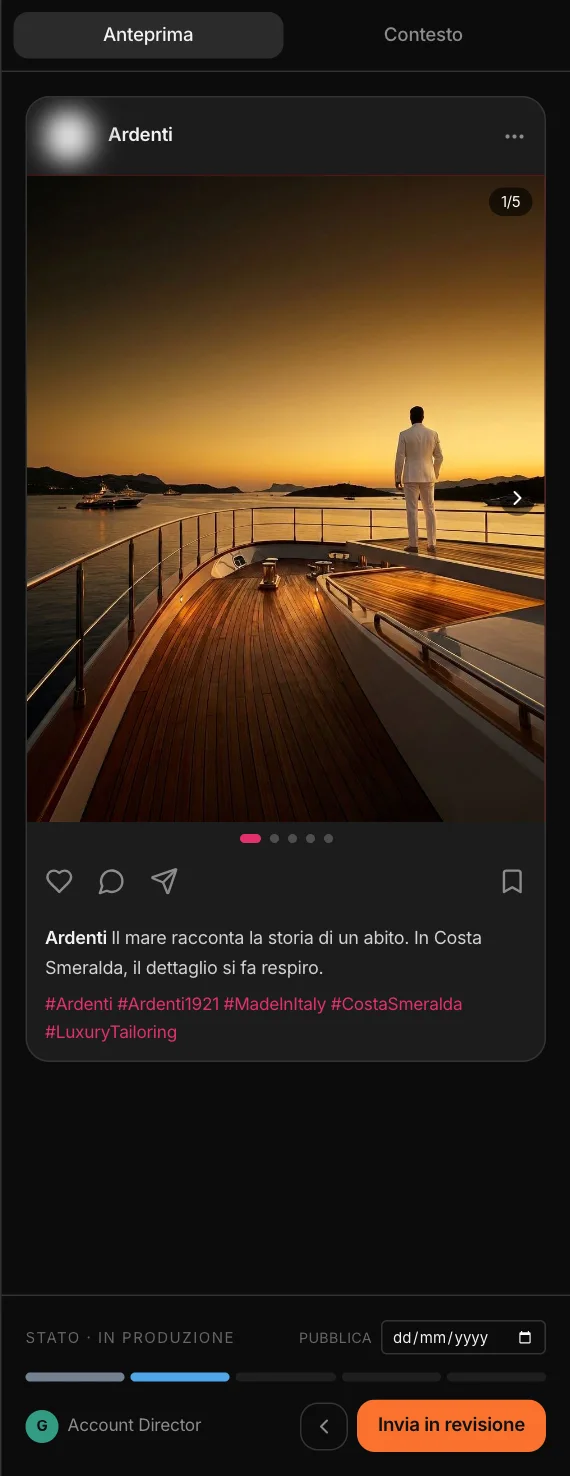
On the left, the queue: the project’s social content, grouped by campaign, by date or by channel, with filters for campaign, channel, status, team member, target and period. In the middle, the editor, slide by slide. On the right, the preview as it looks on the platform, and the workflow.
Content from campaigns, prototypes, the canvas and videos lands here too: every studio works on the same assets.
One theme,
three directions.
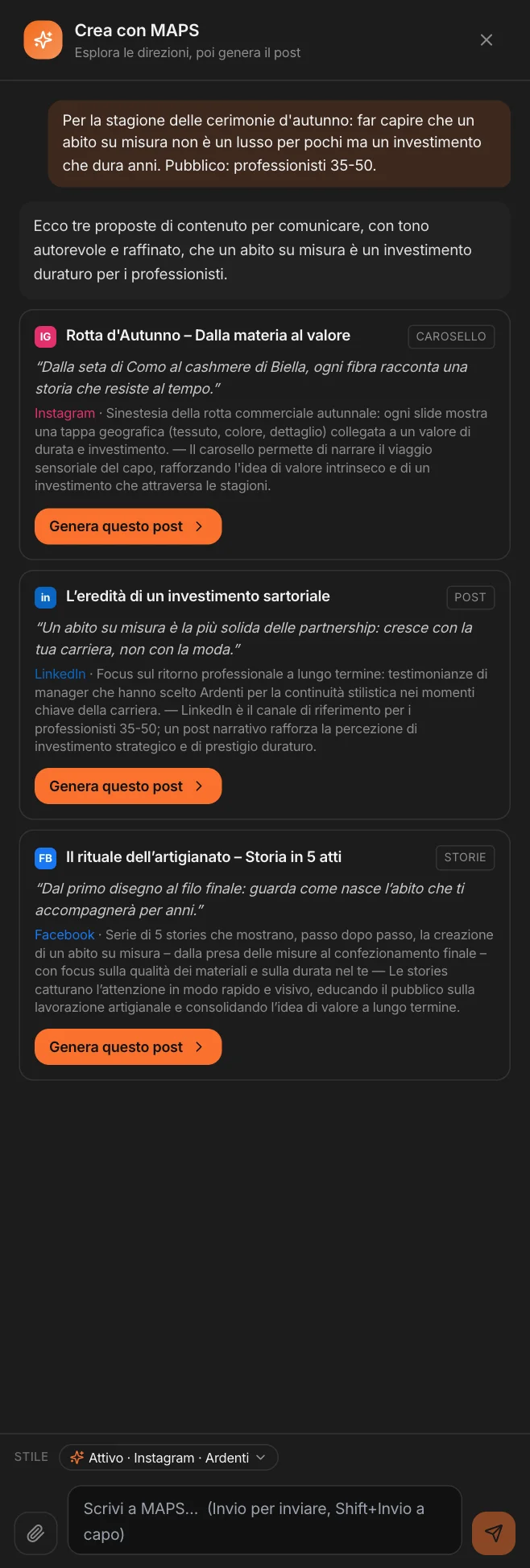
Write a theme, a goal or a tension. MAPS proposes two or three directions: for each one, the best channel and format, the hook, the angle and the reason why. Pick one, and the post is generated.
If a direction is a video, it goes to the Video Studio. If you attach up to ten photos, MAPS looks at them and writes the post for those images: one photo becomes a post, several photos a carousel. If you paste your own text, it uses it as is and lays it out. And there is always the blank post, to write by hand.
It writes
from what you already know.
Every post starts from the project’s context, not from an empty prompt.
The brand
Voice, editorial territories, personas, visual identity: the context gathered in the analysis phases.
The rules
The Brand Kit’s dos and don’ts, and the active reference style — or another one, chosen for this generation.
Who we’re talking to
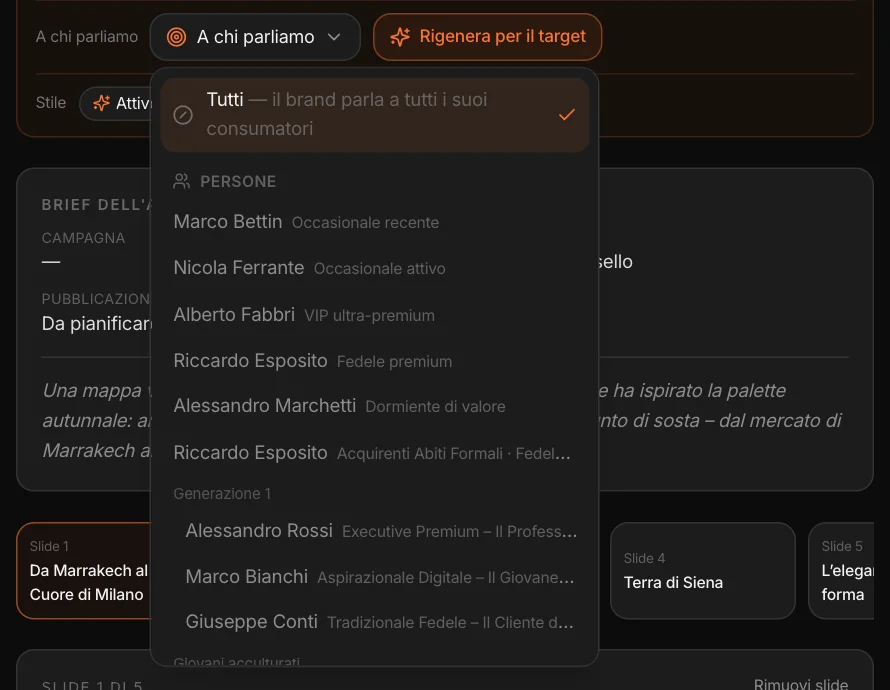
The post’s audience: everyone, a persona or a segment of the project (see below).
The channel
Each platform’s conventions: length, register, hashtags on Instagram, links on Facebook and LinkedIn.
The market’s language
It writes in the language of the project’s market; a variant for another country stays in that country’s language.
If you sell to businesses
With the B2B profile the register turns professional and the calls to action are business ones: an offer, a meeting, a catalog.
A post
for every target.
The same theme isn’t told the same way to everyone. In “Audience” you choose who the post is for: the brand’s whole audience, a persona from the project — including the ones built from CRM customers — or a segment. MAPS writes for that profile; “Regenerate for the target” rewrites an existing post for a different audience.
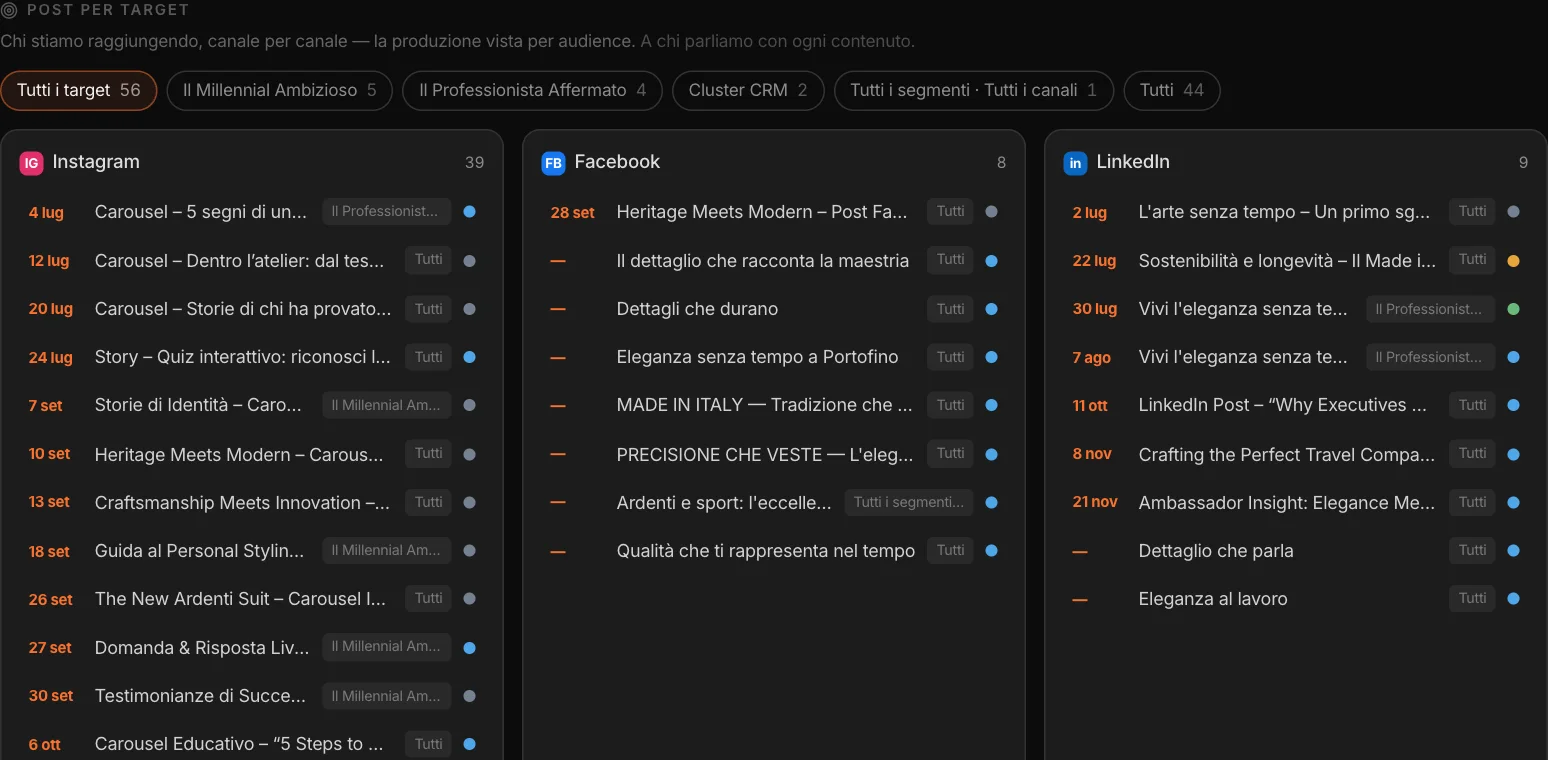
The post remembers its target. In the Dashboard, “Posts by target” shows, channel by channel, who you are reaching and who you aren’t.
Where they live,
what moves them.
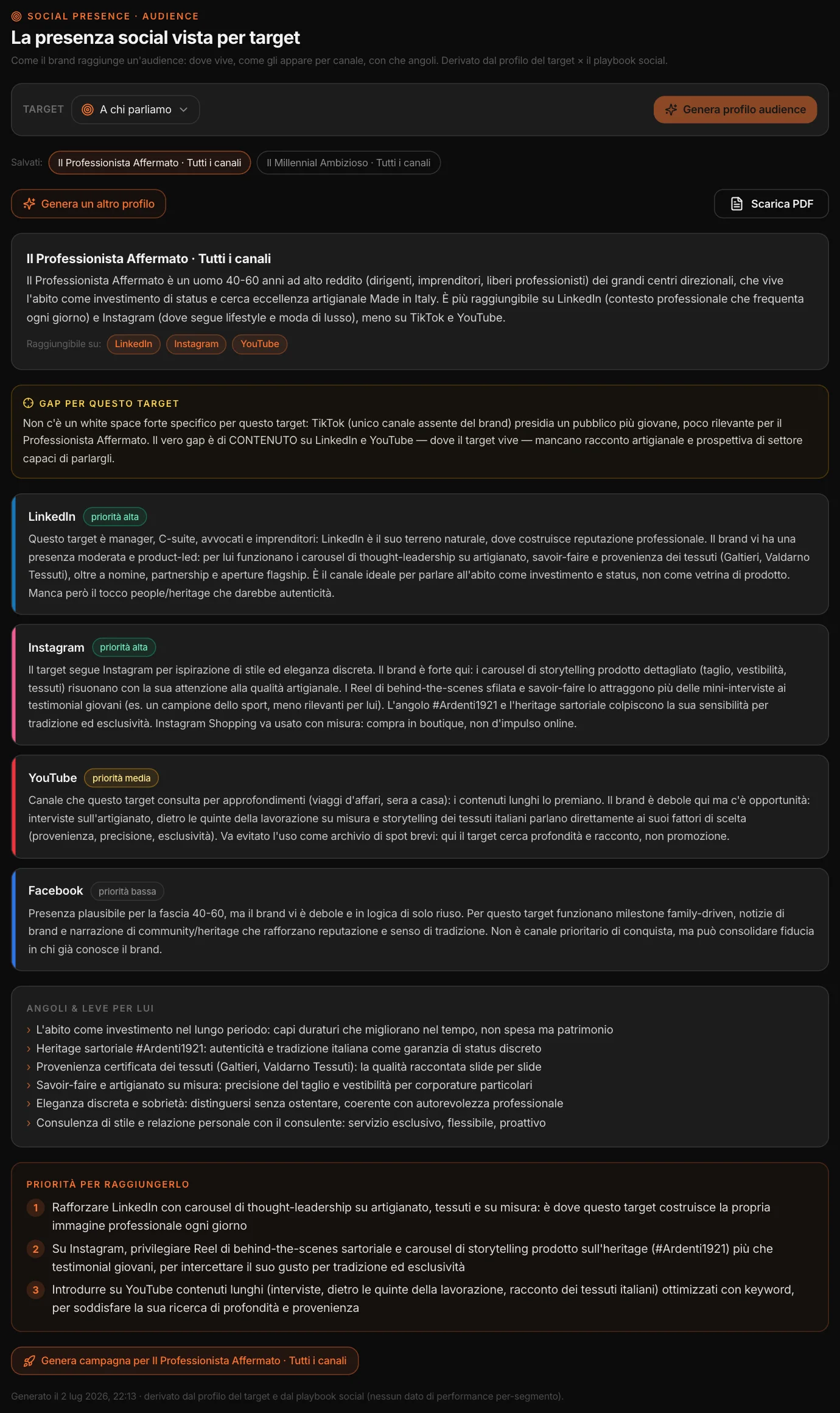
For each target, Social Presence builds its social profile: who they are, which channels reach them and with what priority, what the brand already does well there and what’s missing, the content gap for that audience, the angles and levers that work with them, and the priorities for reaching them.
The profile can be saved and downloaded as a PDF, and a campaign for that target starts from there. It is a reading based on the target’s profile and the brand’s social data, and it says so: there are no performance figures per segment.
The words
and the image.
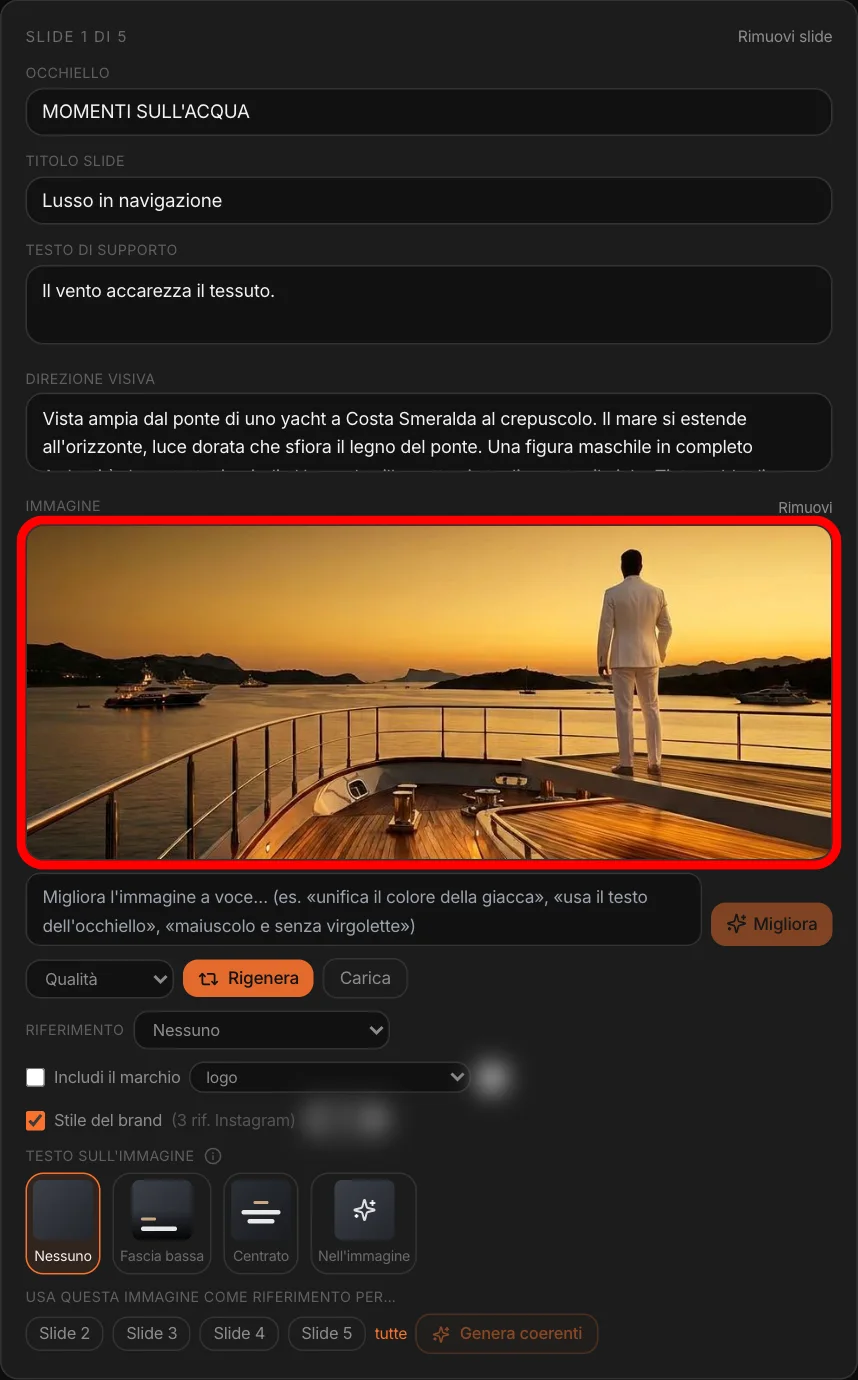
Every slide has a kicker, a headline, supporting copy and a visual direction: the scene to generate. The image is created with the brand’s visual references for that channel and its palette; if the campaign has a key visual, it becomes the first style anchor. The logo is included when needed, in the version you choose.
You fix the image in words (“warmer light”, “make the jacket the same color throughout”), redo it to match another slide, or use it as the reference to generate all the others. If you upload your own photo, “Rewrite from the visual” rewrites the slide’s copy for that photo. Text on the image: none, in a lower band, centered in the brand’s font and color, or inside the image.
How it looks
on the platform.
On the right, the post as it will appear: on Instagram with the caption below, on Facebook and LinkedIn above, stories full screen, the LinkedIn document as you flip through it. Organic or sponsored.
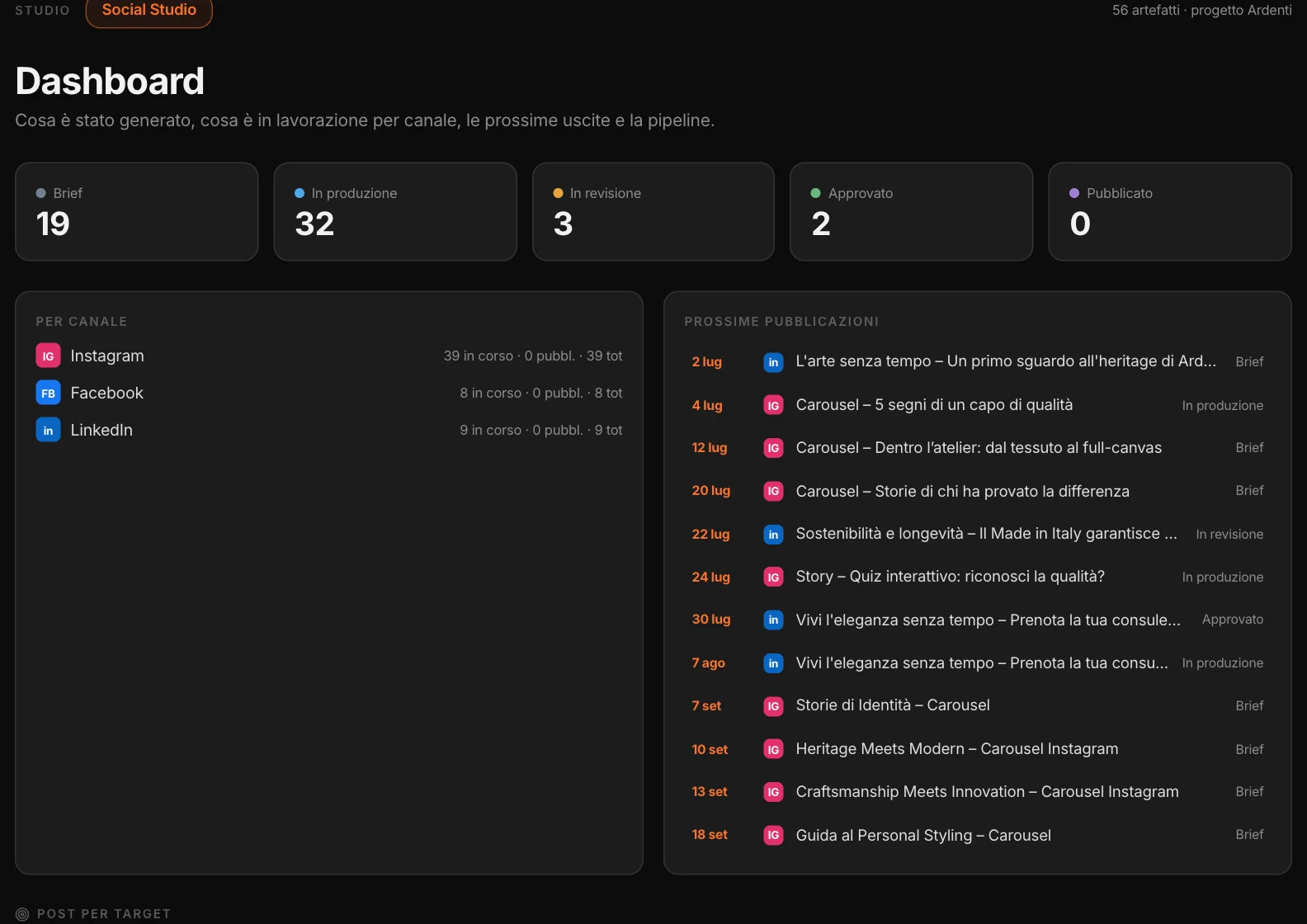
Below, the workflow: brief, in production, in review, approved, published. Each piece of content is assigned to a team member and has its own publishing date.
One theme,
every output.
From one piece of content, “+ variant” creates another for a different channel or format: the Instagram carousel becomes a LinkedIn post, the post becomes stories. “Languages” adapts it to another country — not a translation: that market’s idioms, references and register — and keeps the images. If the text is written inside the image, an option rewrites it in that country’s language, on the same image.
Reels and TikToks are made in the Video Studio: from the variants menu the theme becomes a video project, and the finished video comes back here, in the queue, ready to export. And to change the post there is “Improve with MAPS”: ask “shorten the caption” or “more formal tone” and it does it; if instead you think out loud (“maybe it’s too long?”), it proposes options first. It doesn’t invent facts or numbers. And nothing is lost: before every regeneration or edit a copy is kept, and “Versions” restores it.
Before the client
sees it.
Three checks, on the single post, before sending it for approval.
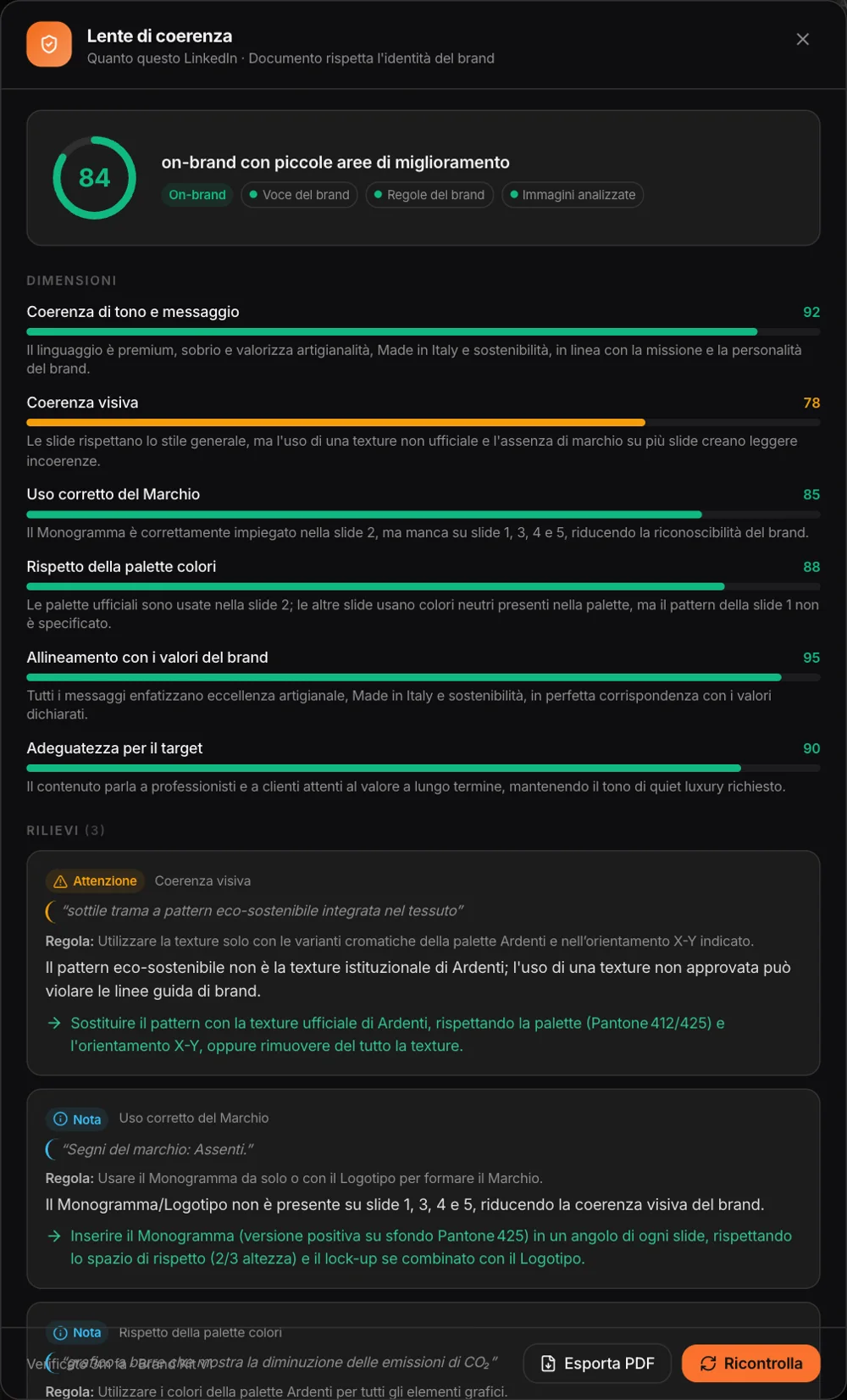
How on-brand
is it?
A score from 0 to 100 and the dimensions behind it — tone, visuals, logo use, palette, values, fit with the target — with the findings: what doesn’t add up, which Brand Kit rule it touches, how to fix it. MAPS looks at the images too.
What does the person
receiving it think?
The project’s personas look at the slides and react, each with a score, a quote and what they would change. The average stays on the post.
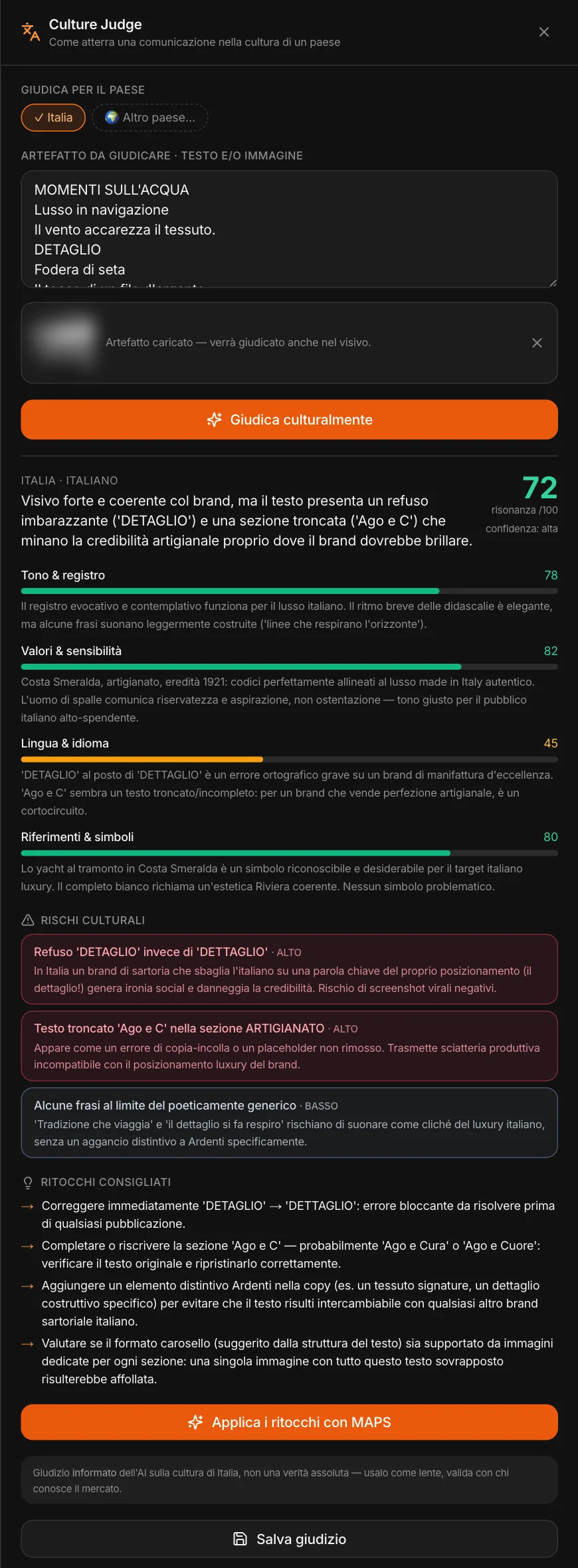
How does it land
in that country?
Text and image, judged within the country’s culture: resonance, tone, values, language, symbols; the risks with their weight and the suggested tweaks, which MAPS applies on request.
Here it found two real errors in the post: a typo in the kicker and a truncated headline. Then there’s “Send to Review”: the slides, with the text laid out, go to the client for approval.
What’s there
and what’s going out.
How much content by status, by channel, the upcoming publications, posts by target and by campaign, the pipeline and the archive.
And you can ask the project chat “what campaigns have we run on Instagram in the last six months?”: it knows the posts, the campaigns, the dates, the statuses and the targets.
Ready
to publish.
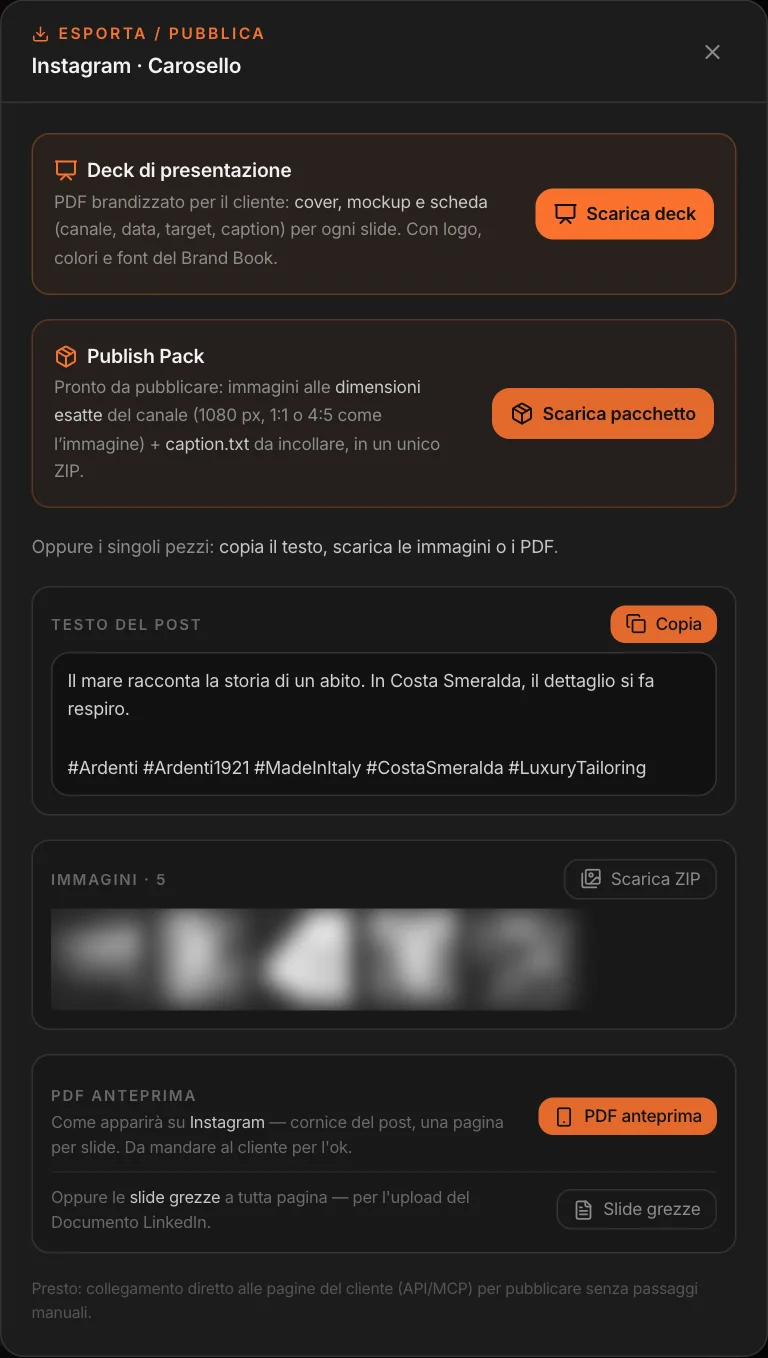
For each post: a branded PDF deck for the client; the Publish Pack — the images at the channel’s dimensions, with the text laid out, and the caption to paste, in a ZIP —; the text to copy; the images; the preview PDF; the raw slides for the LinkedIn document.
For a plan or a whole campaign: the deck, the pack with one folder per post, and a CSV calendar to upload to the scheduling tool you use. You do the publishing on social: MAPS prepares everything, it doesn’t publish for you.
How you’re doing
on social, and the others.
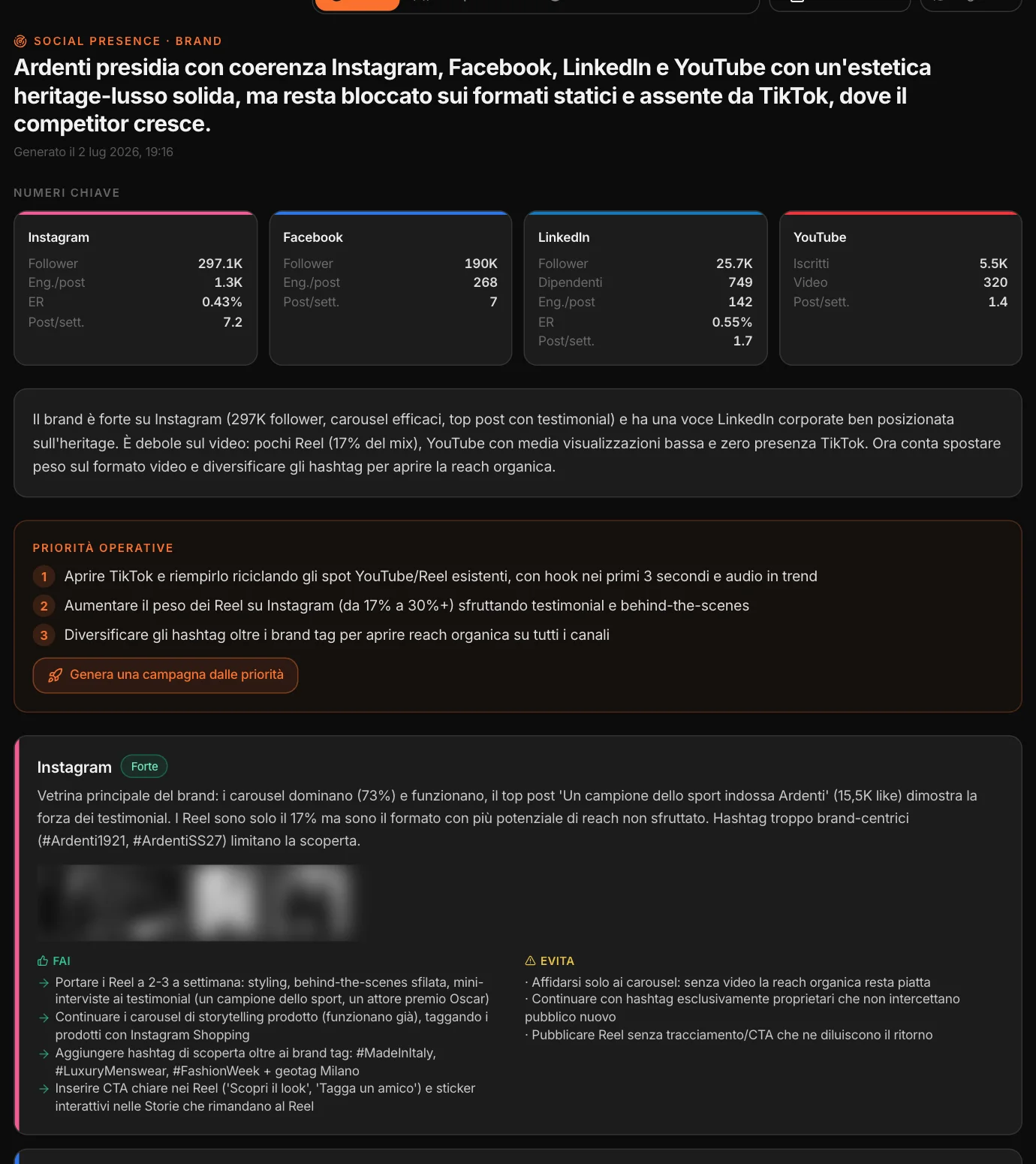
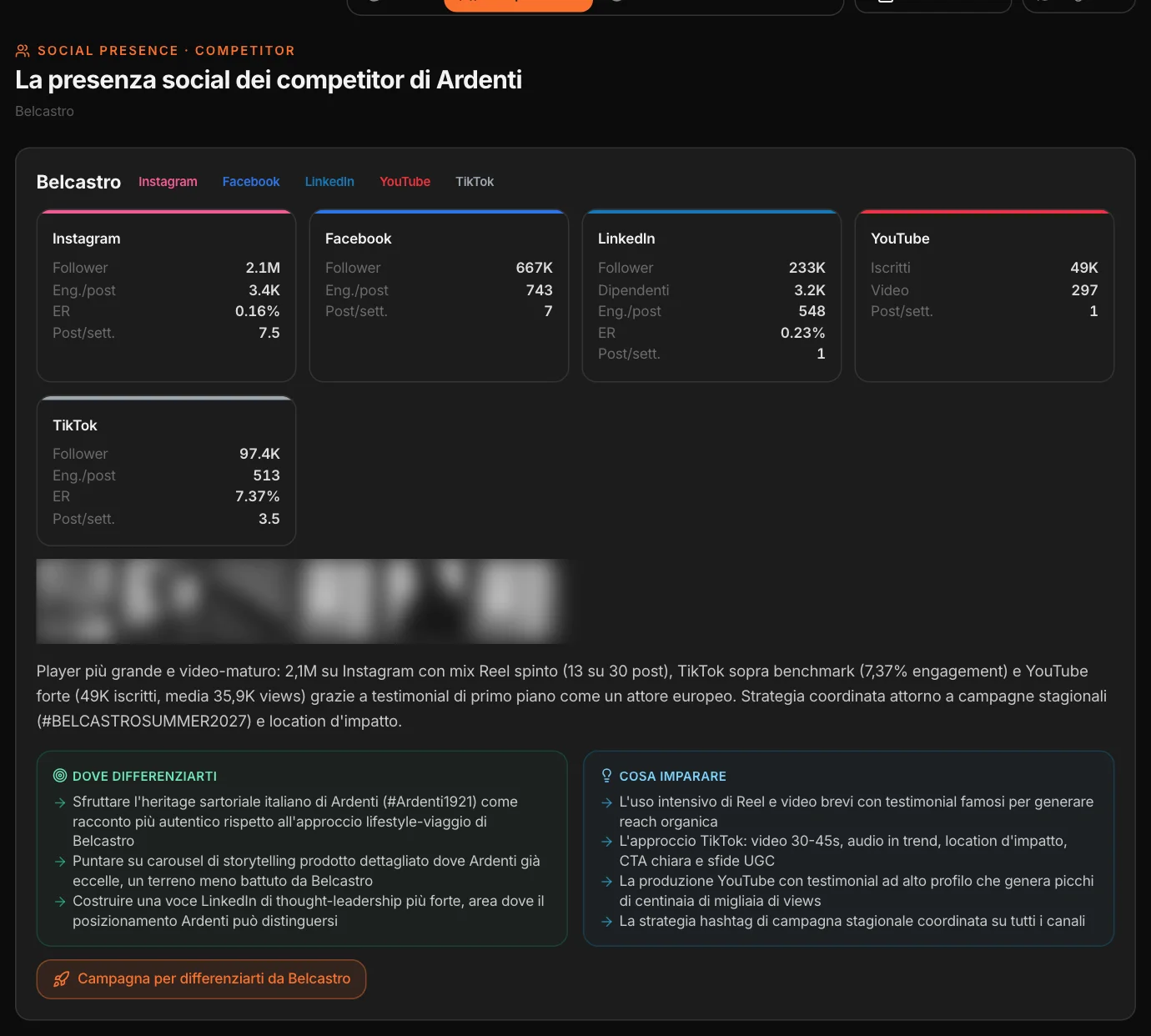
From the social profiles gathered in Monitor — the brand’s and its competitors’ — MAPS builds a working read for the people who produce content: the numbers by channel, what works and what doesn’t, the priorities, what to do and what to avoid on each channel, and the open spaces: the channels where only the competitors are.
A page for each competitor, with where to differentiate and what to learn; an audience’s profile, channel by channel; the trend over time. A campaign can start from the priorities, from a competitor or from an open space.