
MAPS,
inside your AI tools.
MAPS is an MCP server: Claude, ChatGPT or Cursor connect to it and read the intelligence from your projects — ask Claude “what does the social listening say about this brand?” and the answer comes from MAPS data, not from the web.
One connection covers the whole organization: one link, every project.
Read everything,
launch analyses.
Thirty-nine tools: reads of what MAPS has already produced, and analyses to launch.
Projects
The list of projects, the overview of each one, the business context.
Monitor and Analyze
Competitive intelligence, social listening, web research; SWOT, synthesized insights, the analysis frameworks, scanner data.
Brand and audience
Identity, value proposition, positioning; personas, customer journey, empathy map.
Campaigns and SEO
Archetype campaigns, campaign engines, SEO intelligence; the catalogs of archetypes and methods.
Canvases and areas
The canvases and their content, the outputs of flows and lenses; the multi-market areas and their modules.
Questions
The project chat, the area chat, semantic search over the memory, natural-language questions on scanner data.
Analyses to launch
Flows and strategic lenses, Idea Lab methods, campaign engines, personas: they start in the background and you follow their status until the result.
No tool changes your data: it reads, answers, analyzes.
With your account,
or with a key.
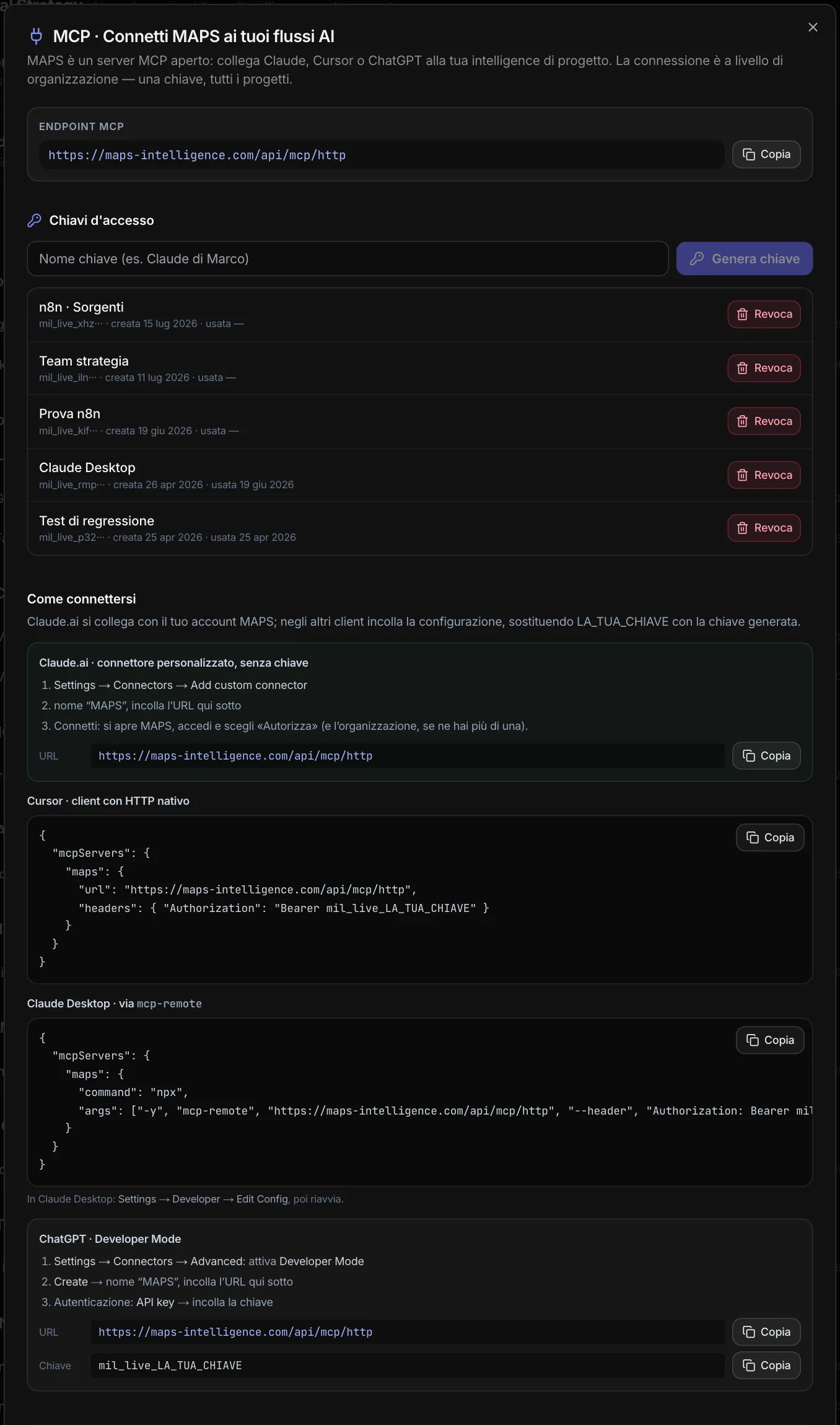
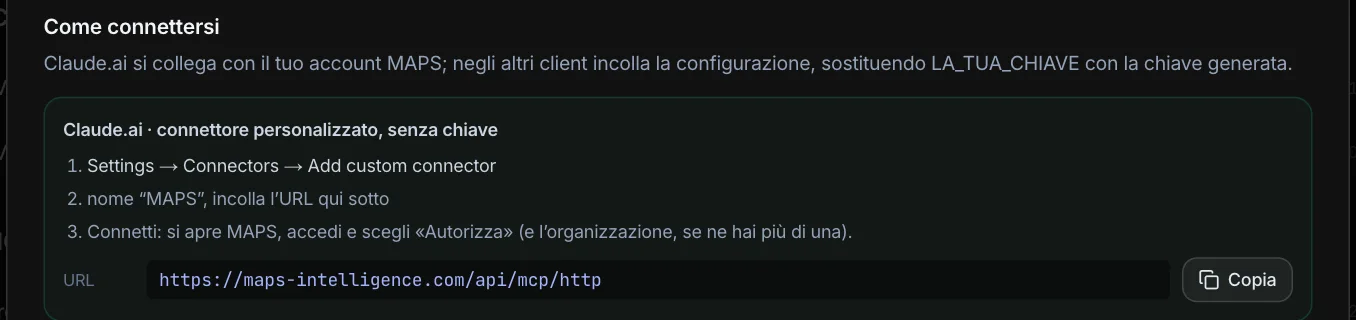
On Claude.ai and ChatGPT you add MAPS as a connector: paste the address, sign in to MAPS and authorize — choosing the organization if you have more than one. No key to copy. Apps connected this way show up in the panel, with their last use, and can be disconnected with one click.
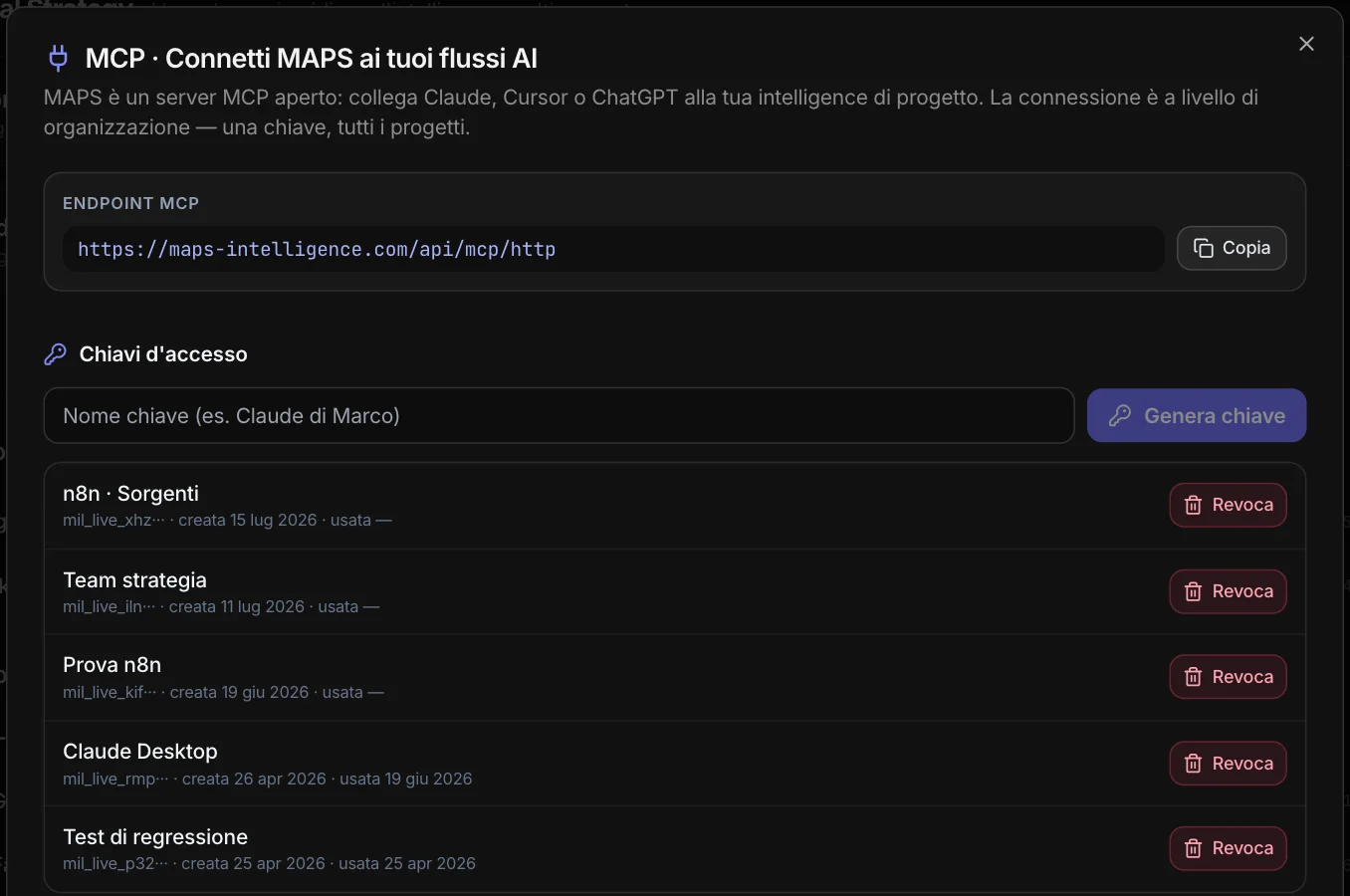
For Cursor and Claude Desktop the panel prepares the configuration with a key: admins generate it, it’s shown only once, and you can revoke it whenever you want.
One budget,
for the app and for MCP.
Analyses launched via MCP draw on the same organization budget as the app, and a per-minute call limit prevents bursts. Every call is logged.
And in the other direction: MAPS uses external connectors to do its work — Google Drive to bring your files into the archive, web data sources for research.