Every piece of content,
a task.
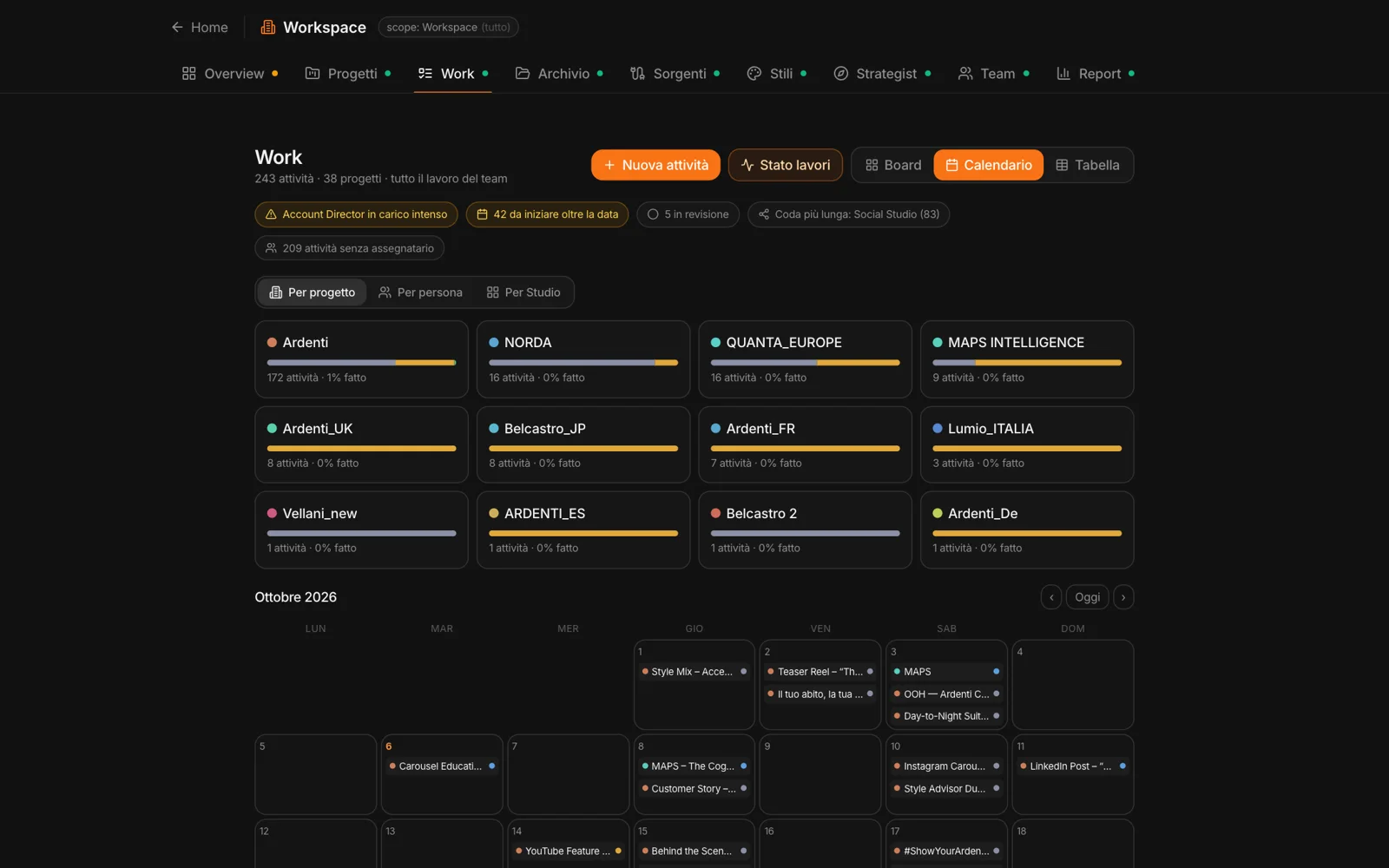
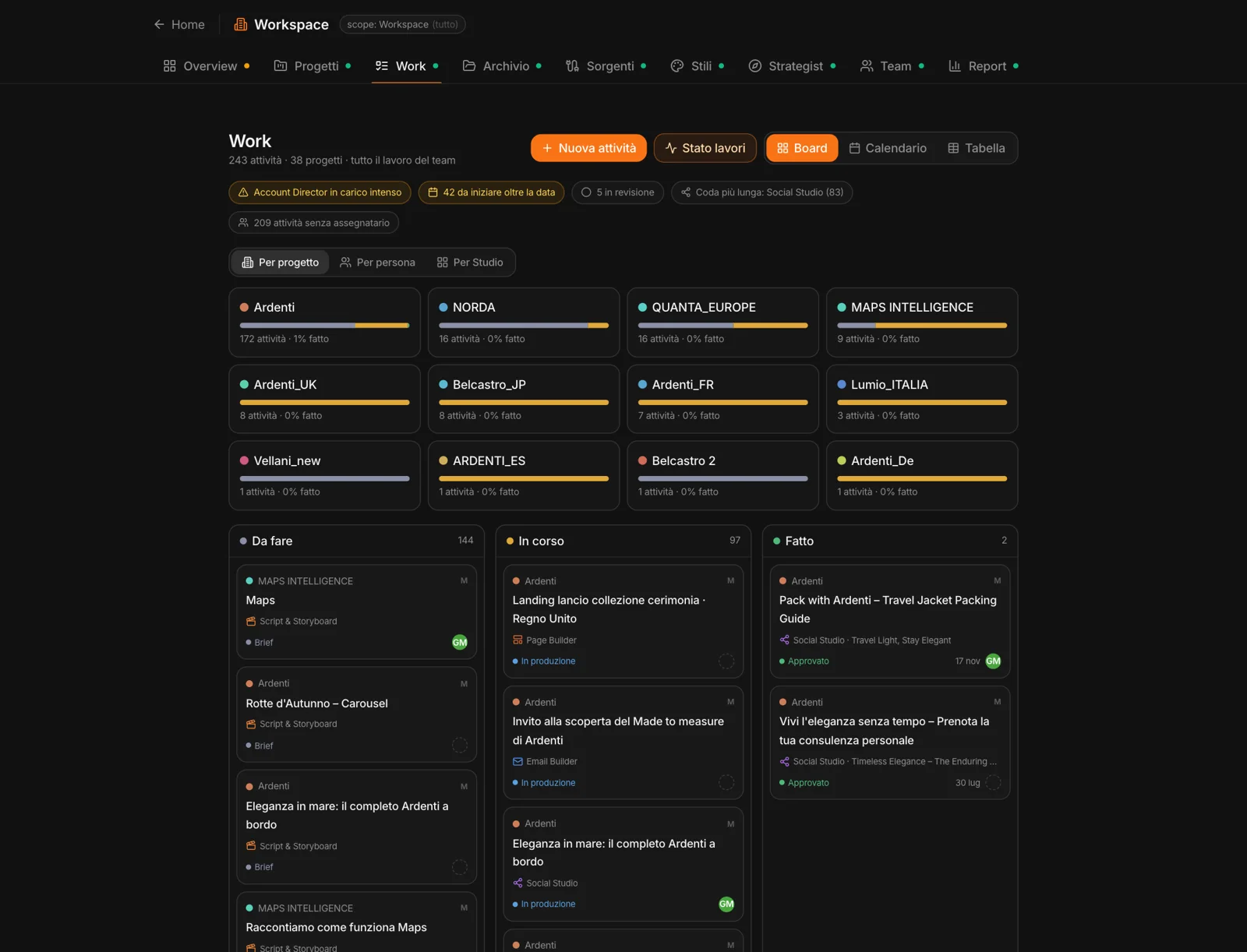
Whatever comes out of the Studios — a post, an email, a page, a video — shows up in Work as a task: project, campaign, Studio, owner, status, due date. The statuses are the Studios’ own: brief, in production, in review, approved, published.
You can view the board by project, by person or by Studio, as columns, a calendar or a table. “New task” adds whatever doesn’t come from a Studio, with a size — small, medium, large — to estimate the workload.
Who’s overloaded,
who has room.
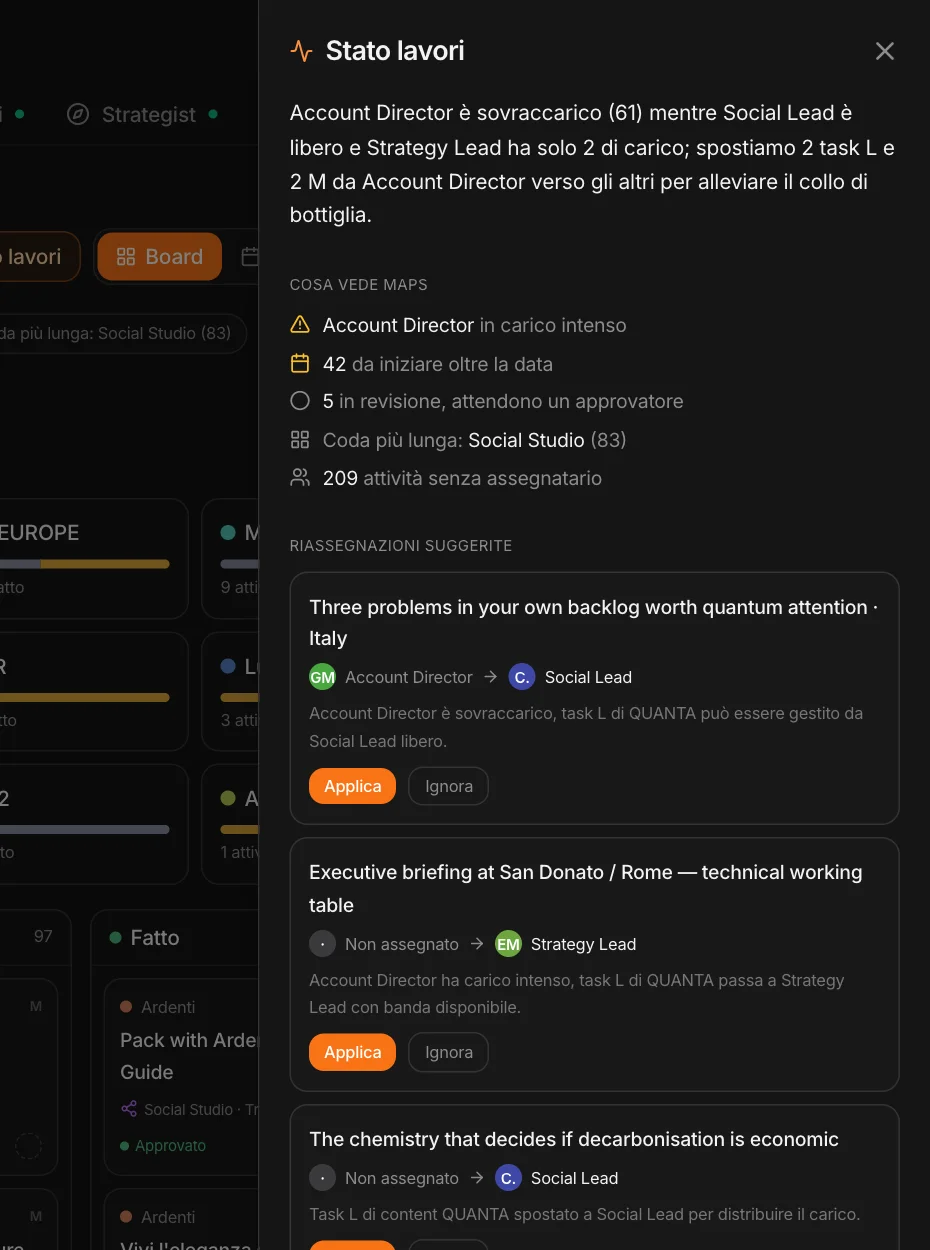
“Work status” reads the board and tells you what it sees: who’s overloaded, who has bandwidth, what’s at risk of slipping. It suggests reassignments — this task from him to her, and why — and you apply or ignore them, one by one.
The big picture,
ready to share.
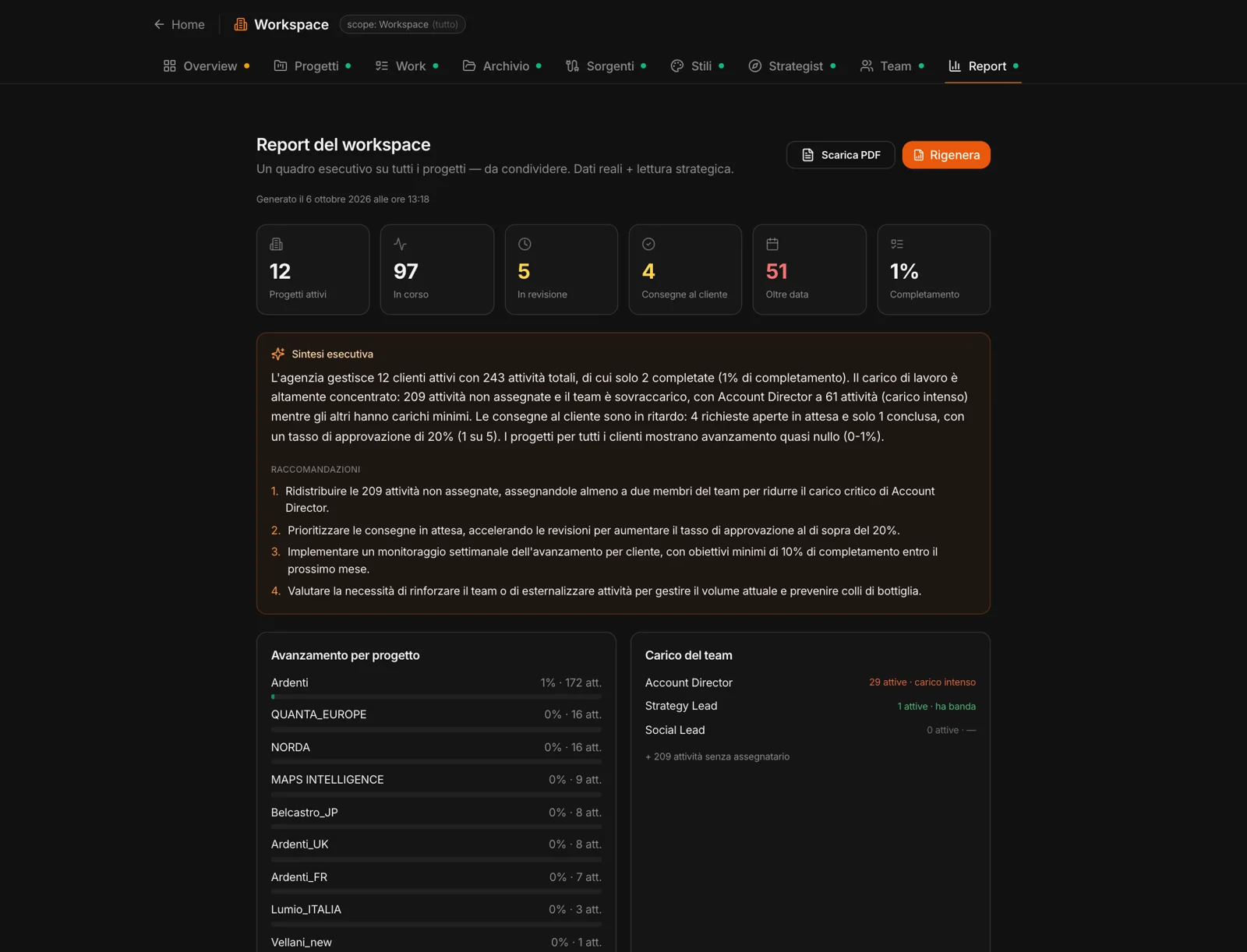
“Generate report” takes a snapshot of the workspace at that moment: the numbers, an executive summary and recommendations anchored to the numbers, progress by project, the team’s workload, deliveries to the client — open, pending, with changes requested, approved. You can download it as a PDF.