
Every campaign starts from a goal,
and knows where it came from.
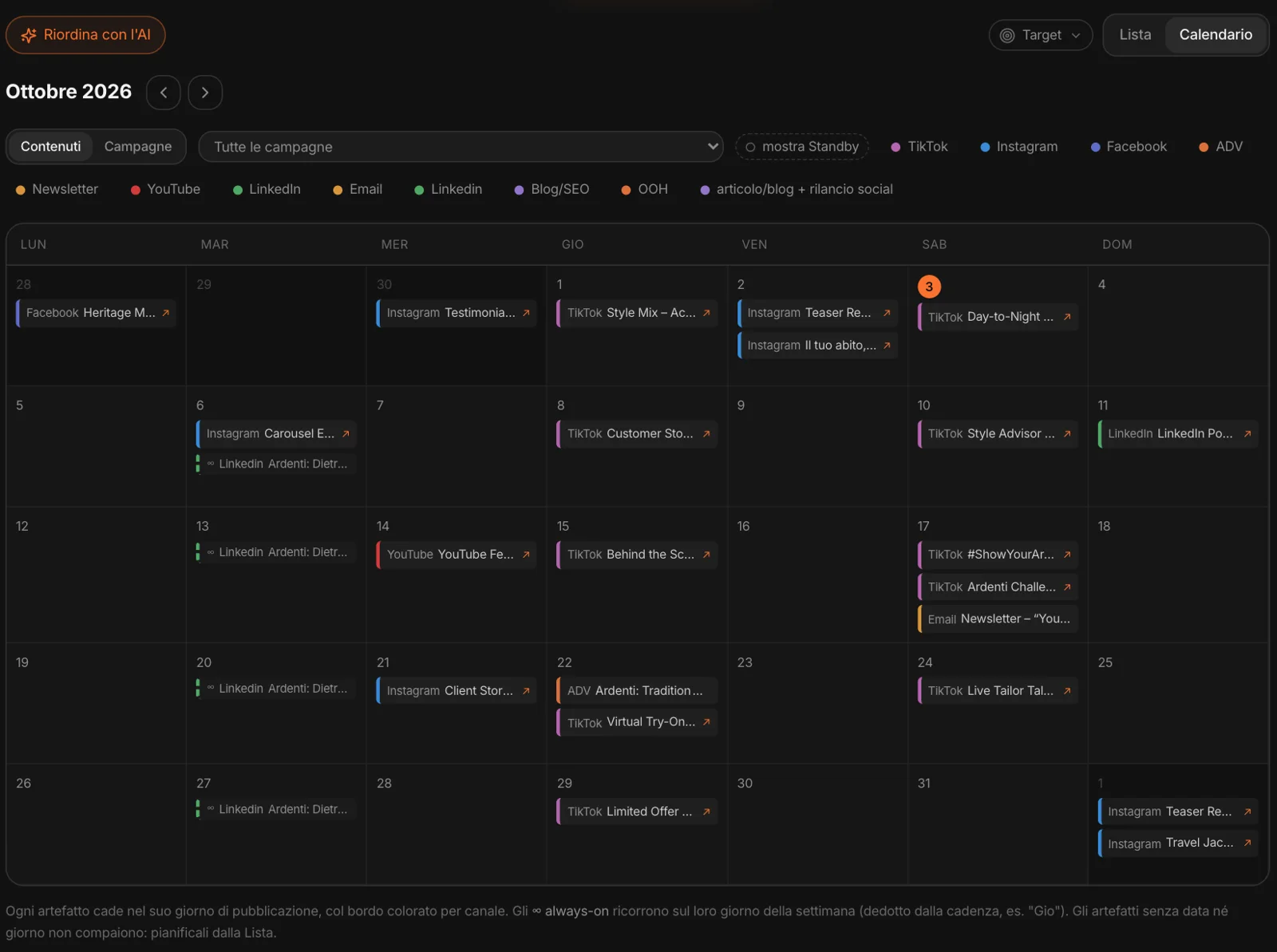
Every campaign has a concept, a goal, KPIs, a period and a progress bar: how many artifacts are published. A label says where it came from: a CRM cluster, a Campaign Lab method, Quick Prototype, “Generate with MAPS” — or written by hand.
Below, the artifacts that flow from the goal, each with its channel, its assignee, the date and the status, from brief to published. One click on the Studio — Social, Video, Email, Web, Content — and the artifact lands there as a brief. Filter by status (active, on hold, completed), by period and by target: a customer cluster or a persona, and you see only the campaigns that speak to them.
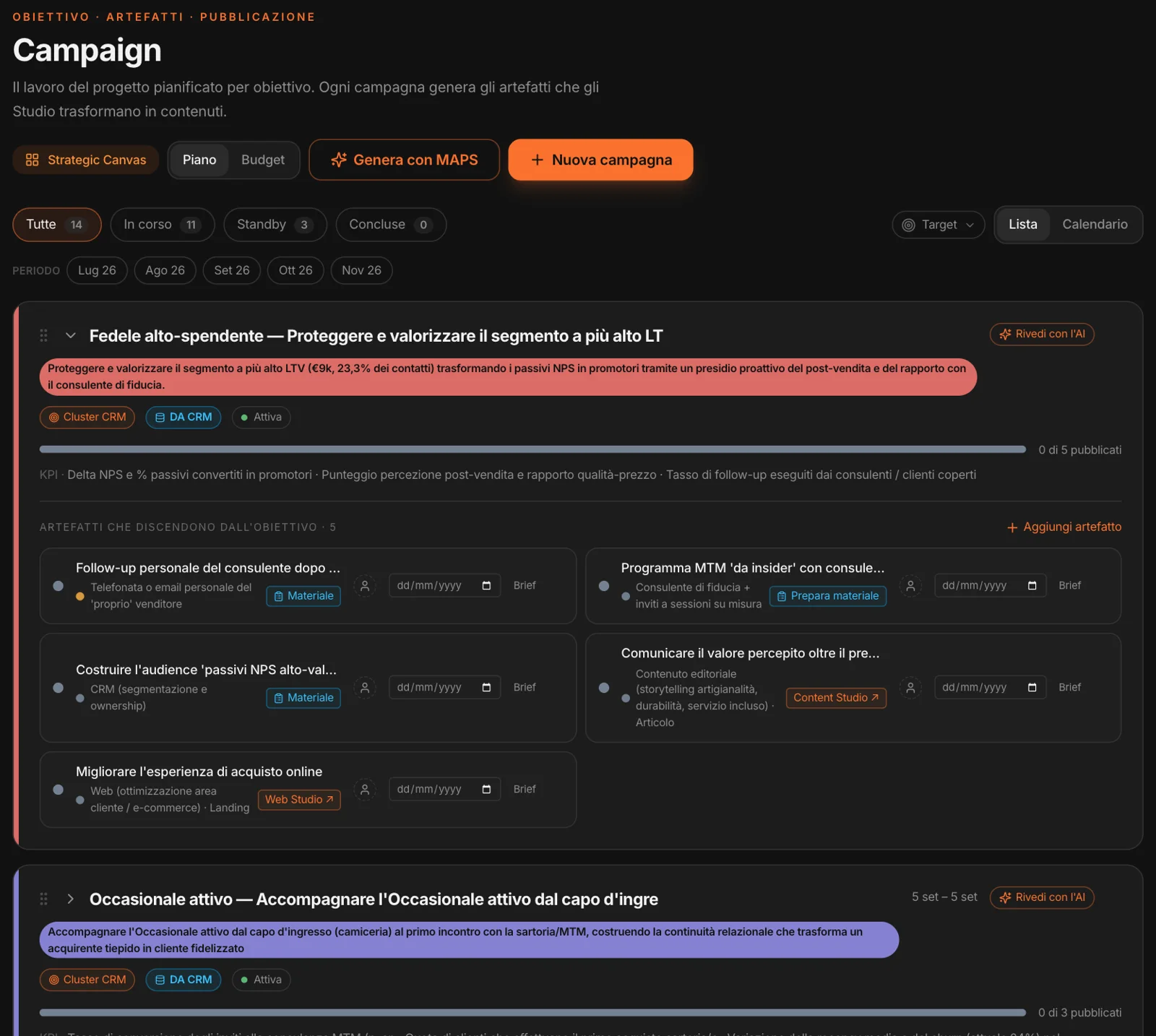
A phone call
is an artifact too.
A campaign born from the CRM often doesn’t call for a post: it calls for the sales associate to phone the customer after a purchase, or invite them to a meeting. For these artifacts there’s Prepare material: MAPS writes the call script, the talking points, an alternative draft email.
And it says why: the cluster’s need, taken from the data — here, high-value customers who feel forgotten after the purchase. The material stays saved on the action, and can be copied or regenerated.
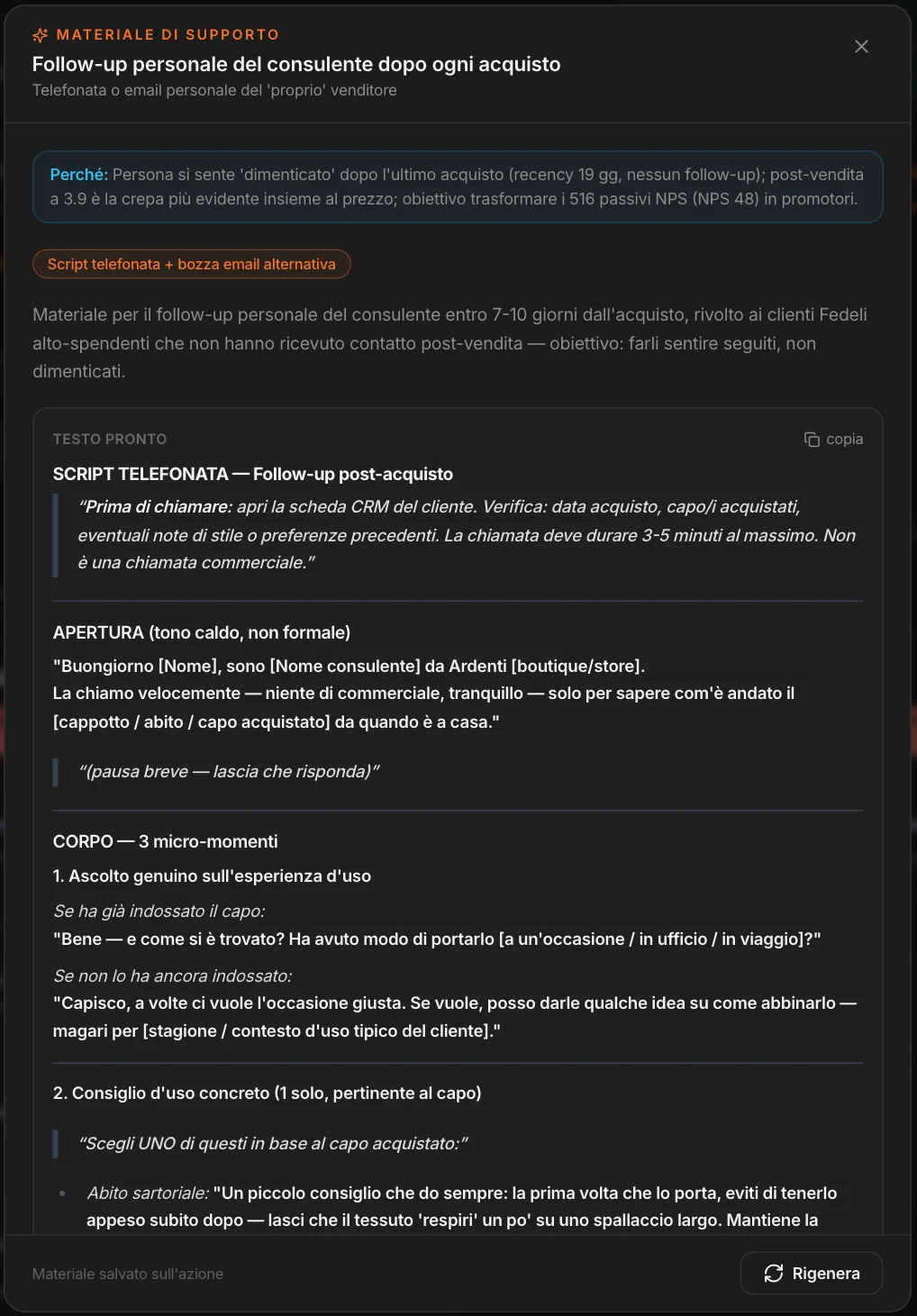
Continuous presence,
outside the campaigns.
Regular columns, recurring formats, follow-ups after every purchase: they live in a separate lane, always-on. Each with its channel, its Studio, its assignee and a cadence — “Thu”, “every Tuesday” — that makes it recur in the calendar.
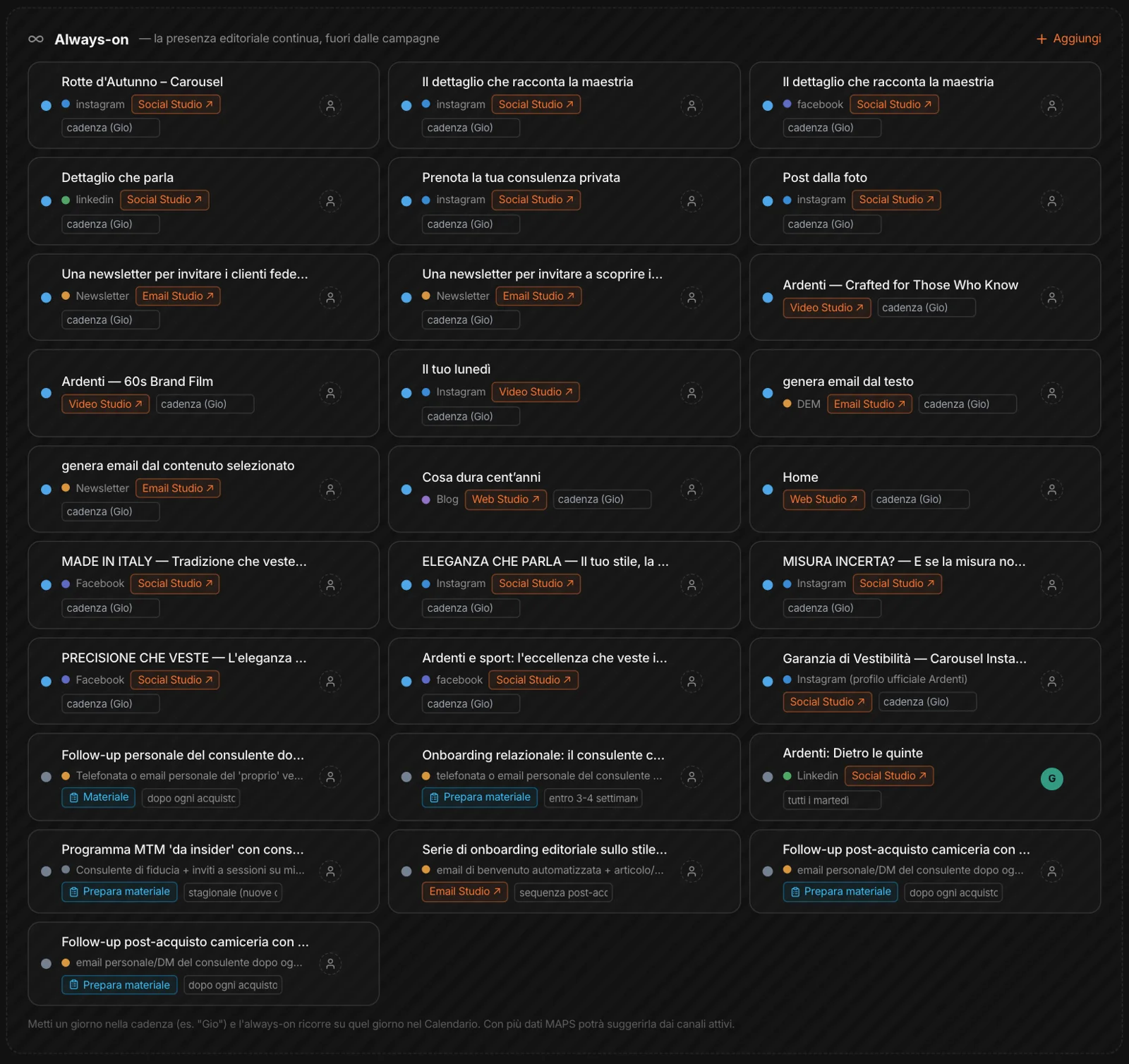
Two views:
content and campaigns.
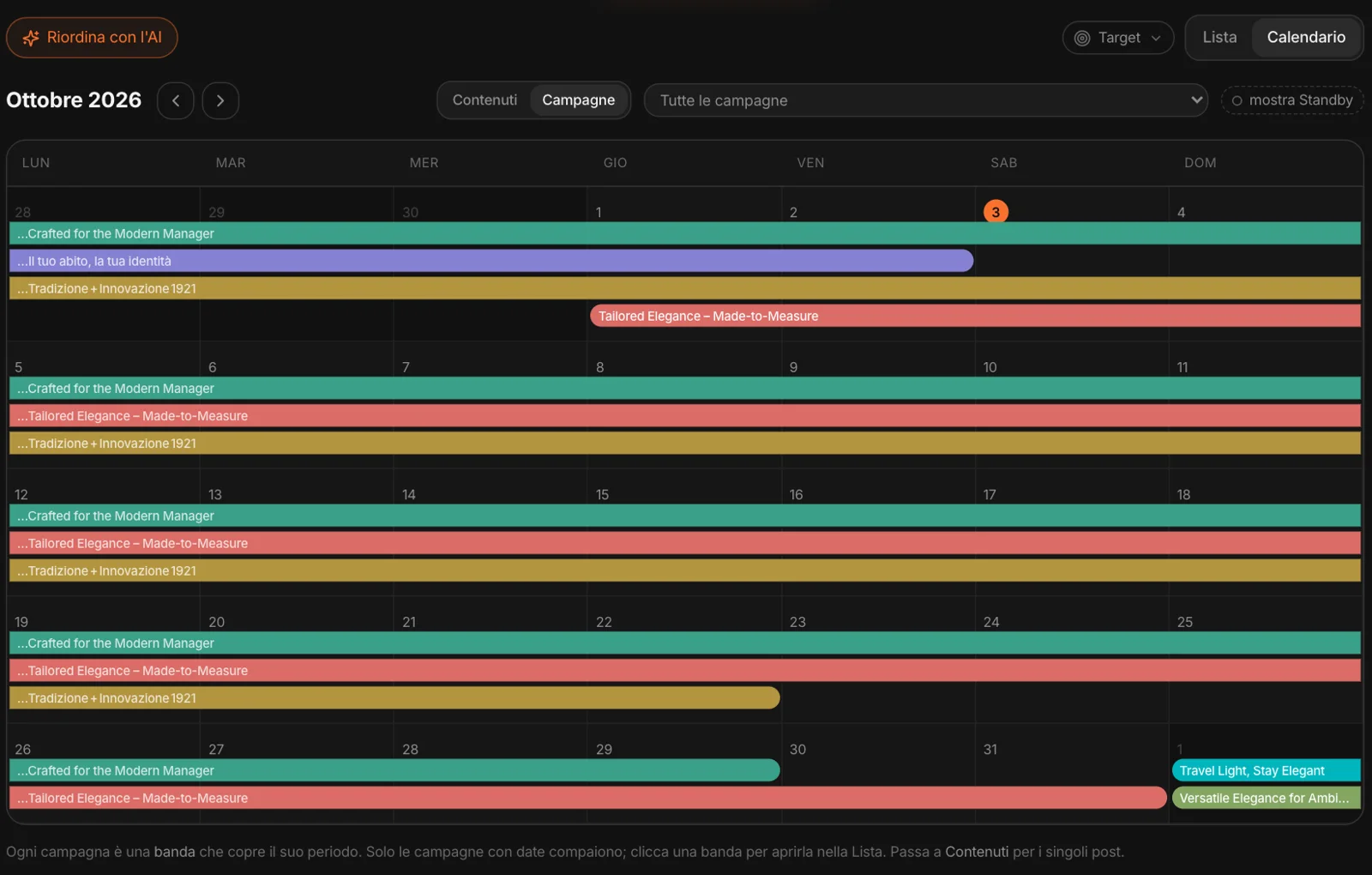
In Content every artifact falls on its day, in its channel’s color; filter by campaign and by channel, and one click opens the content. In Campaigns each campaign is a band spanning its period: overlaps and gaps show at a glance.
Just say it.
MAPS replans, you confirm.
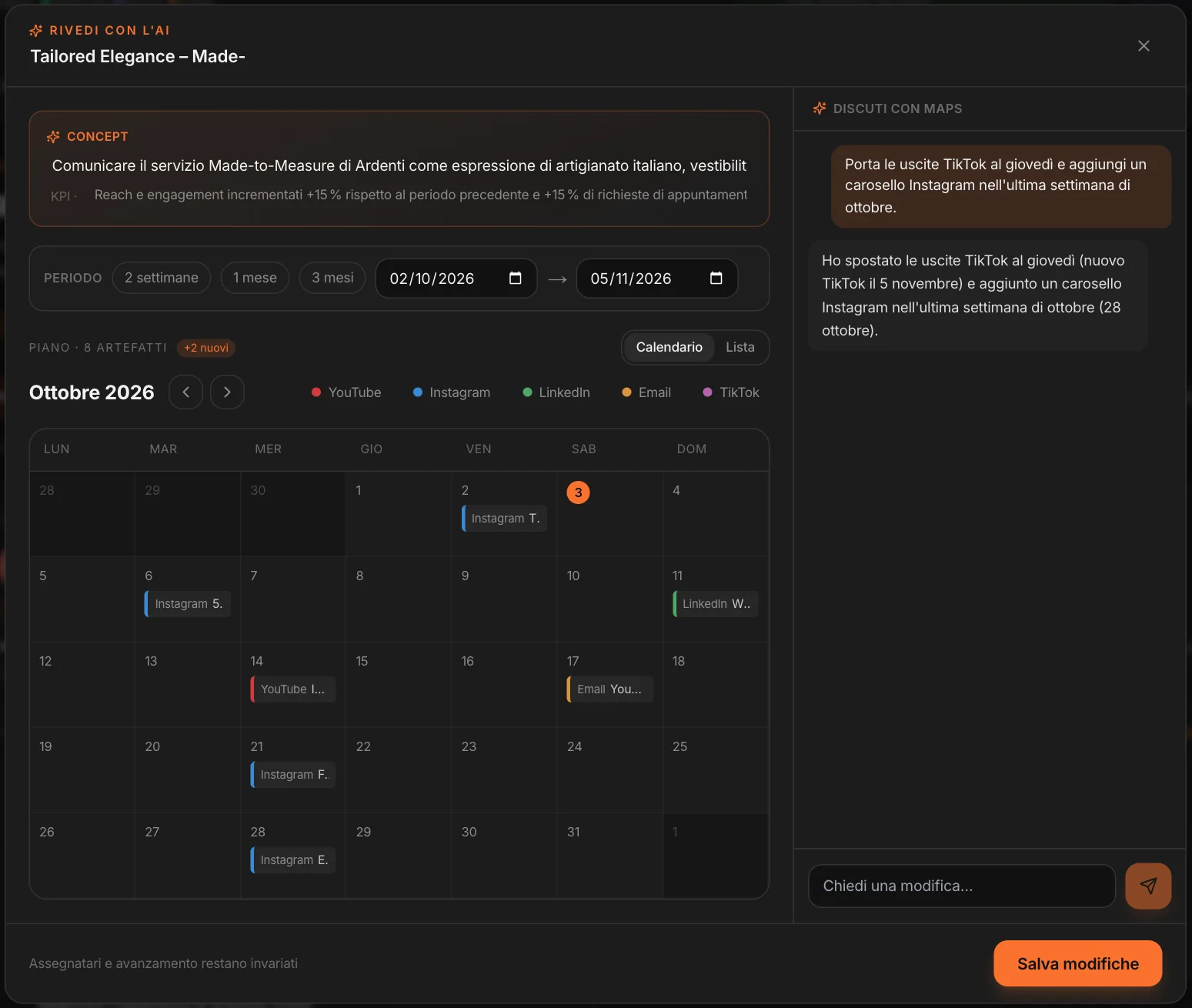
Review with AI opens a campaign with its calendar next to a chat. “Move the TikTok posts to Thursday and add an Instagram carousel in the last week of October”: MAPS moves the dates, adds the artifact, marks what’s new — and assignees and progress stay as they are. Nothing changes until you save.
All the campaigns,
in sequence.
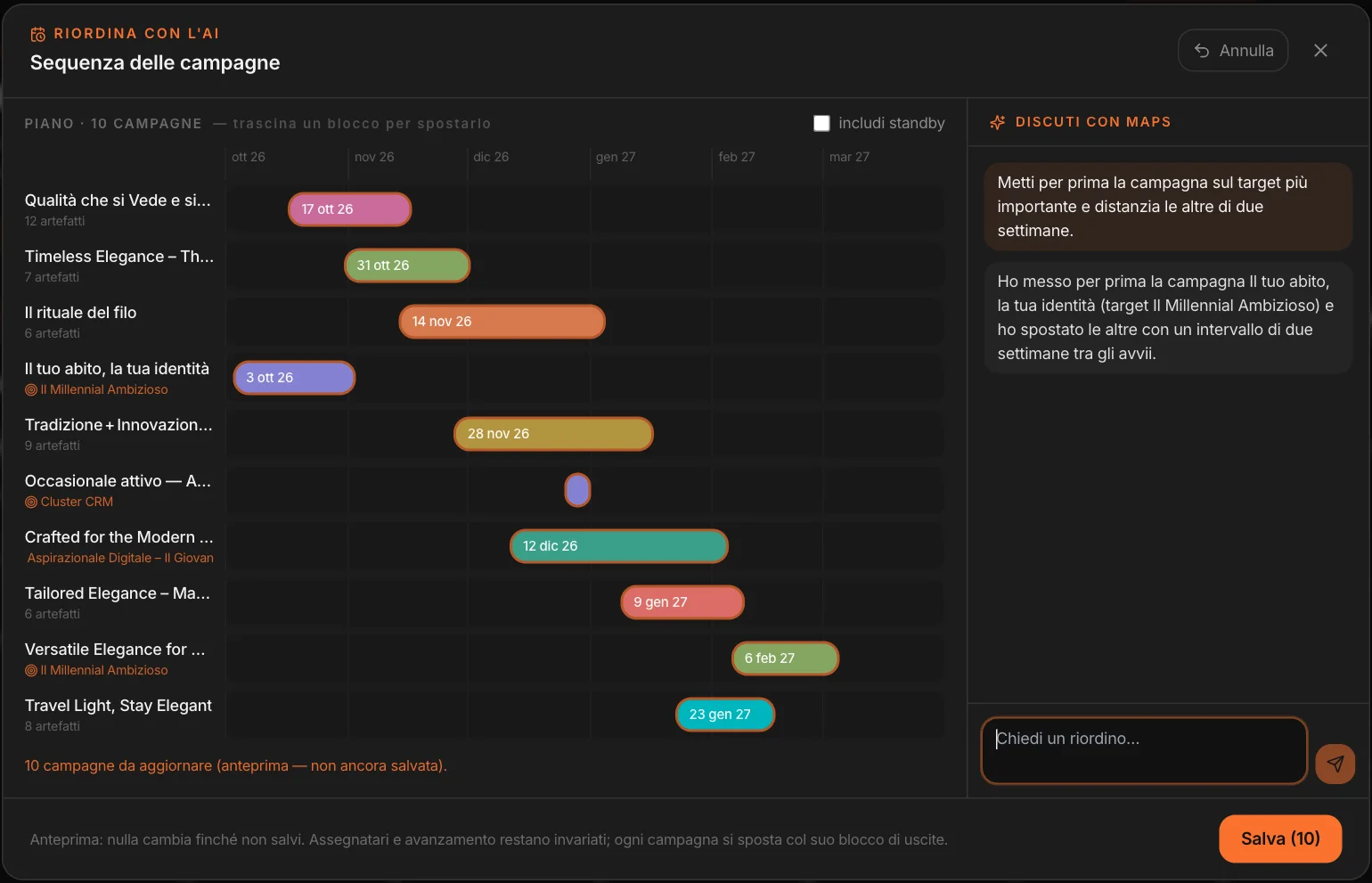
A Gantt chart of all the campaigns: drag them by hand, or ask. “Put the campaign for the most important target first and space the others two weeks apart”: MAPS chooses, moves, explains. Each campaign moves with its block of releases, and you see the preview before saving.
A whole campaign,
from a brief.
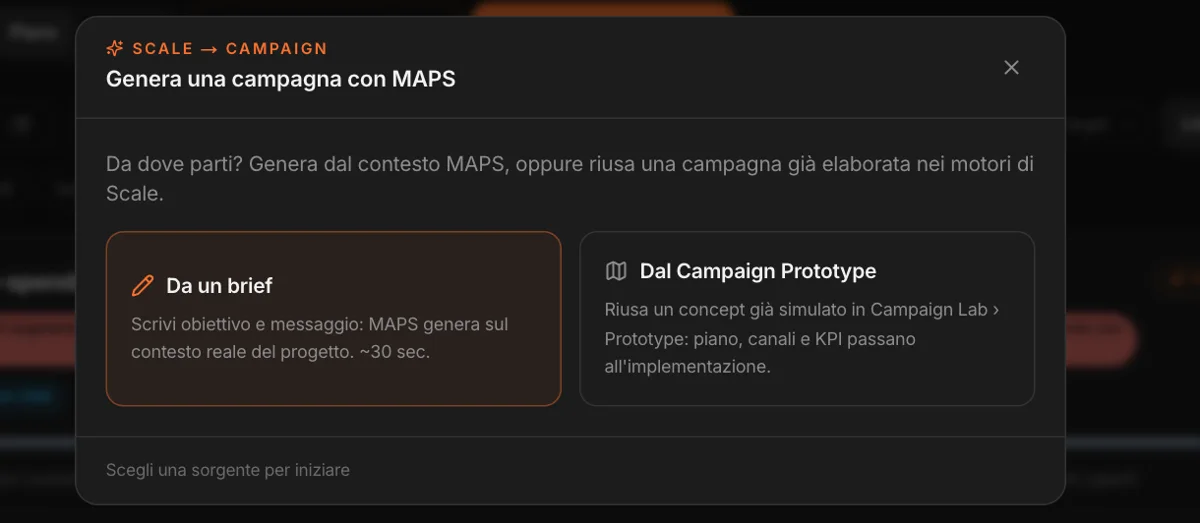
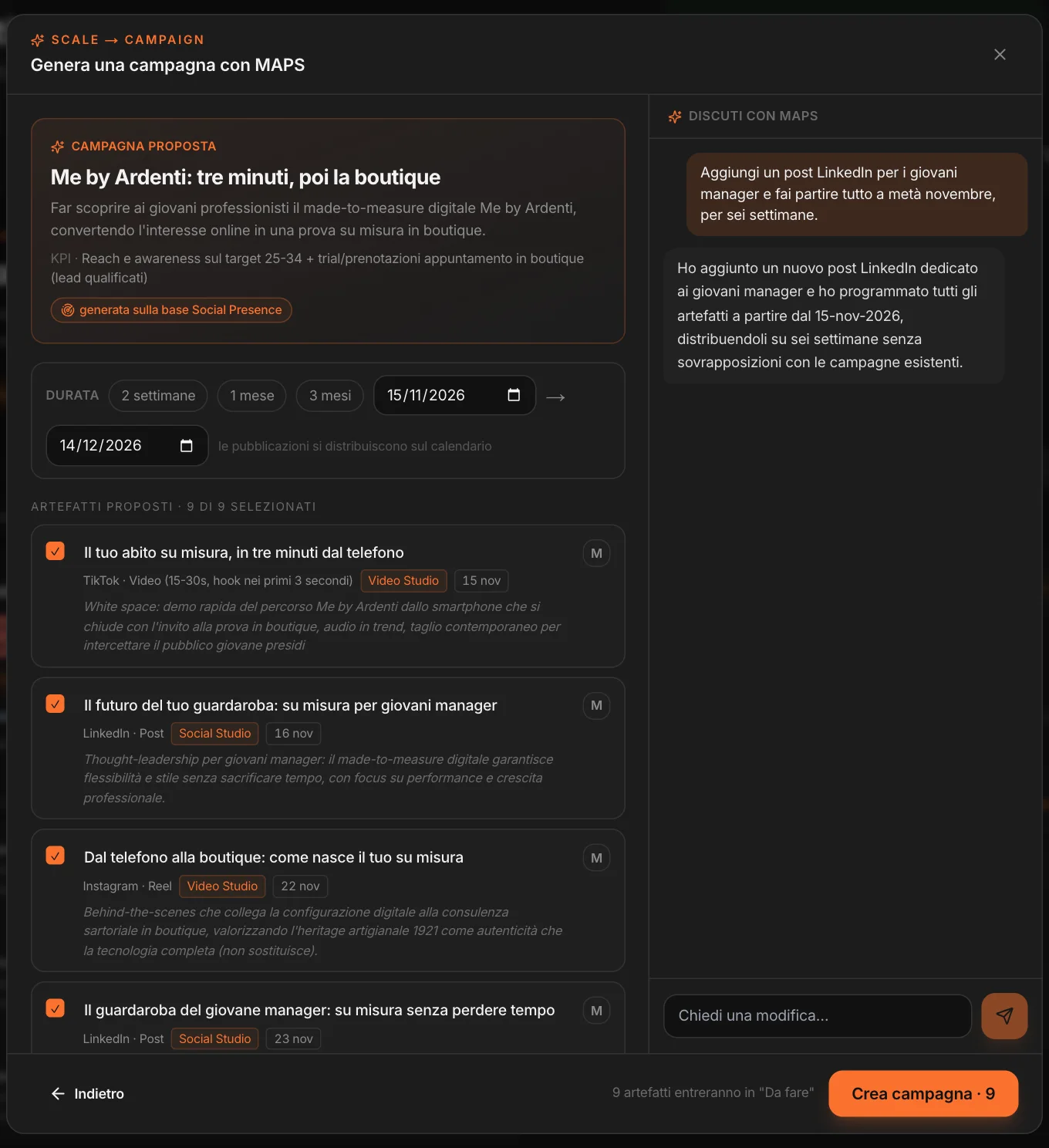
Two routes. From a brief: write the goal and the message, and in half a minute MAPS proposes a campaign built on the project’s real context — concept, KPIs, duration, and the artifacts one by one, each with its channel and its Studio. From the Campaign Prototype: pick up a concept already simulated in Campaign Lab, and the plan, channels and KPIs move on to execution.
Before creating the campaign you refine it in the chat, as you would with a colleague: “add a LinkedIn post for young managers and start everything in mid-November”. Remove the artifacts you don’t want, and the ones that remain go into the plan as “to do”.
What it costs,
what you’re spending.
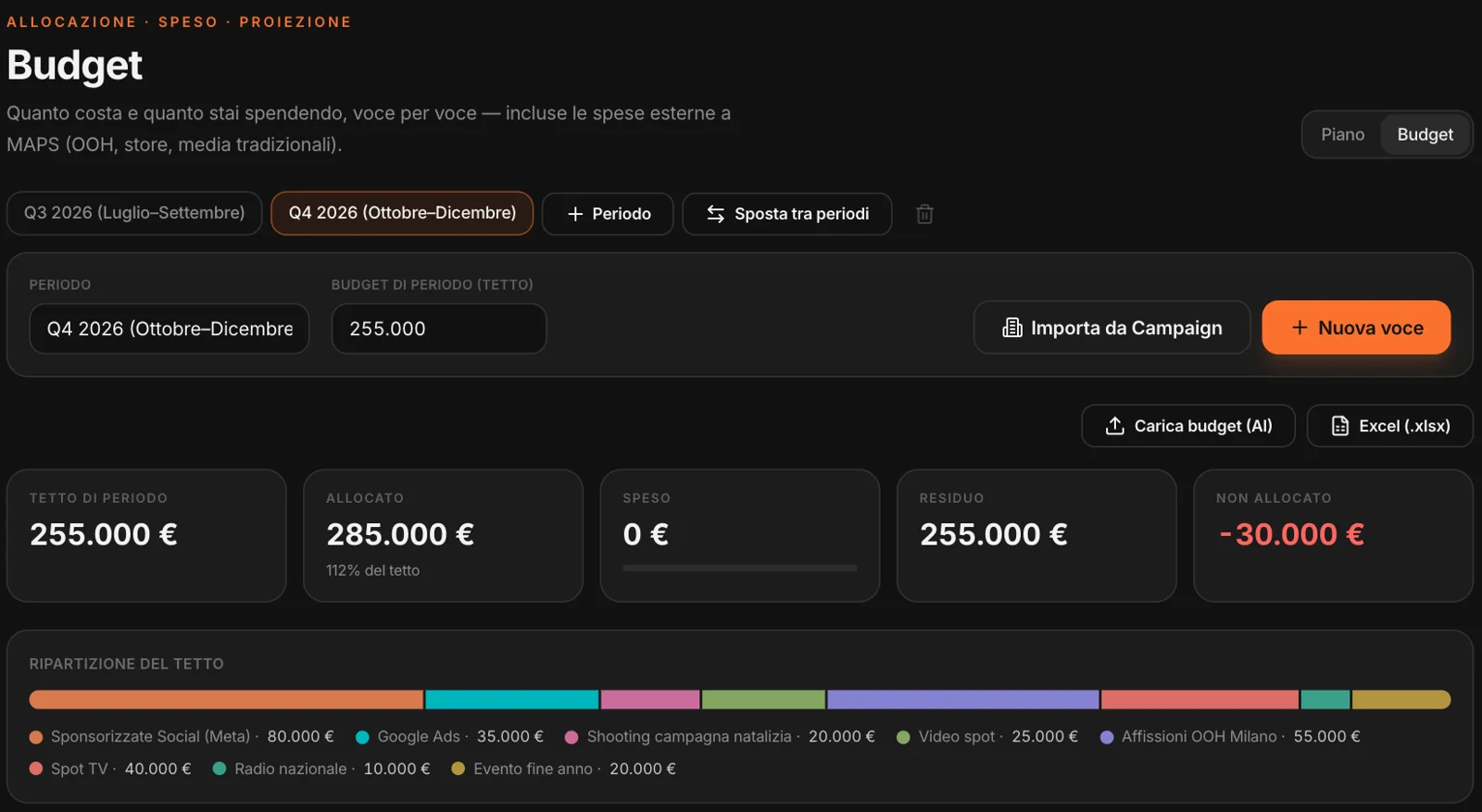
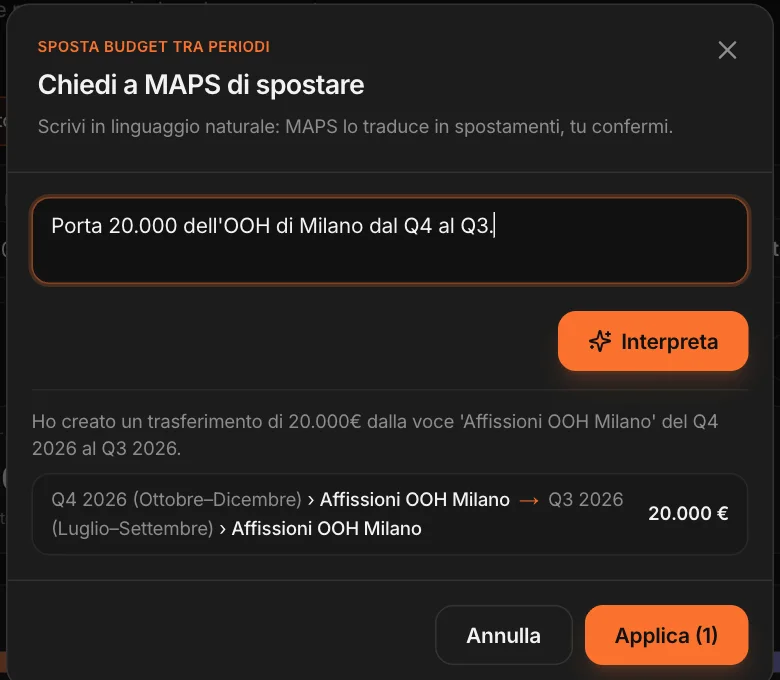
Next to the plan, the campaign budget: periods (a quarter, a season), a cap per period, and the line items — imported from MAPS campaigns or added by hand, including spend MAPS doesn’t see: billboards, TV, radio, events. You log expenses as you go, and see allocated, spent, remaining, the split by channel and spend over time.
Already have a budget in a spreadsheet? Upload budget: MAPS reads the file, recognizes the line items, and you choose which ones to add. And you can export it back to Excel whenever you want.
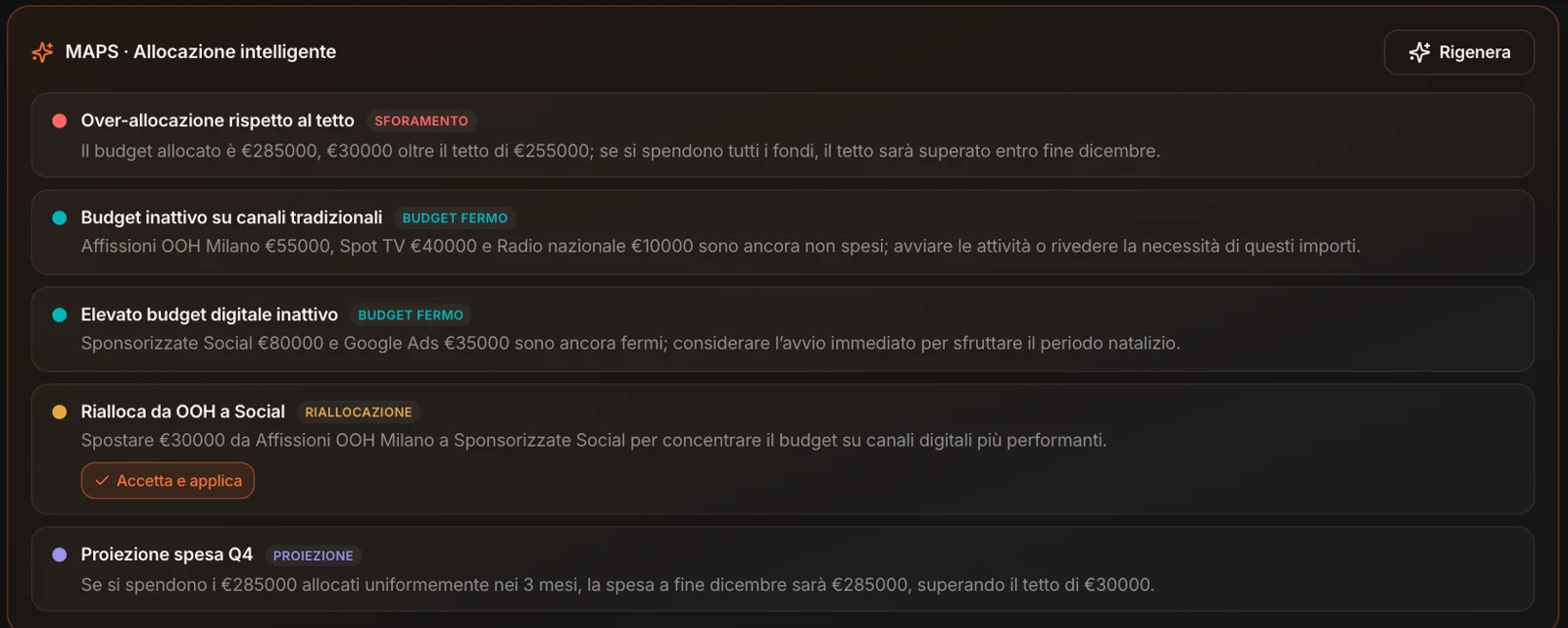
Overruns
The cap exceeded, and when it will be if you spend everything allocated.
Idle budget
Line items allocated and not yet touched, before the period ends.
Reallocations
Where to take from and where to put it, with “Accept and apply”.
Projections
Where spend will land at the end of the period, at the current pace.