
From idea to prototype,
in four steps.
Every prototype stays saved with its status, and you can pick it up whenever you want.
The idea
The concept name and the idea, even in a few lines. The rest, if you have it.
The brief
MAPS develops strategy, archetypes, tone, copy and visual direction.
The prototype
Mockups for each channel, on the Brand Kit, with your cast.
Production
The Channel Strategic Direction and the content, as in Campaign Lab.
What you have,
nothing more.
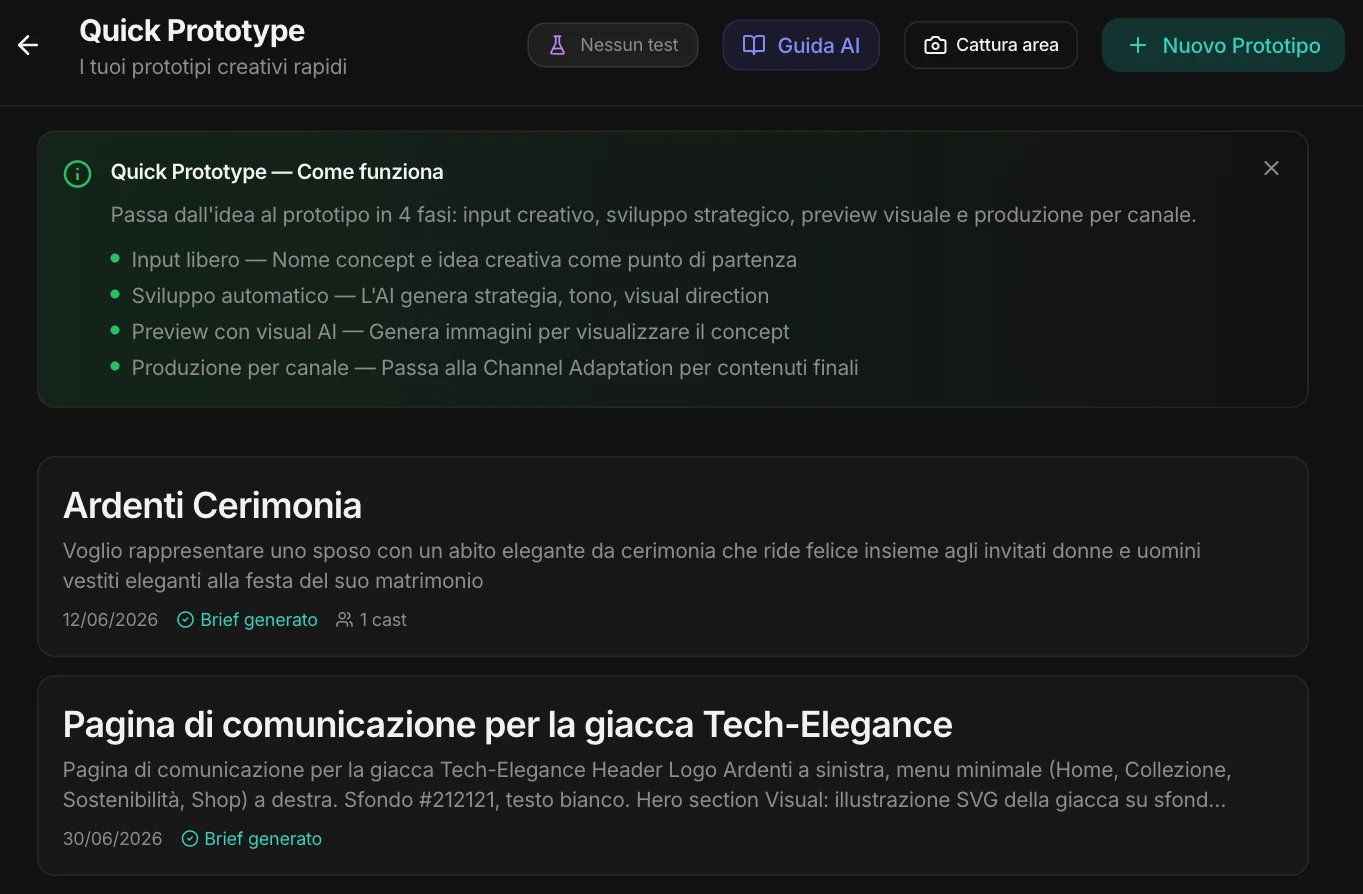
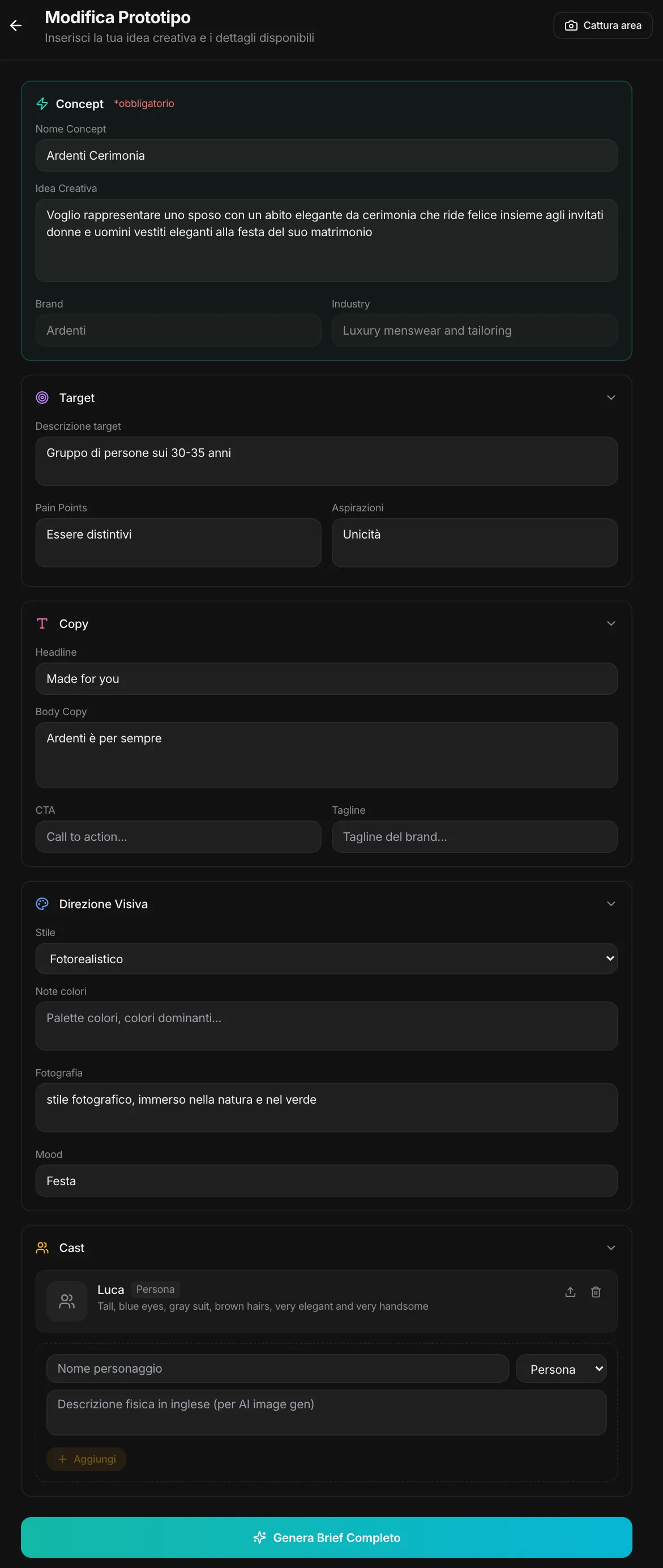
Only the concept name and the idea are required. If you have more, add it: the target with its problems and aspirations, a headline or body copy already written, the visual direction — photorealistic, illustrated, minimal, bold, editorial —, the colors, the photography, the mood.
The cast.
The characters that have to look the same in every image: a person, an animal, a mascot, a product. Each with a physical description — and, if you like, a reference image. Here, Luca, the groom: tall, blue eyes, gray suit.
One line becomes
a complete brief.
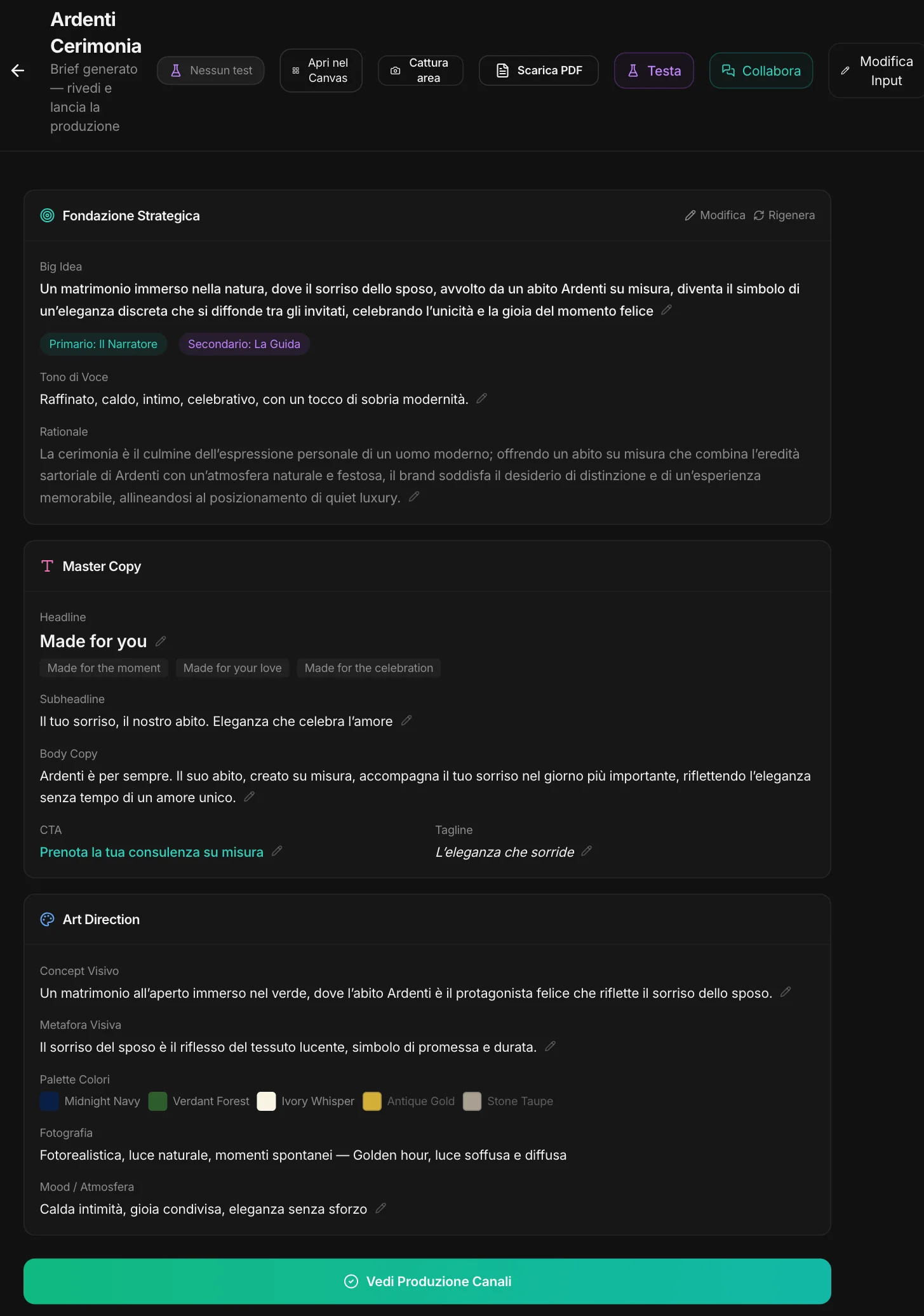
MAPS develops the idea using what the project knows about the brand and the market: the big idea, the archetypes that guide it — here the Storyteller and the Guide —, the tone, the why. Then the copy, with several headlines to choose from, and the art direction: visual concept, metaphor, palette, photography, mood.
Everything can be edited in place or regenerated. With Collaborate you talk it through and every change is a new version; with Test you put it in front of synthetic users. And it exports to PDF or to the Canvas.
And then you see it.
Channel by channel.
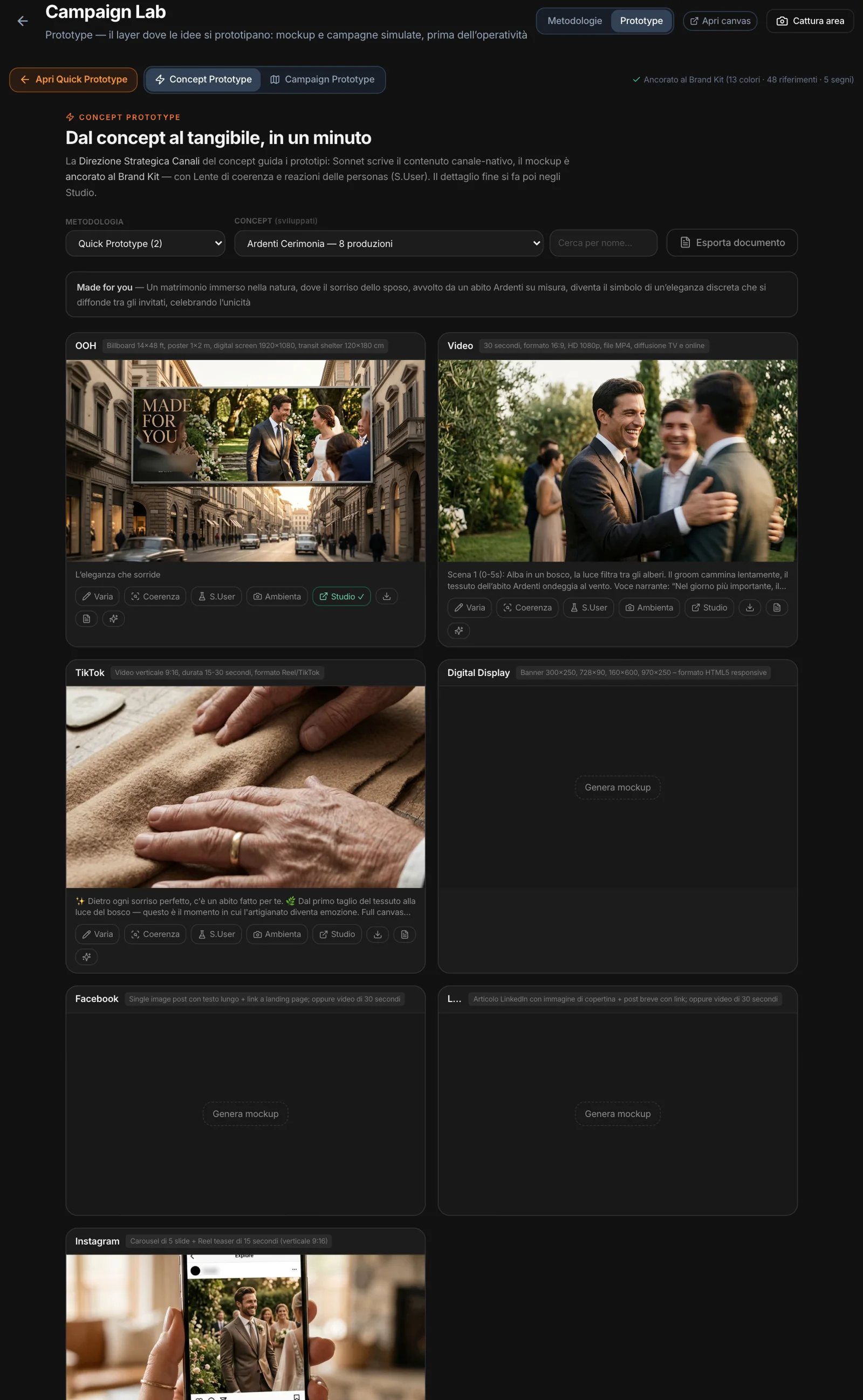
From the brief, the Channel Strategic Direction; from there, the mockups in Prototype: the billboard on the street, the video frame, the Instagram post — anchored to the Brand Kit, with the cast in place. Each mockup can be varied with words, checked with the Consistency Lens, tested with personas, placed in a setting.
Campaign Lab or Quick Prototype?
It depends on where you start.
You have a brief, you’re looking for the idea
Campaign Lab: eight methodologies to get to the concepts, with the analysis first.
You have the idea, you want to see it
Quick Prototype: from insight to brief and mockups, without going through the analysis.
You have a problem, you’re looking for ideas
Idea Lab: a creative conversation with a method and the project’s data, to find one.