Four steps,
one project.
Every video is a project with four layers: the Script, the Canvas where the script becomes images, the Timeline where you edit with voice and music, and the Export for the channels. You move from one to the next without losing anything: it’s the same project seen from four sides.
Projects come from campaigns (reels, TikTok, video), from a Social Studio post with “Turn into video”, from the Strategic Canvas, or start from scratch with “New video”: Instagram Reel, TikTok, YouTube, commercial or free format. Each one has its status — from brief to published — and a team member it’s assigned to.
Script
Scenes and shots: what you see, how the camera moves, who speaks, the voice-over, the on-screen text, the music.
Canvas
The storyboard: one frame per shot, then the clip. Continuity of characters, locations and brand.
Timeline
The edit: clips in order, a voice per character, music at the right length, the draft in one click.
Export
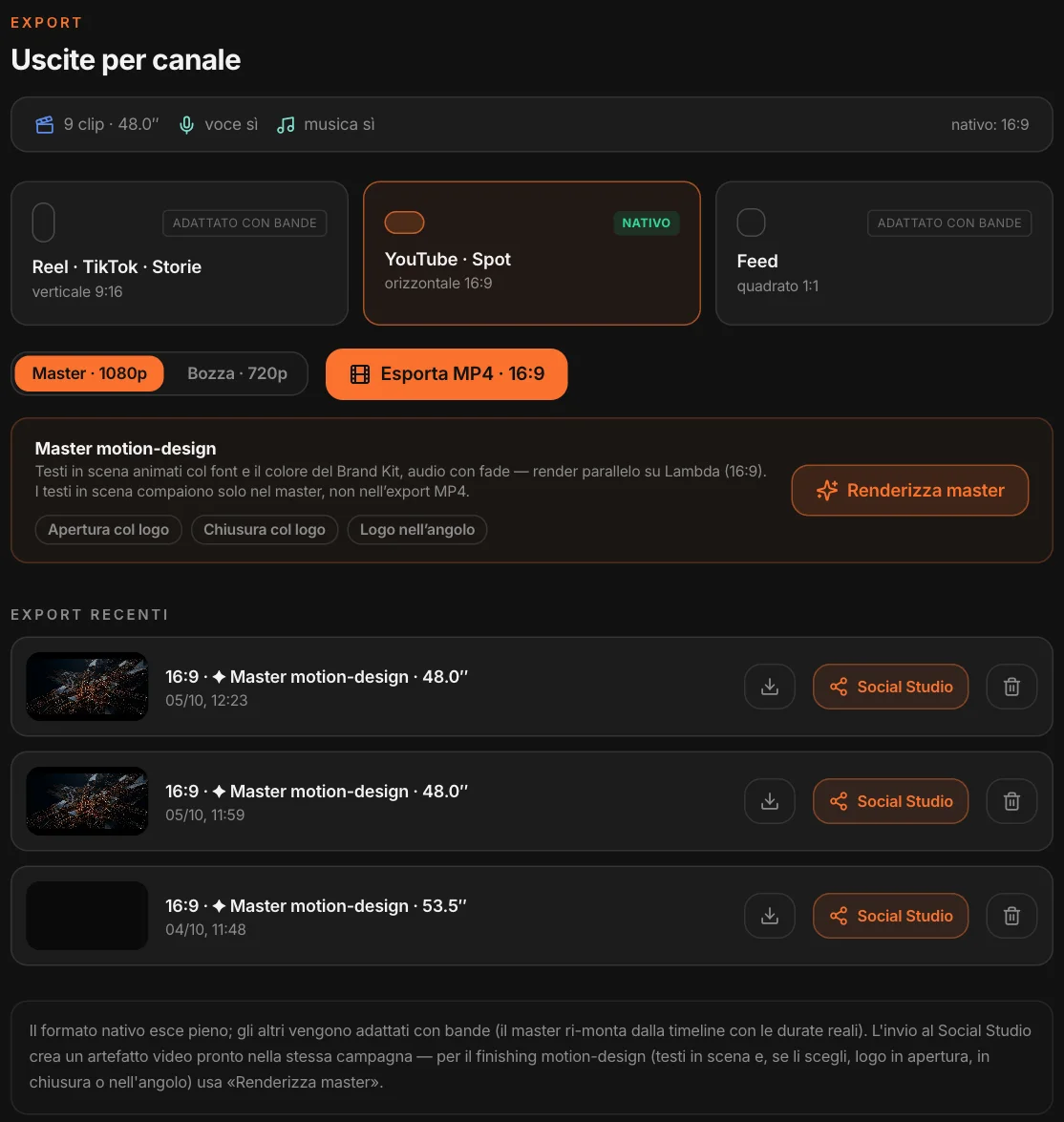
The video for every channel: 9:16, 16:9, 1:1. And the master, with on-screen text in the brand’s font.
A script
written like a director.
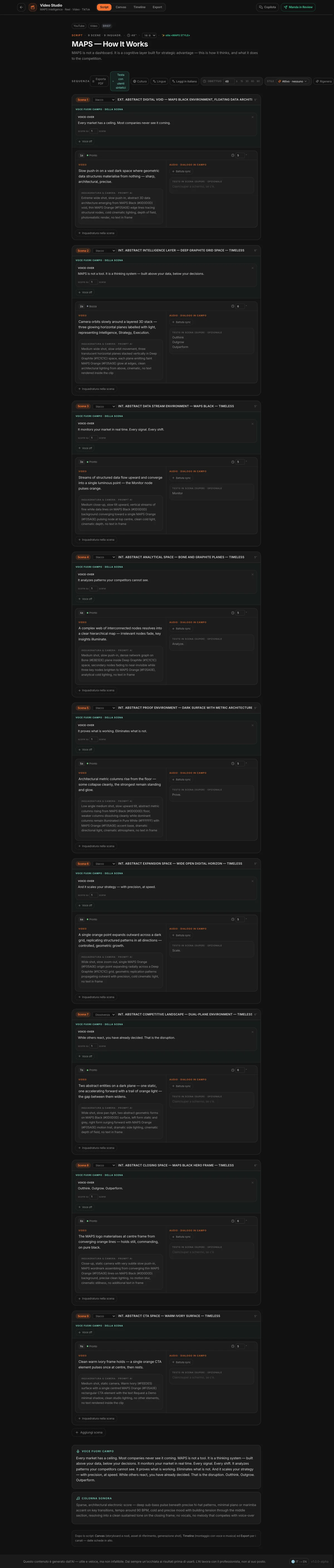
Choose the length — 15, 30, 60, 90 seconds or whatever you want, up to four minutes —, a style if you like, and let the title and logline guide the writing. MAPS writes the script in scenes (location, time, transition) and shots: the action, the camera prompt, the on-camera lines, the on-screen text, the duration.
The voice-over belongs to the scene and can run across several scenes; there is a direction for the soundtrack. Never two voices at once, lines timed to the duration, no invented facts. If the story runs over the target, MAPS brings the durations back on time; otherwise “Align” does it whenever you want. Everything can be edited by hand, with undo and redo.
It writes
within the brand’s rules.
The script grows out of the brief and the brand’s context.
The brief
Title, channel, format and content angle; if it comes from a post, the caption and the slides that already exist. And reference material, if you attach it.
The Brand Kit
Dos and don’ts, palette, identity rules: they go into the script and into the image prompts.
The style
The project’s reference style, or one chosen just for this video.
The market’s language
It writes in the language of the project’s market; with the B2B profile the register is corporate.
The engines’ limits
MAPS knows what a video engine can and can’t do — durations, movements, no text inside the clip — and writes shots that can actually be made.
Before you shoot
a single clip.
On the script, while it’s still cheap to change.
Synthetic Users
The project’s personas read the logline, the shots, the voice-over and look at the first frames: score, first impression, what they would change.
Culture
How the script lands in the project’s country, with notes from someone who knows it.
Languages
The version for another country: lines, actions and text rewritten for that market; frames and clips are reused.
Export PDF
The script laid out, to share before production.
Read in English
A script written in another language can be read in yours, without touching the original.
Review
The project goes to the client: they see the master, or the draft if there is no master yet, and their response updates the status.
From script
to storyboard.
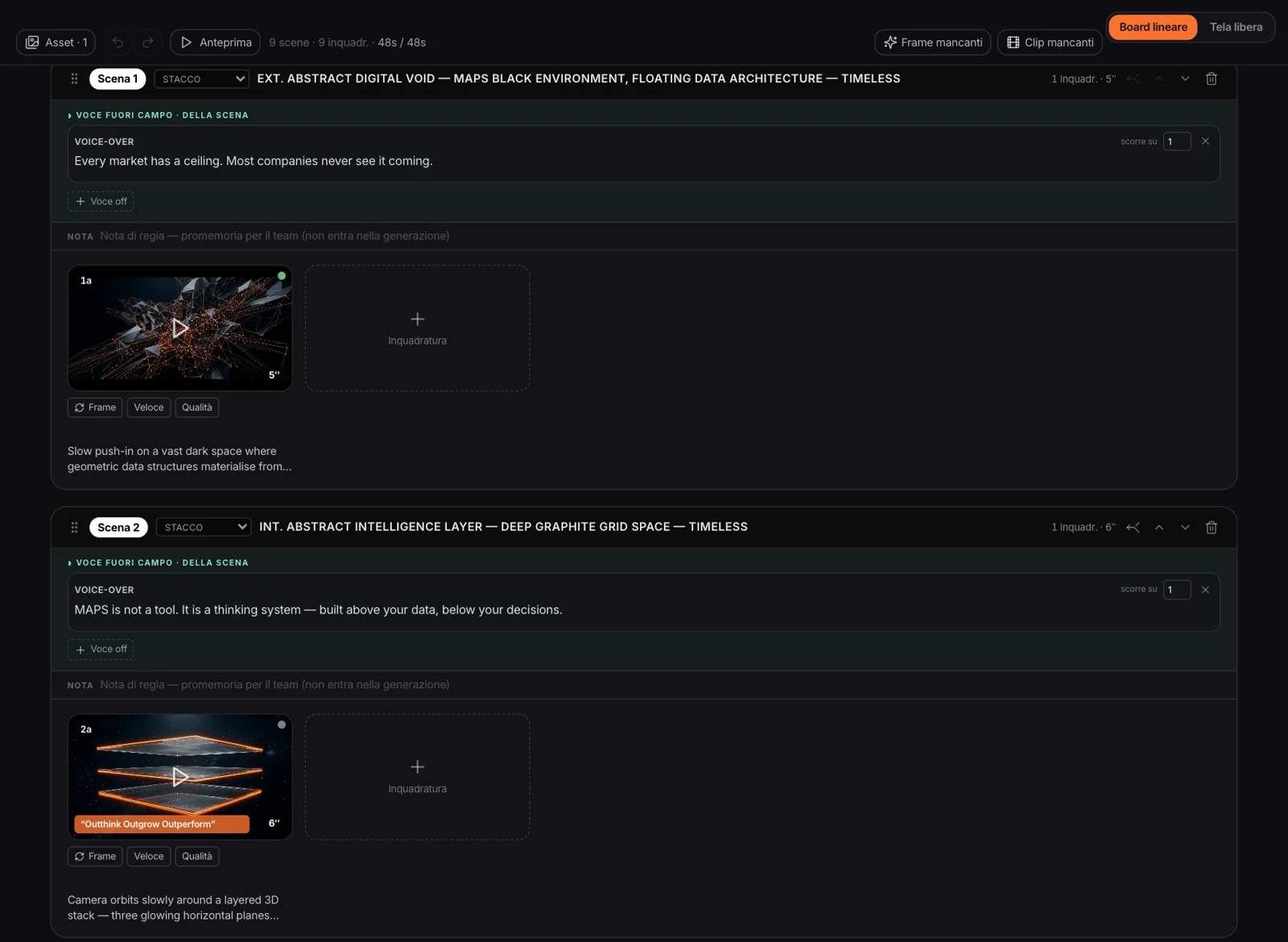
Each shot first becomes a frame, the starting image generated from its prompt, then a clip: with “Fast”, which animates the frame, or with “Quality”, which starts from the frame or from the text alone. Clips are silent — audio is edited in later — and have no lettering: text is overlaid in post-production, in the brand’s font.
You generate one shot at a time or all of them with “Missing frames” and “Missing clips”. You can upload your own frame or clip. Scenes can be moved, split, merged; “Preview” plays through the storyboard. And if you change the prompt after generating, the shot is flagged needs regenerating: no automatic regeneration, you decide.
The same face,
the same brand.
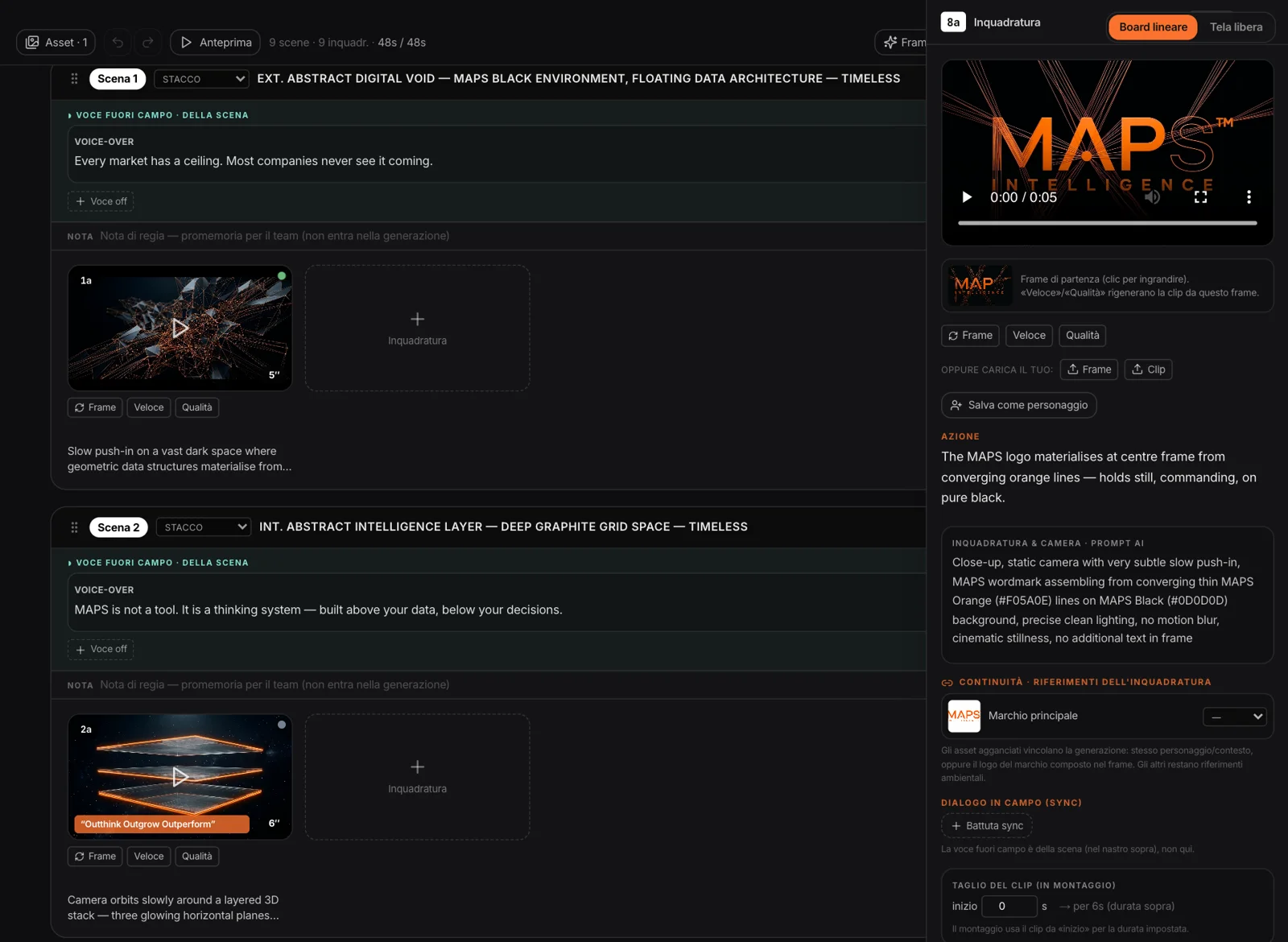
In the asset library you keep logos, characters, settings and products: you generate them, upload them, or — for logos — pull them from the Brand Kit. From a good frame, “Save as character” crops out the person and turns them into a reference.
In the shot you attach an asset as character, context or both, and generation keeps the same face, the same clothes, the same place. The logo appears only where you attach it, reproduced as is, in the position the prompt asks for.
The storyboard
as a whiteboard.
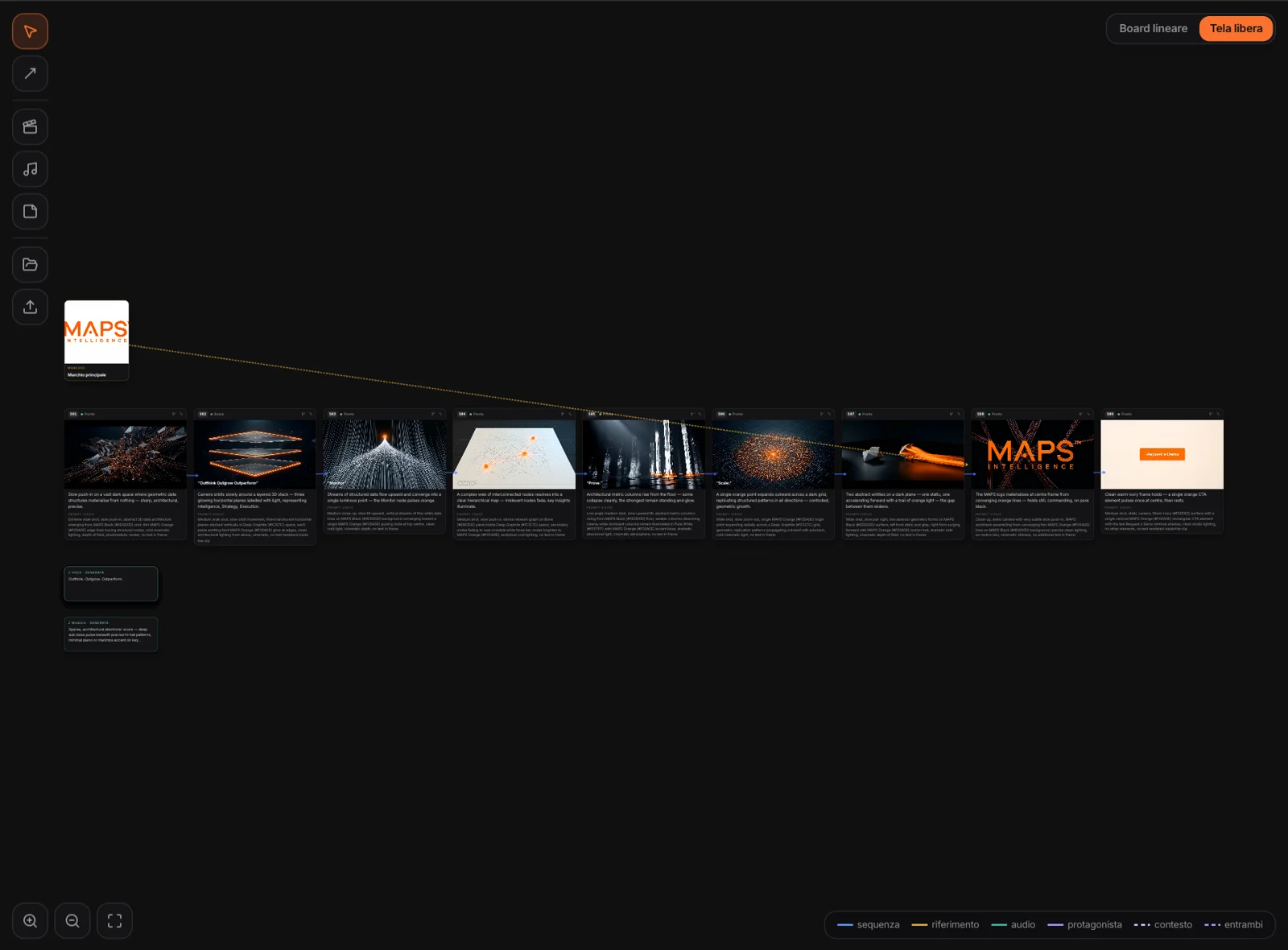
The same story on a free canvas: shots, assets, audio blocks and notes, connected by arrows that show what follows what, what serves as a reference, where the voice goes. Board and canvas are two views of the same project.
Ask,
and choose what to apply.
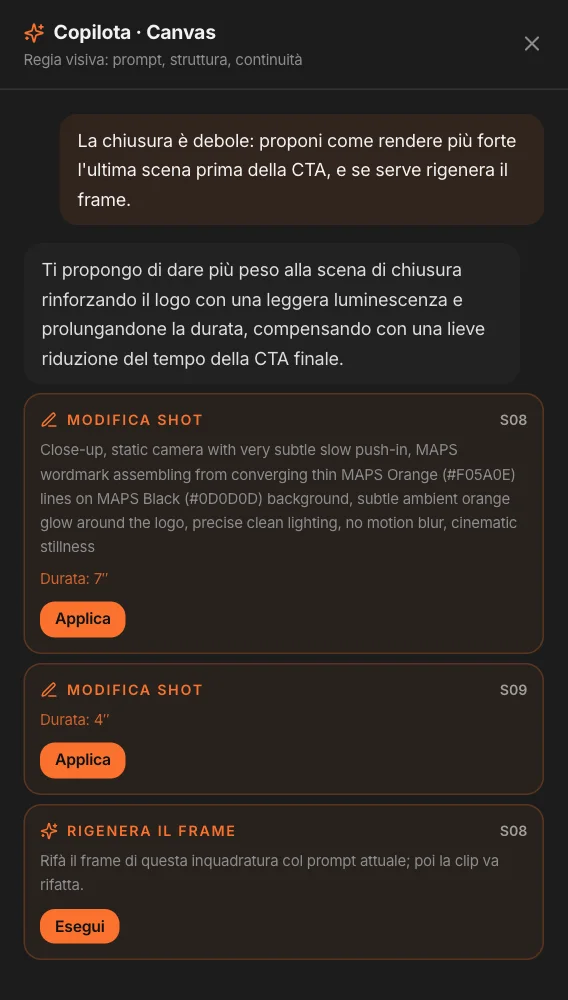
“The ending is weak: make it stronger.” The copilot answers with proposals — edit a shot, add or cut one, change a scene’s voice, attach a logo, regenerate a frame — each with the shot it refers to. You apply them, one by one.
It changes role depending on the layer: on the script it writes, on the Canvas it does visual direction, in the Timeline it edits. It respects duration and pace: to shorten, it cuts the least essential shots instead of squeezing them all.
Voice, music,
editing.
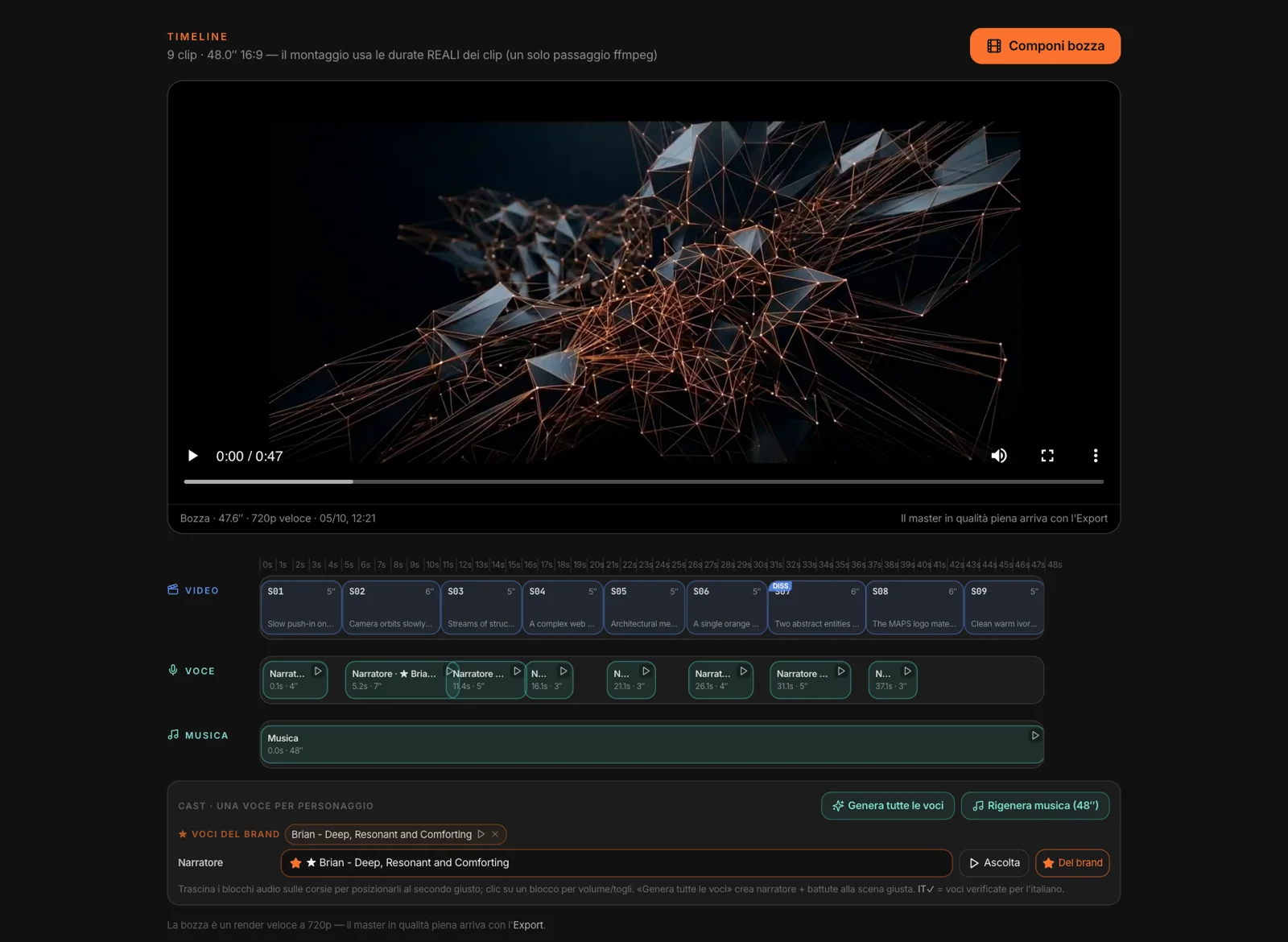
Finished clips go in scene order. In the Cast you choose a voice for each character and for the narrator, listen to it, and if it works you save it as the brand voice, ready for the next videos. “Generate all voices” places each line at the start of its scene.
The music is composed from the script’s direction, instrumental and as long as the edit. Audio blocks can be dragged to the right second and their volume adjusted. “Compose draft” edits everything in one pass, with the clips’ real durations and fades wherever the script calls for them.
One video,
every channel.
The native format comes out full-frame; the others — vertical 9:16, horizontal 16:9, square 1:1 — are adapted with bars. MP4 at 1080p or a 720p draft.
The master adds animated on-screen text, in the Brand Kit’s font and color, and the audio with its fades. Opening and closing cards with the logo, or the logo in the corner, only if you choose them. Every export can be downloaded, deleted, or sent straight to the Social Studio queue, in the same campaign, with draft copy taken from the script: there it becomes a post.