
Cast, Kit,
and scenes.
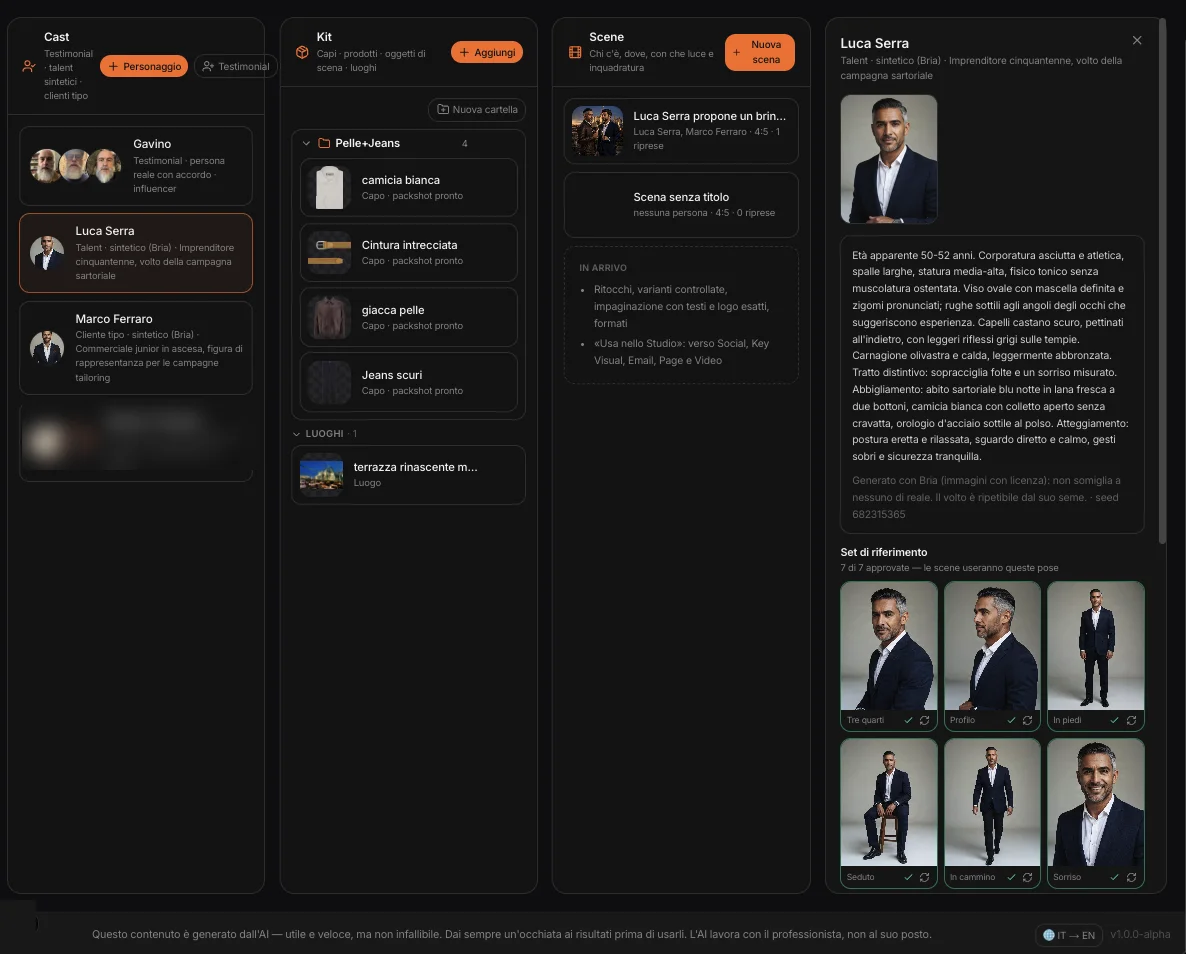
Three lanes and a panel. In the Cast, the people who can appear in the brand’s images; in the Kit, the garments, products, props and locations; in the Scenes, the images, one shot after another. Studio Set belongs to the project: the cast and the kit serve every campaign.
Three kinds
of people.
Every person in the cast has a repeatable face: the same in every scene.
Talent
A brand model, invented from scratch. You describe them through a guided brief — MAPS suggests the roles that fit the industry — and Bria proposes four different casting portraits. You pick the face.
Typical customer
The face of who buys: it comes from a synthetic user of the project, a CRM persona or a Consumer Focus segment. For campaigns that show the customer, not a model.
Testimonial
A real person the client has an agreement with, from their photos. The consent stays on file with its expiry date: once expired, no new images are generated.
The reference set
From the chosen portrait, the poses of a casting: three-quarter, profile, standing, seated, walking, two expressions. Approve or redo them; in a scene MAPS picks the pose closest to what the person is doing.
Synthetic characters are made with Bria, a model trained only on licensed images: they don’t reproduce real people. Testimonials go through Nano Banana, because photos of real people are never sent to Bria.
The real garments,
not invented ones.
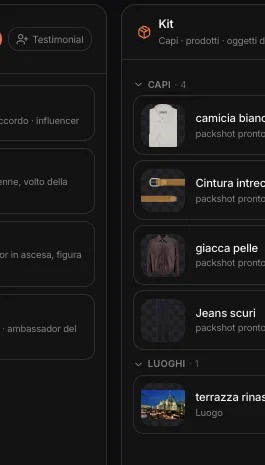
Upload a photo of a garment, a product, a prop or a location. MAPS turns it into a clean packshot, without background; a location stays as it is, as the reference for the setting. You create the folders — «Leather and jeans», «Blue suit» — and drag the items into them.
A look
before the scene.
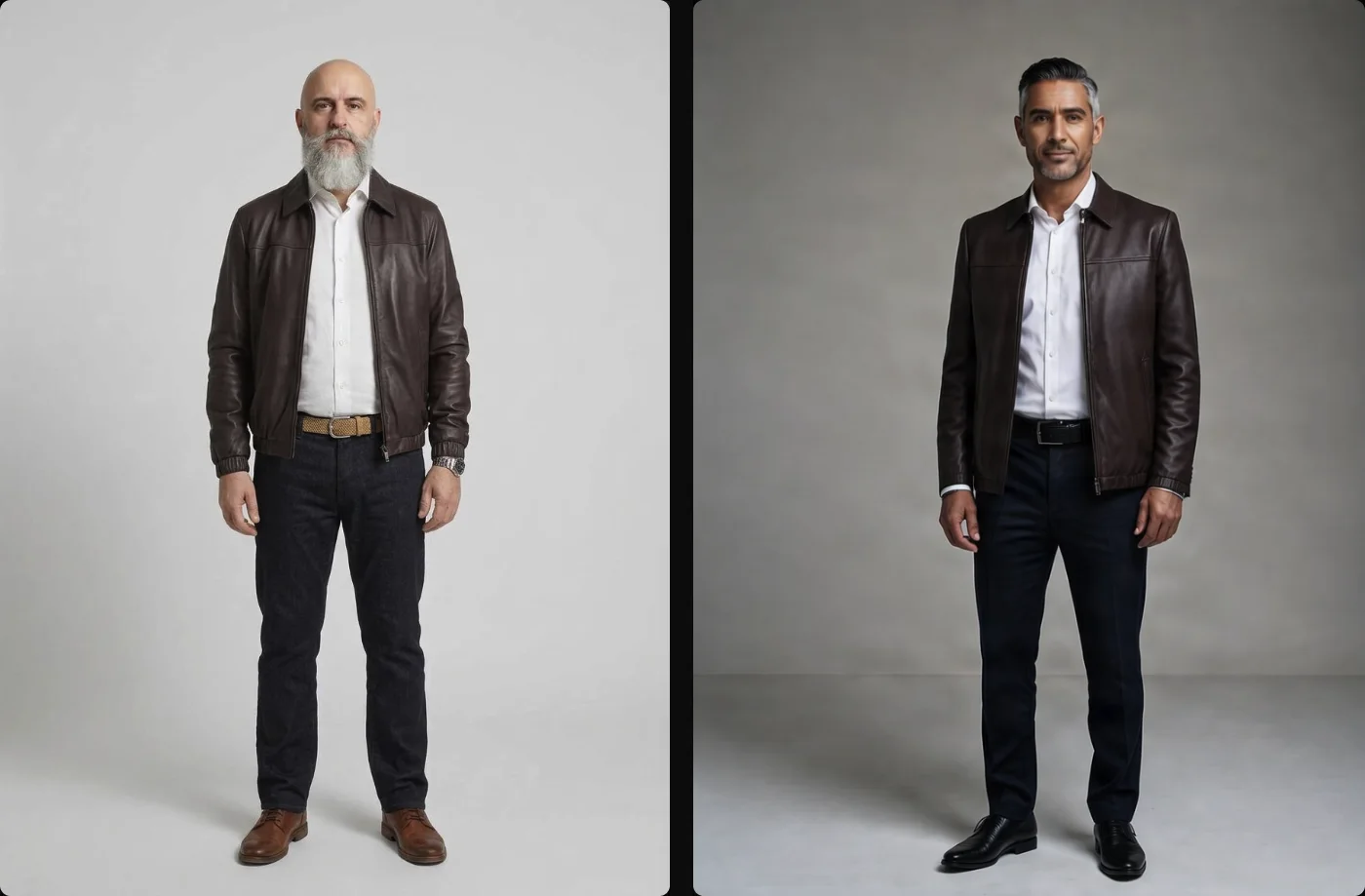
In a complex scene a worn garment loses its cut. So it’s tried on first, in the studio: pick the Kit garments and describe the rest of the outfit, and the character puts it on. Once approved, the look enters the scene as a reference.
With Bria up to three garments per fitting; with Nano Banana more, but the look can only be approved after checking the face and garments, and the scene declares it.
The card first,
then the photo.
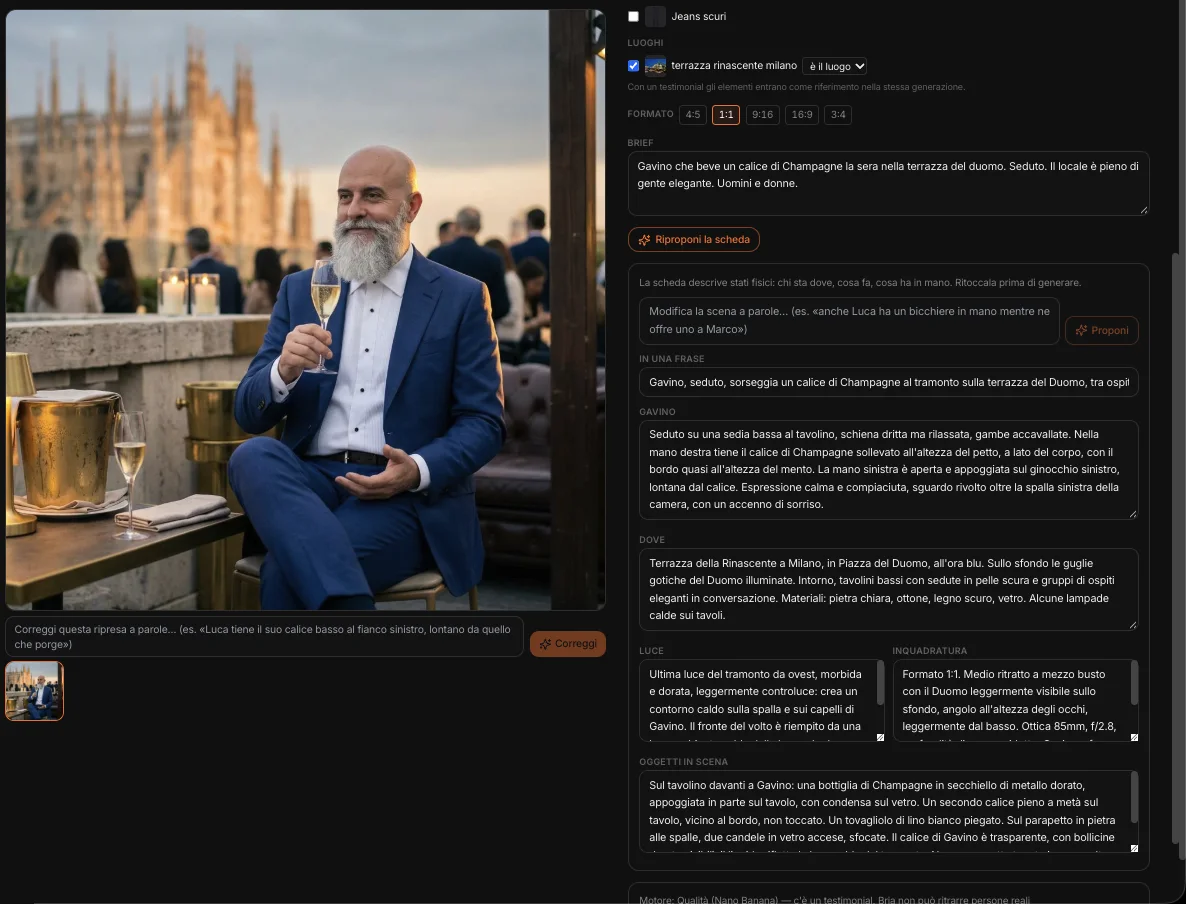
Write the brief and MAPS proposes the scene card: where, the light, the framing, and for each person where they stand, what they do, what they hold. Concrete physical states — two objects in the same hand turn into a single fused hand in the image. You refine the card in words («Luca has a glass too») or write it yourself, before spending a single image.
Then who wears what, what comes from the Kit — worn, held, the location — and the format. The cast decides the engine: Bria if everyone is synthetic, Nano Banana if there’s a testimonial. Every shot stays in the strip; a correction in words becomes a new shot, and the previous one isn’t lost.
Change only
what needs changing.
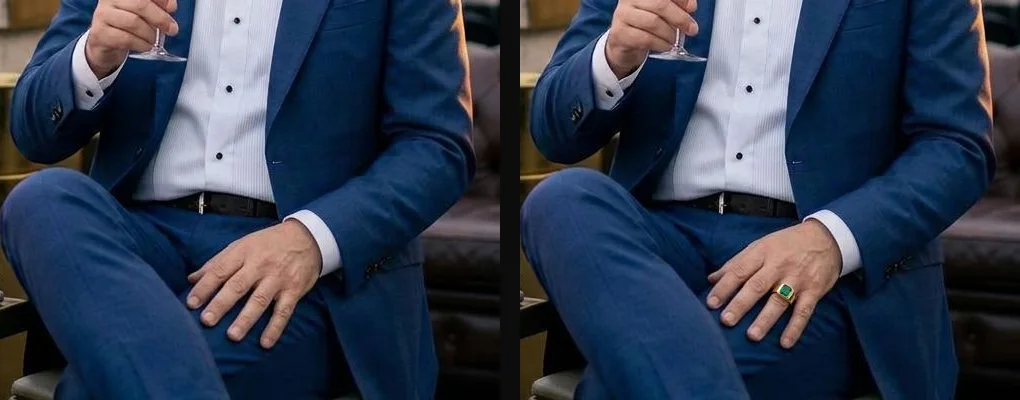
With the Brush you paint an area and write what it should become — a hand, an object, a detail — or you erase it: the rest of the shot stays identical. Here an emerald ring, added only where the brush stroke was.
The same scene,
another light.
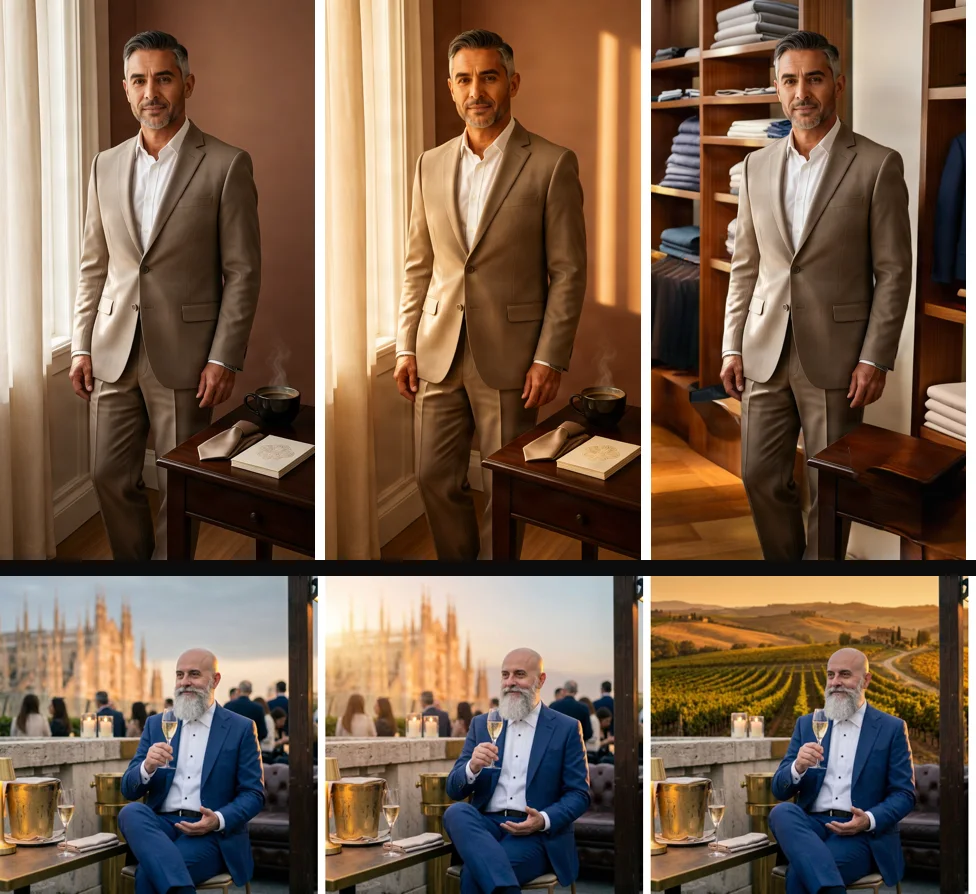
Morning light or blue hour, another season, another background — described in words or taken from the Kit’s locations —, a blurred background, another format without cropping, high resolution for print. Or change a field of the scene card, and the shot updates with it.
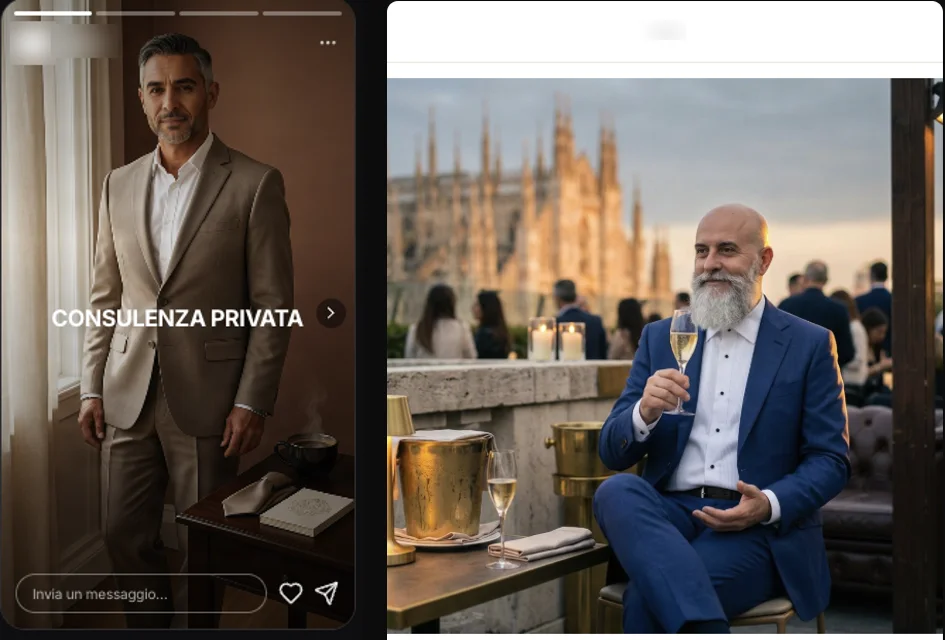
Above, a synthetic character: sunrise, and a boutique instead of the living room. Below, a testimonial: morning light, and a vineyard instead of the terrace. The people and the foreground stay the same.
The logo in the scene
Embroidered, printed, on a sign. If the model redraws it, MAPS compares it with every mark in the Brand Kit and says whether it’s faithful: an invented monogram doesn’t pass.
The exact logo
Or the logo file itself, in perspective on the surface you mark by dragging four corners: printed, embossed, gold or silver. No model redraws it, so it’s right by construction.
Exact text and logo,
in every format.
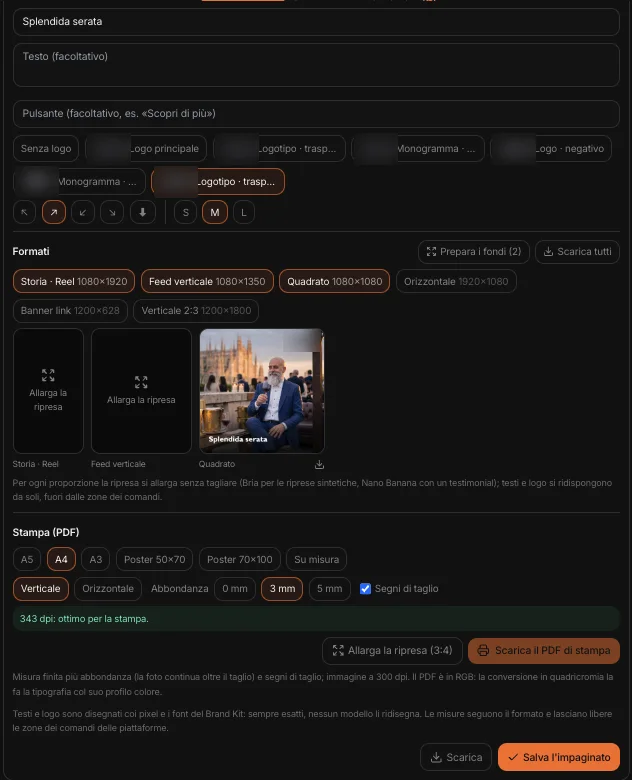
On top of the shot: kicker, headline, text, button and logo, in the Brand Kit’s fonts and pixels: no model rewrites them. Sizes follow the format and keep clear of the platforms’ control areas.
From the same layout, the formats: story, feed, square, landscape, banner. The shot extends without cropping and the text rearranges itself. And the print PDF — A4, A3, poster or custom size — with bleed, crop marks and 300 dpi: if the shot is too small, MAPS says so and brings it to the right resolution.
From the scene
to the content.
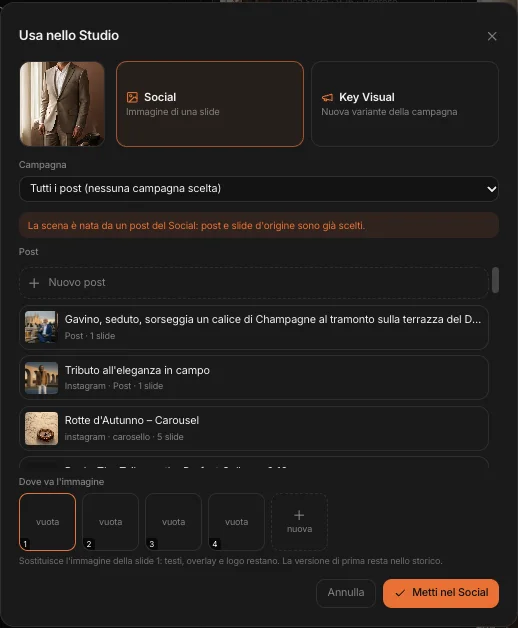
«Use in Studio» takes the shot into a Social post slide, a campaign’s Key Visual, an Email block, a Page section or a video’s opening frame. Only the image changes: text and settings stay, and the previous version stays in the history.
And it works the other way too: from a Social slide, or from a video shot, «Studio Set» opens a scene that’s already set up; once done, the image goes back to the post or shot it came from — and with the same cast and the same look, the character stays the same throughout the video. Wherever it goes, it carries its record: who is in it, which engine made it, its provenance.
Who is in it,
and where it comes from.
An image studio for a brand has to know what it’s showing.
Real people only with an agreement
A testimonial enters the cast only with the agreement declared; a real name written in the brief without one becomes a generic figure.
Full Bria for production
Characters, garments and settings all inside Bria: a model trained on licensed images, a single provenance. When Nano Banana comes in, the scene declares it.
AI marking on every image
Every shot carries the C2PA signature: generated or edited with AI, with which engine, from which images. Shots with a testimonial declare it, and stay out of Bria afterwards too.
Nothing is lost
Every correction, brush stroke or variant is a new shot; the previous one stays in the strip, and the image downloads as it is, with its signature.