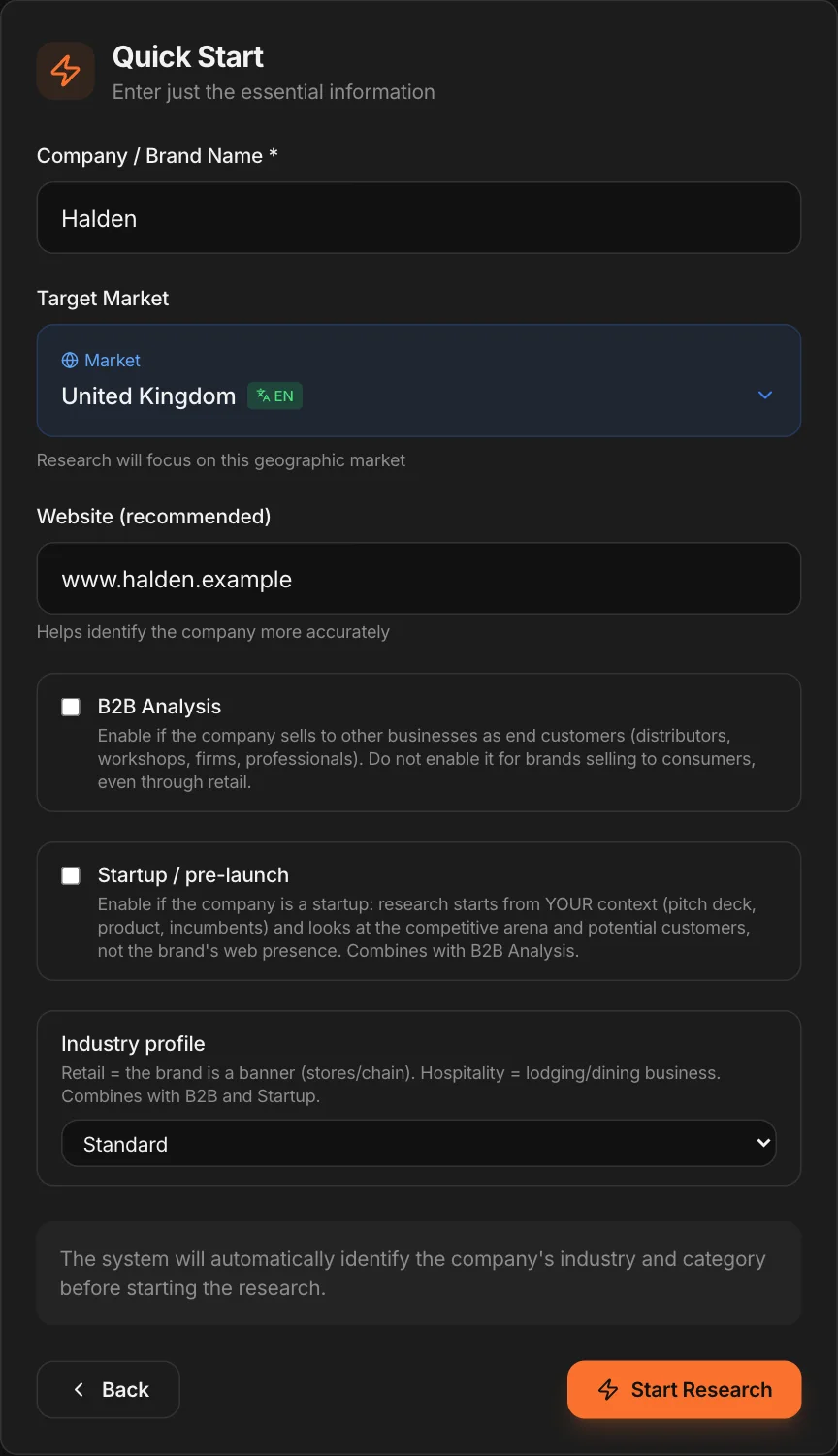
Step 1 · Create the project
Two ways to start. Quick Start: the name and the market, and MAPS looks up the rest — to get the picture right away. Detailed Context: you drag in the brief, a piece of research, a presentation, the list of competitors, and MAPS fills in the fields with what the documents actually contain — for research that starts from your objective. Uploaded files stay in the project’s memory.
Step 2 · Choose the profile and the language
You start from the Consumer profile; you add B2B, Startup or Retail & Hospitality if you need them, even in combination. The profile changes the research: in B2B, MAPS looks for decision-makers and sales channels; for a startup, it starts from your documents. Before launching, a summary — brand, market, profile, working language — warns you if something important is missing, such as the website.
Step 3 · Let the Monitor work
The research starts on its own. In about 15-20 minutes the tabs fill up: competitors, channels, consumers, communication, conversations. Every reading has its own date and its own sources.
Step 4 · Look at the overview first
You don’t need to open everything. Start from the Competitive Intelligence overview, then drill into the detail — a competitor, a channel, a segment — only where you need it.
Step 5 · Ask questions
The chat answers on everything the project knows, saying for each piece of information where it comes from and how recent it is. Try a real question: “where are we most exposed compared with our main competitor?”.
Step 6 · Move on to strategy
In the Analyze tools — SWOT, positioning, identity, value proposition, journey — MAPS starts from what the Monitor found. “Generate all” prepares them one after another while you do something else.
Step 7 · Test, then produce
Put a positioning or a concept in front of synthetic users with “Test with Users”. Then move to the Studios for a first piece of content, or to the canvas to think it through with the team.