
MAPS Intelligence
Resources/Practical Guides
Practical Guides · 8 min read

MAPS for agencies: more quality work, with the same people

Pitches, clients, different markets: how an agency uses MAPS to get the time-consuming work done first, keep every client separate, and put senior people where they really count.

Updated October 6, 2026 · MAPS editorial team
In brief

An agency has to do more work without multiplying senior hours. MAPS does the time-consuming work first — reading the category, mapping competitors, building personas, laying the strategic groundwork, producing first drafts of content — and leaves the team what matters: choosing, correcting, deciding. Every client has its own project, kept separate from the others; the workspace holds them together.

Where an agency loses time

  • The pitch. Days spent getting to grips with a new category, often for a client you won’t win.
  • Baseline research. Competitors, channels, communication, conversations: necessary work, repeated for every client.
  • The hand-off between phases. From analysis to strategy to production, across different documents and tools.
  • Memory. When someone moves to another client or leaves the agency, the context leaves with them.
  • Reviews. Content bouncing around by email between the team and the client.

How MAPS changes the work

The pitch starts from the market, not a blank page

With a name and a market — or with the client’s brief — the research starts on its own, and in about 15-20 minutes the picture of the market is ready: competitors, channels, consumers, communication, conversations. The team walks into the first meeting with the facts, and senior hours go into the choices.

Every client, its own context

Every client has its own project, with its own memory: research, analyses, decisions, content. It never mixes with the others. And even a lost pitch doesn’t go back to zero: next time you start from what you already knew.

From strategy to content, without losing the thread

The strategy tools reason on the Monitor’s data; ideas are put to the test with synthetic users; the Studios produce posts, emails, pages, videos and presentations consistent with the brand, and the client approves them item by item.

The workspace: mission control for every client

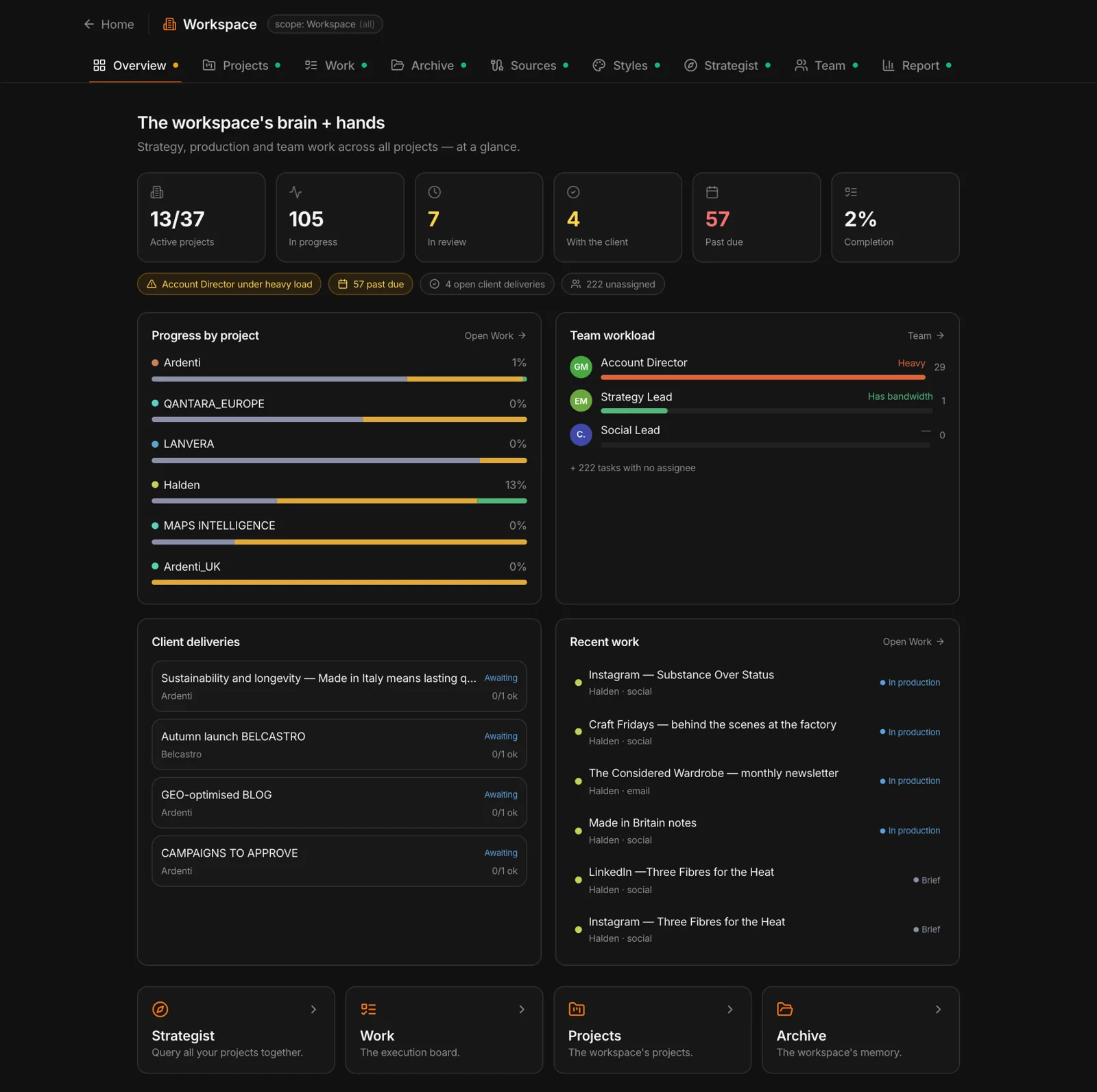
In the workspace the agency sees all projects together: work status and deliverables, the team’s workload, the shared memory — decks, case studies, methods —, shared writing styles, and a chat, the Strategist, that reasons across several clients without mixing them up.

How to get started

  • Pick a real case — an active client or a recent pitch, so you can compare the result with what you already know.
  • Start from the brief — upload it: MAPS fills in the context and keeps it in the project’s memory.
  • Look at the overview first — then drill into the detail only where you need to.
  • Put a choice to the test — a positioning or a concept, in front of synthetic users.
  • Produce and get it approved — a piece of content from the Studios, with the client’s approval round.

For your first project, step by step: the guide.
How MAPS does it

The MAPS workspace has nine tabs: Overview, Projects, Work, Archive, Sources, Styles, Strategist, Team and Reports. The Overview lines up the signals — who is overloaded, what is running late, which deliverables are waiting on the client —; Work is the board of the work across all projects; the Archive is the shared memory; the Strategist queries several projects at once, with a label showing where each piece of information comes from. And with MCP, project data also reaches Claude and ChatGPT.

The workspace Overview in MAPS: active projects, work in progress, client deliverables, team workload

Frequently asked questions

Does MAPS replace the planner’s work?

No. It does the gathering and first-pass analysis up front, and proposes alternatives. The planner steps in to choose, correct and decide: senior hours go where they count.

Can one client’s data end up in another client’s work?

No: every client has its own, separate project. When the Strategist reasons across several clients at once, every piece of information carries the label of where it comes from, and the AI doesn’t carry data from one client to another.

Can the client see and approve the content?

Yes: content from the Studios goes through an item-by-item approval round, and the client takes part without needing an account.

Does it work for clients in several countries?

Yes: a brand can be followed across several markets, with areas built however you like, regional research, synthesis and cross-country comparisons.

Written by the MAPS editorial team with the help of AI, checked and reviewed by the team.

Related articles
Practical Guides·8 min di lettura

Your first MAPS project: a step-by-step guide

From the brand name to the first picture of the market, then strategy, testing and content: what to do on day one, and what to look at first.

Read →
Practical Guides·9 min di lettura

From research to strategy: a complete path, with an example

A brand that wants to grow online: how you move from market facts to choices, to testing, to content — and how you keep the reason behind every decision.

Read →
AI & Marketing·8 min di lettura

Marketing knowledge base: the memory that doesn’t get lost

Research, analyses, materials and decisions in one place, searchable in plain language: how to build it so it stays useful, and what changes when an AI reads it.

Read →