
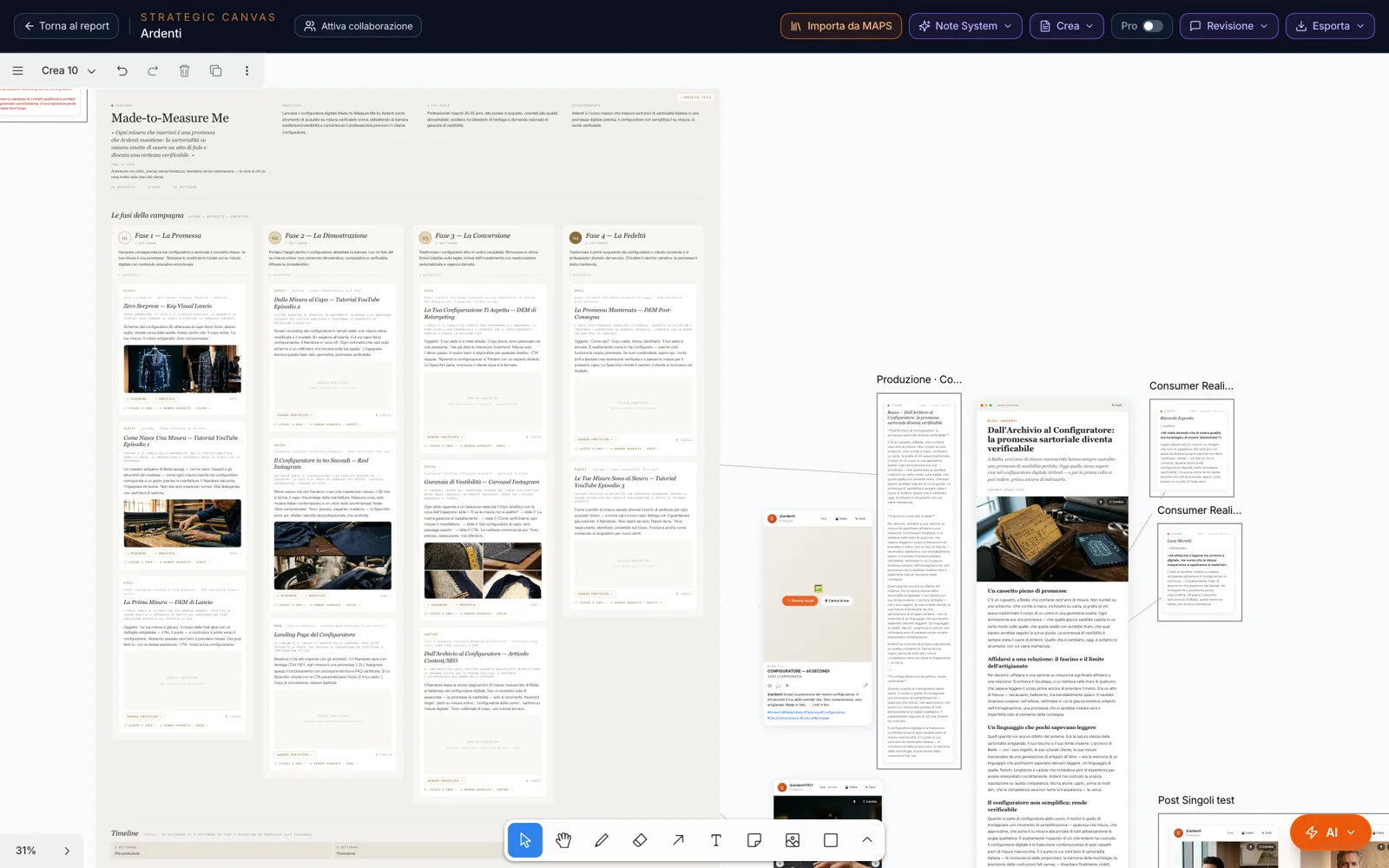
What do you want
to create?
From the AI button at the bottom, “Create”. A single window opens with four routes: an open question to MAPS; the tools the project has already generated, to bring onto the canvas; a guided path; or a single piece — competitive analysis, SWOT, campaign, post, page, email, video, media plan, Idea Lab.
Choose where: on this surface or on a new Create page. And if you’ve already selected something on the canvas — some cards, photos, a post — that selection becomes the input for what you create.
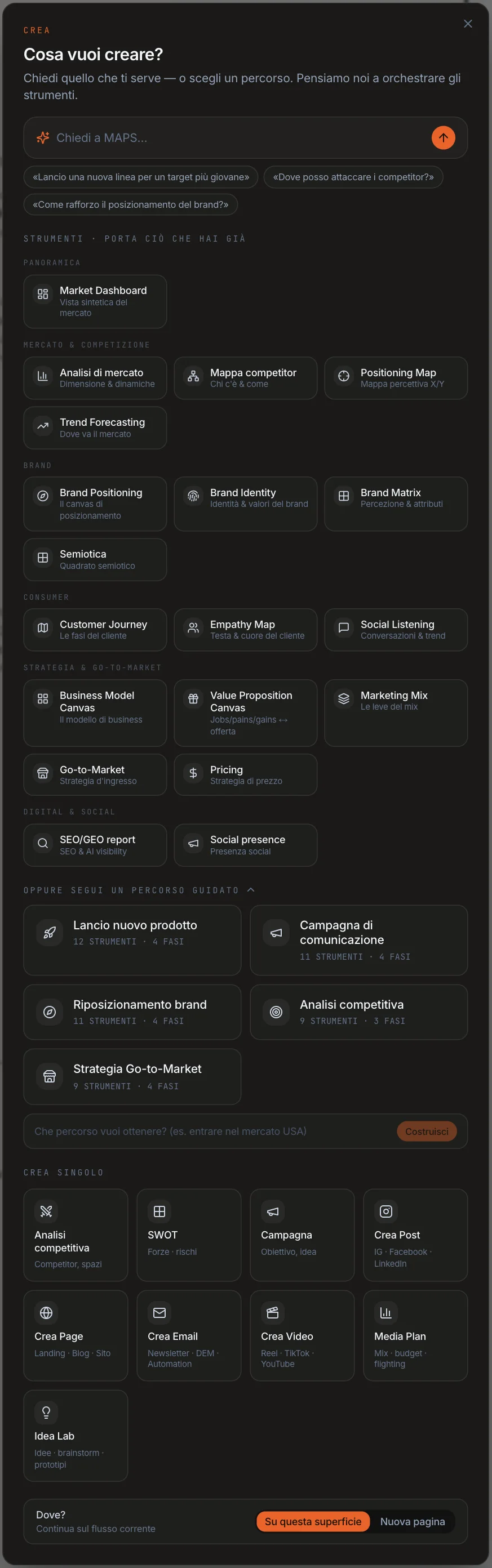
One goal,
tool by tool.
New product launch, communication campaign, brand repositioning, competitive analysis, go-to-market — or write the goal yourself. Create lays out the path in phases, from Monitor to Scale, with the right tools in order.
The ones you already have are ready; you launch the others from the path, and Create asks you for the direction first. Each result is placed alongside, linked to its step.
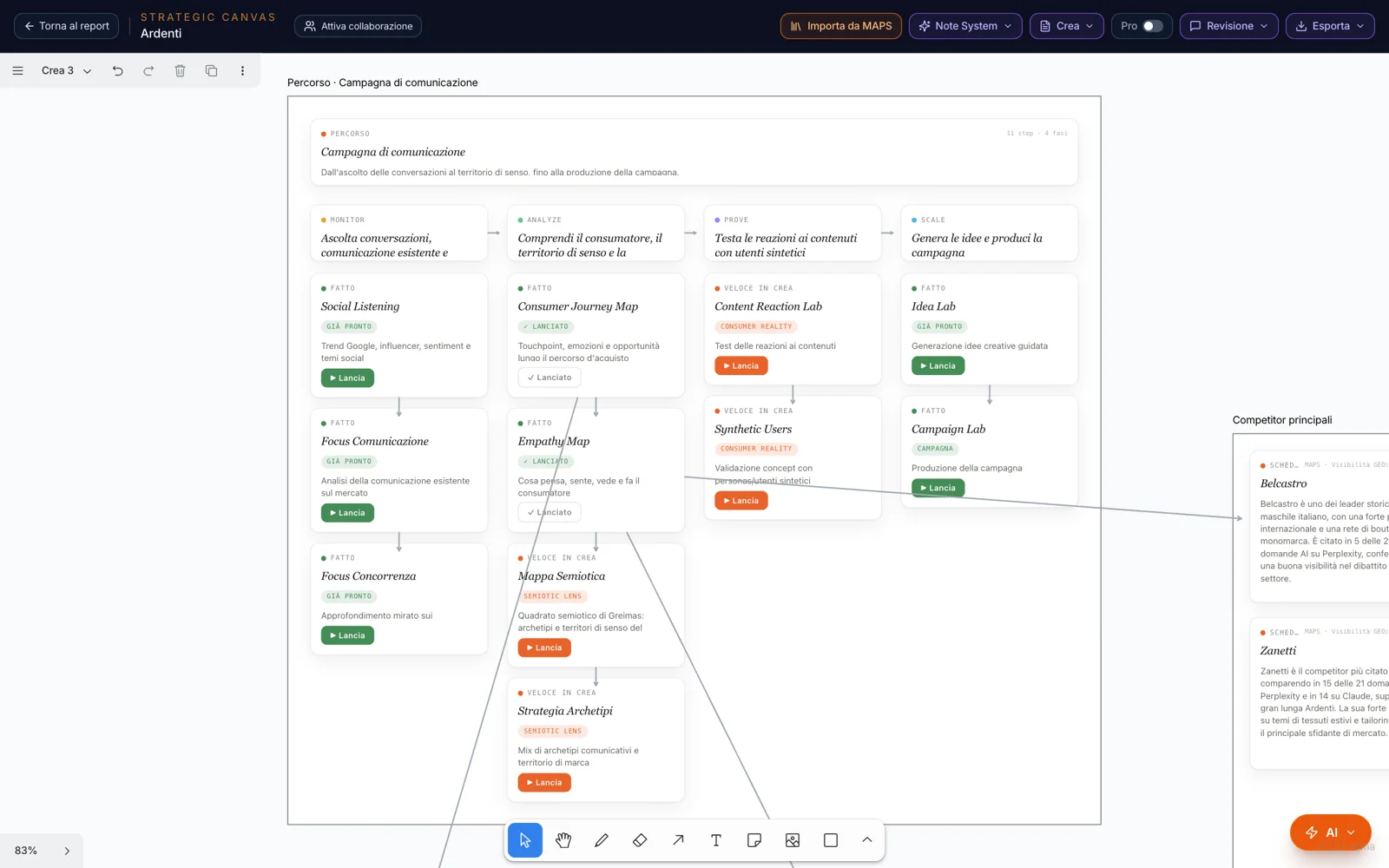
Ideas,
with a method behind them.
Ask for a campaign and choose the method: Archetypes, Benefit Laddering, Cultural Tension, Jobs to Be Done, Semiotics, Insight-Led, Cross-Industry, Scenario Planning. Create first writes the strategic foundation — the audience, the tone, the friction to overcome — then the concepts, each with its idea, territories and channels.
On a concept you choose how to continue: Variants, a visual prototype, a quick campaign, or “Develop into a campaign”: the full board.
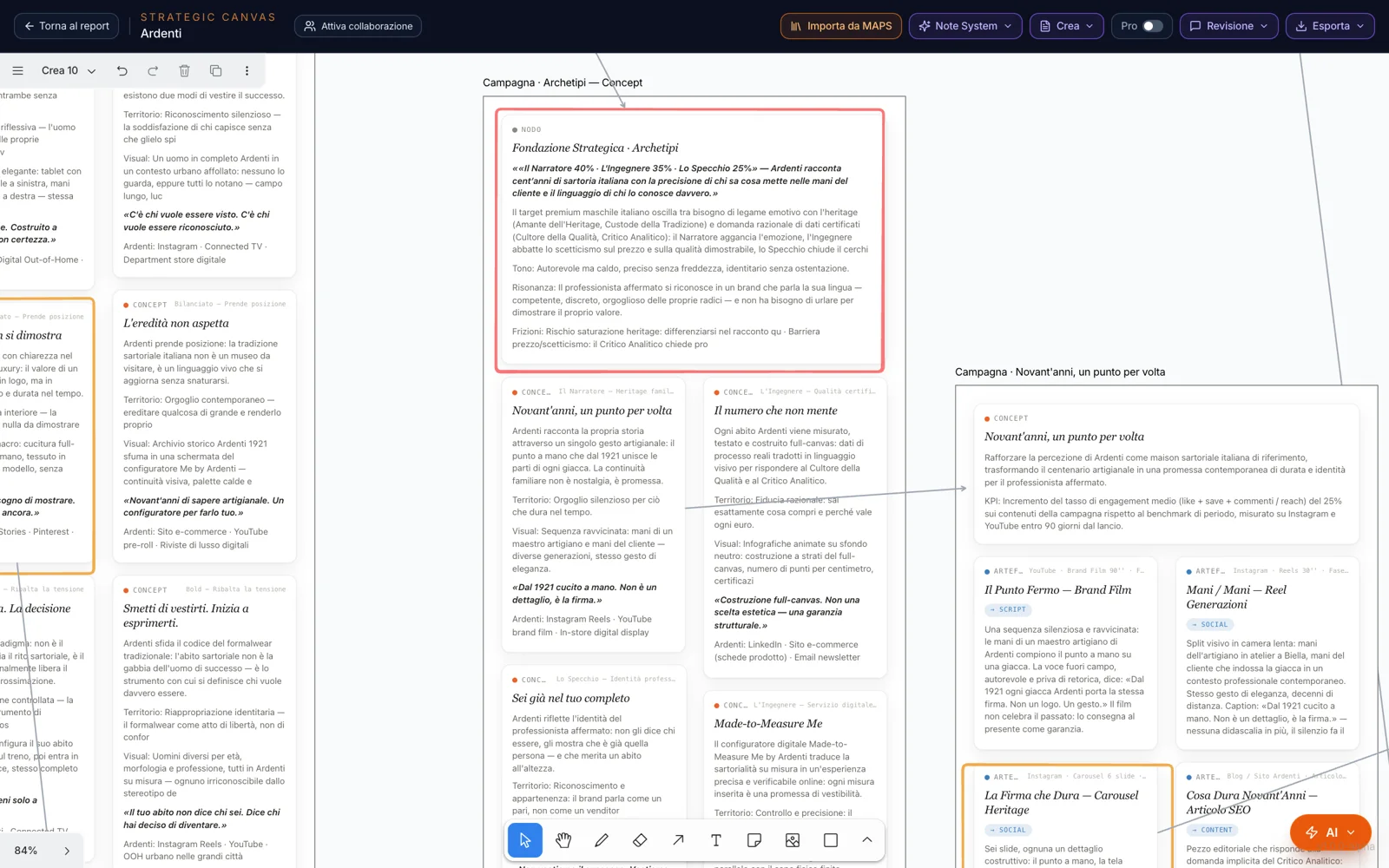
The campaign,
at a glance.
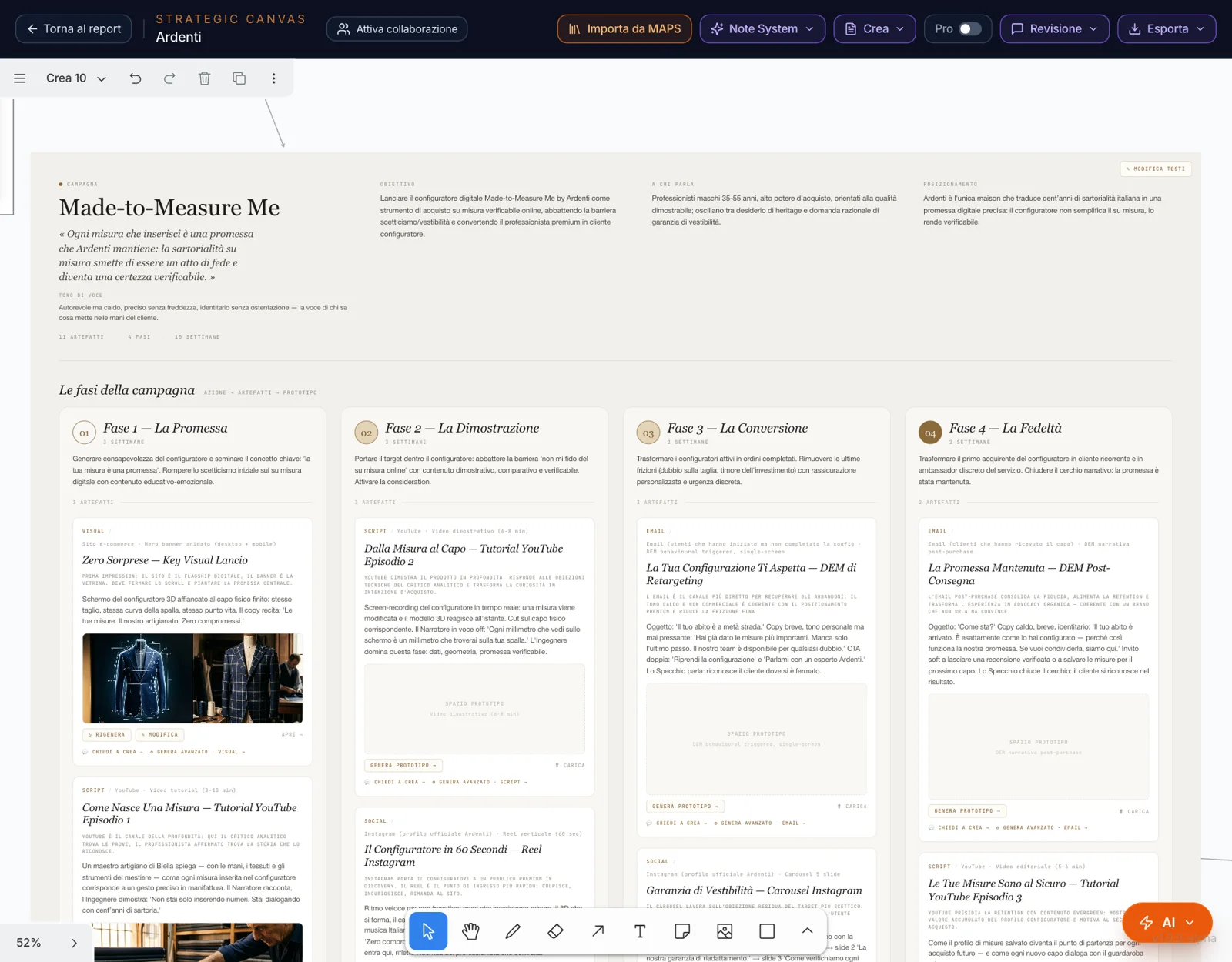
The board brings together the big idea and the tone, the phases with their artifacts, the timeline, the KPIs, the budget and the risks. Each artifact has its own prototype: you generate it, upload your own, or regenerate it with an instruction.
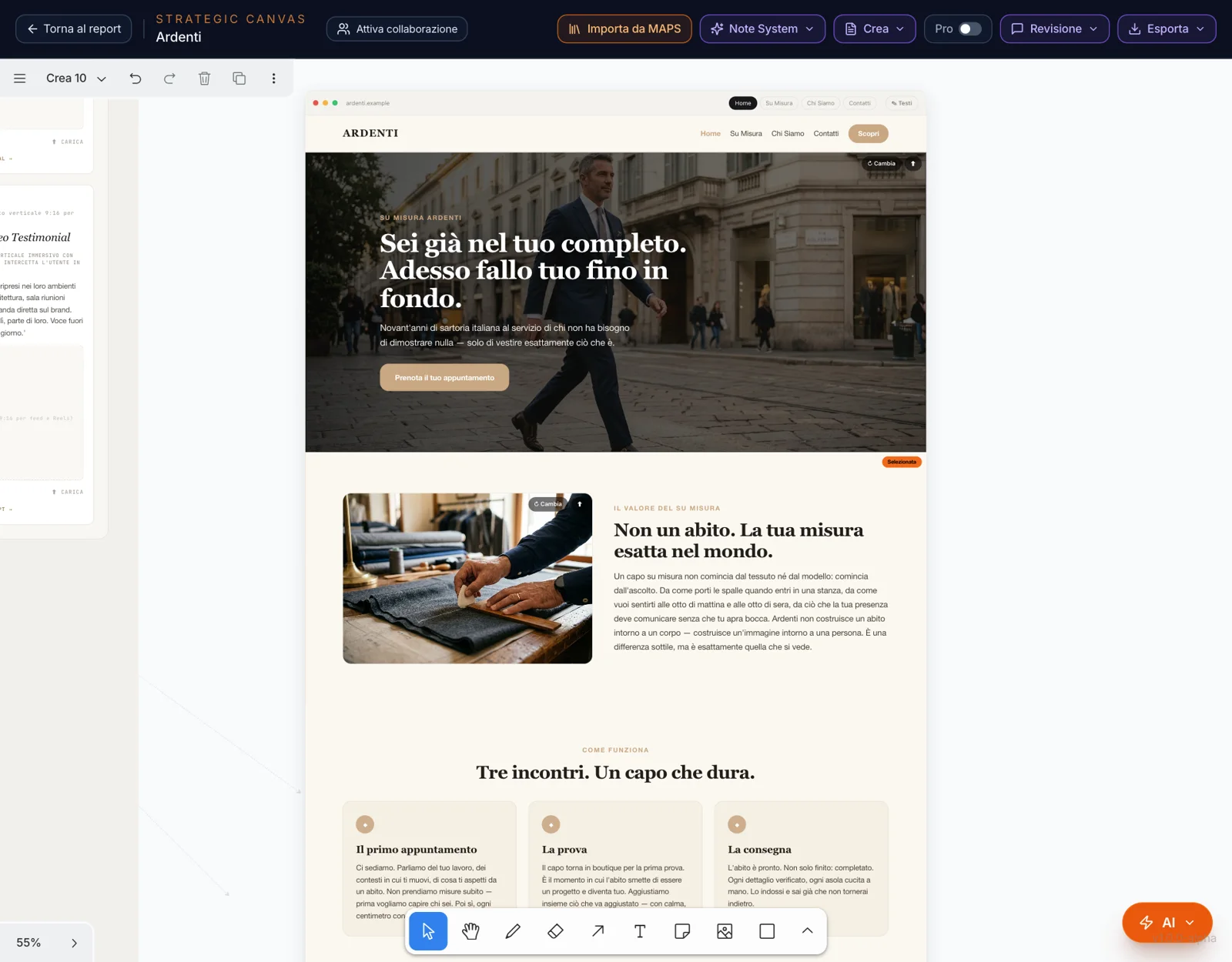
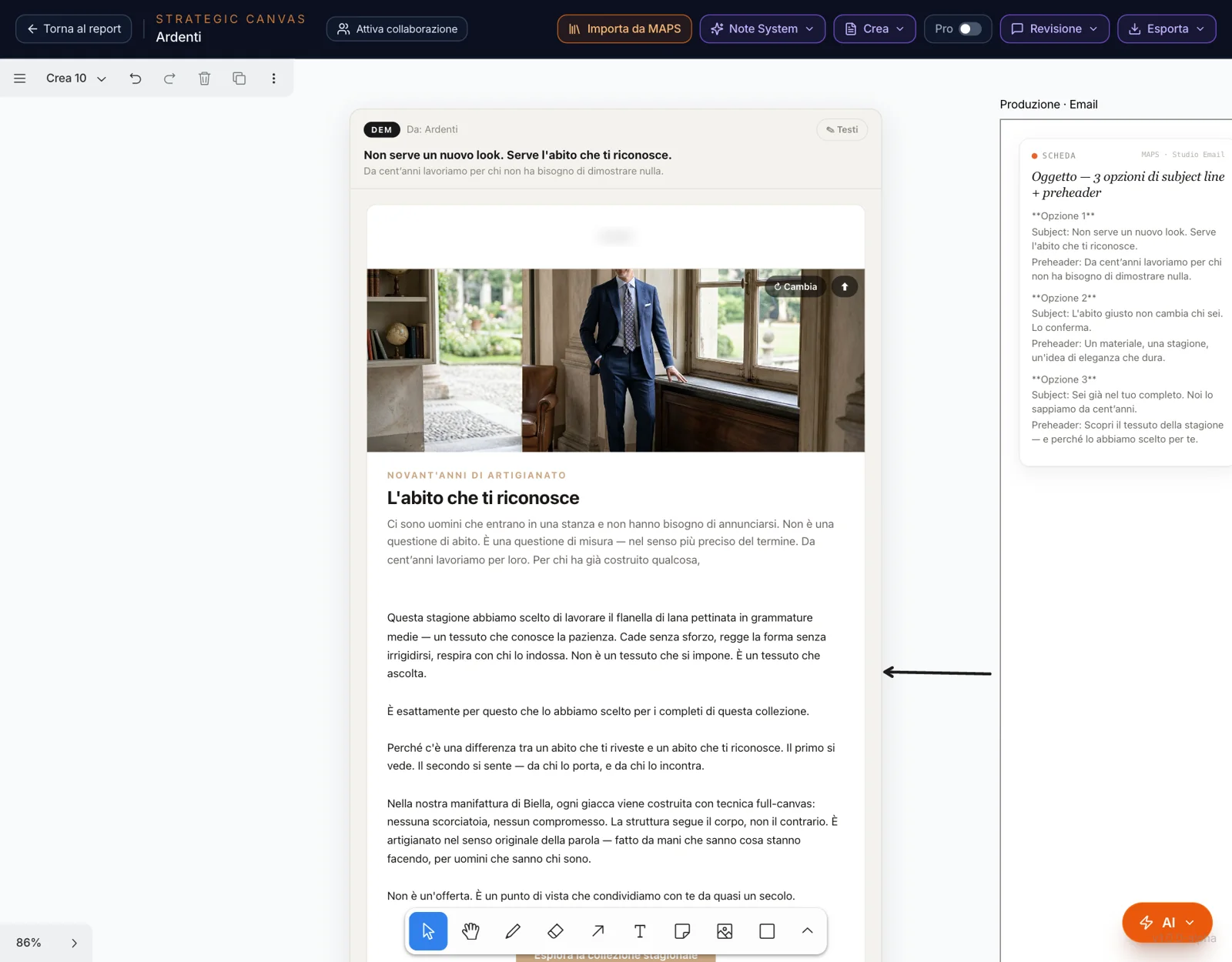
On an artifact, “Ask Create” edits it without touching the rest. “Advanced generate” takes it into production with the Studio’s engine: the real post, page, email or storyboard, placed next to the board with an arrow.
Posts, pages,
emails, videos.
Create produces content with the same engines as the Studios. For a post it first proposes two or three directions, then writes it for Instagram, Facebook or LinkedIn; for posts, pages, emails and videos you choose the style, and for posts also who we’re talking to. You generate the images or upload them; one or more selected photos become a post or a carousel.
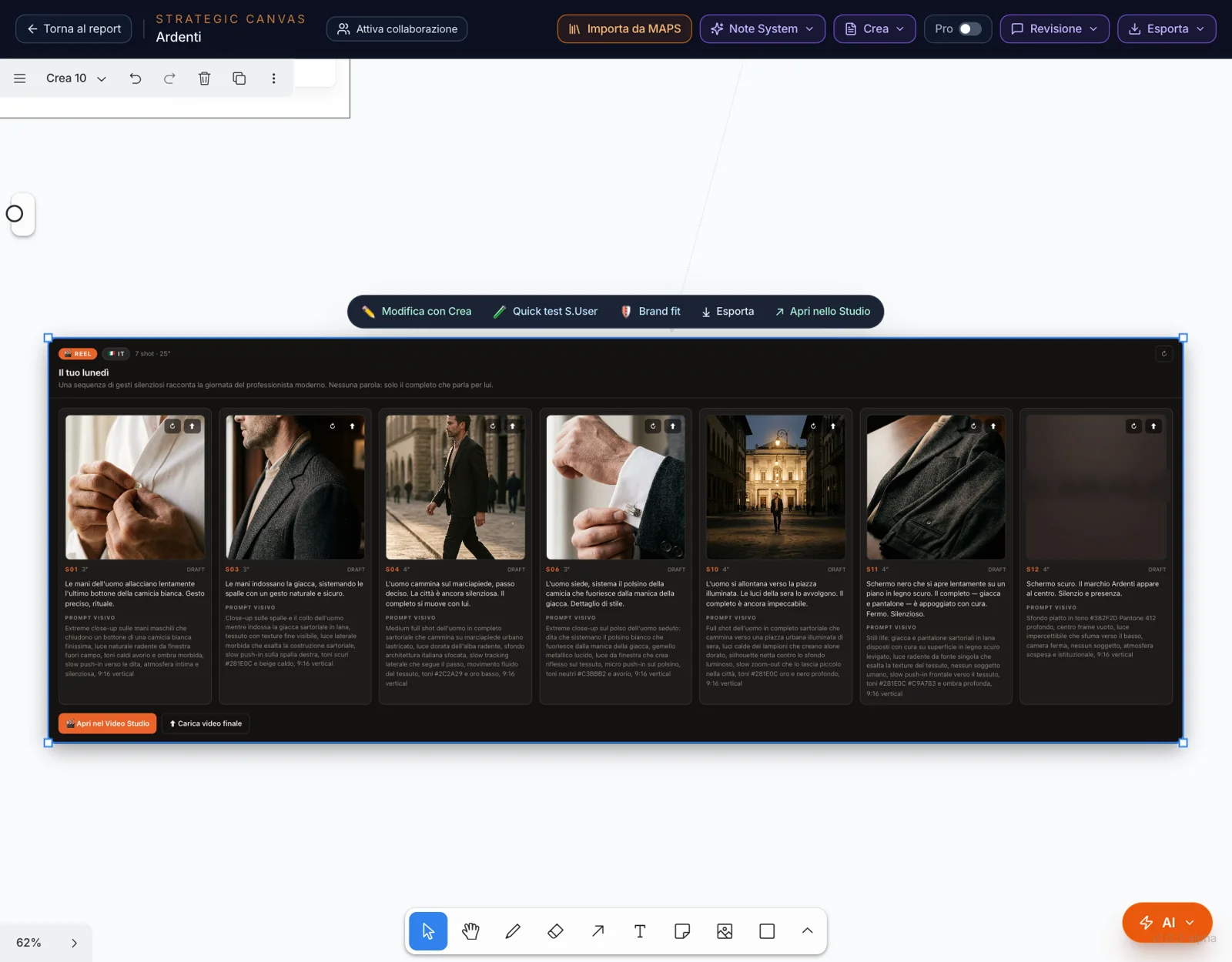
The video comes as a shot-by-shot storyboard: you generate the frames on the canvas, while editing and the MP4 happen in Video Studio.
Refine,
adapt, put it to the test.
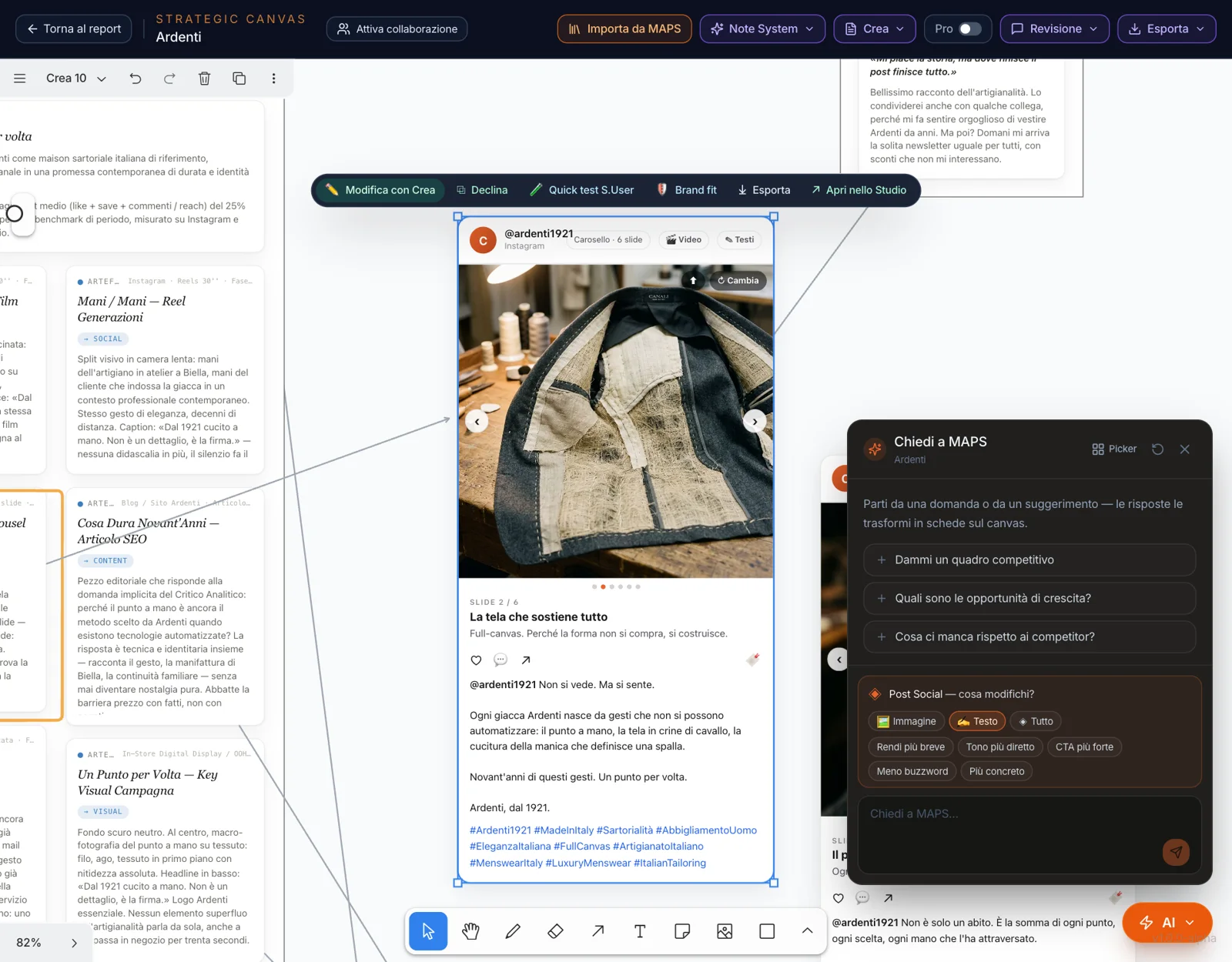
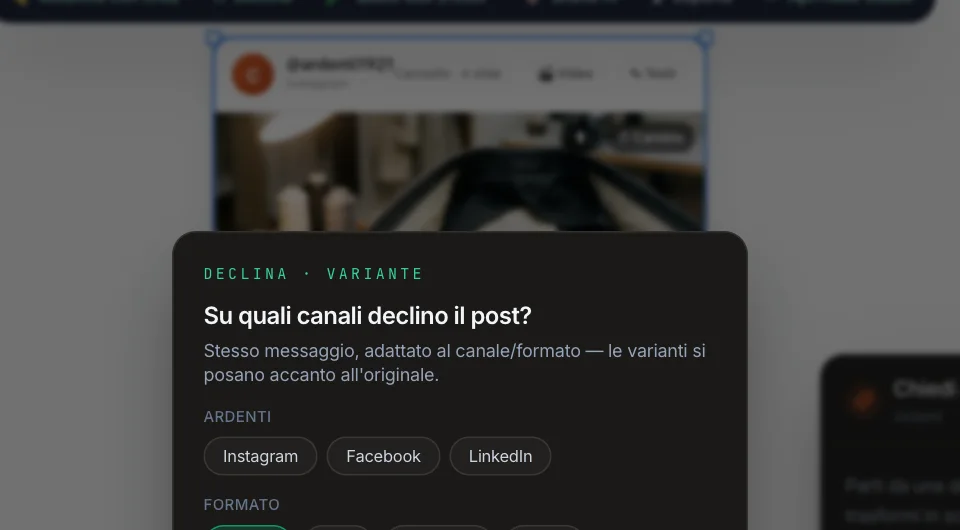
Select a piece of content and the actions appear above it. Edit with Create opens the chat on that piece: choose whether to touch the image, the text or everything, and ask — “shorter”, “stronger CTA”, “more direct tone”. Adapt fits it to other channels and formats, next to the original.
Quick S.User test has one of the project’s personas read it: does it stop the scroll? What resonates, what falls flat. Brand fit measures how consistent it is with the brand. From the verdict on the post, “Rewrite the post” applies the tweaks. Then Export, or Open in the Studio.
The canvas and the Studio,
the same work.
Posts, pages and emails produced on the canvas are the same ones in the Studio. When you select the card, MAPS reloads it from the Studio; when you leave it, the changes made on the canvas go back to the Studio. If someone changed the same content in the meantime, it tells you.
The same goes for video: frames generated on the canvas end up in the video project, and the card shows the shots and the Studio’s latest edit. “Open in the Studio” takes you there, where you carry on with all the tools.
Not just
content.
The analyses to keep on the table come from the same place.
Answers as cards
An open question becomes a group of cards, with the project sources they come from.
SWOT and competitive analysis
Strengths, weaknesses, opportunities and threats; the competitors and the open spaces.
Maps
The positioning map with brands on the axes, the semiotic square.
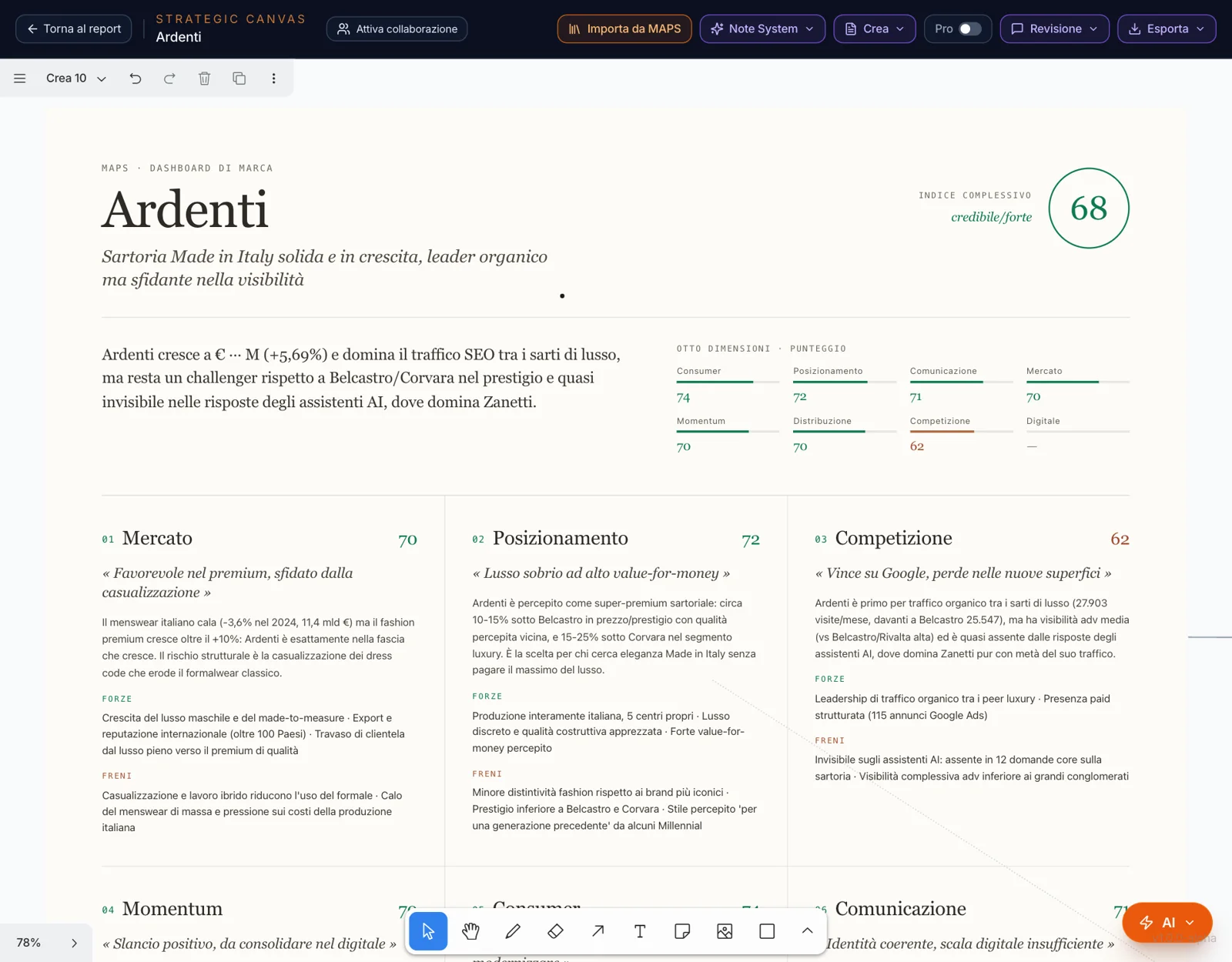
Market Dashboard
The brand’s index and its dimensions, on one page.
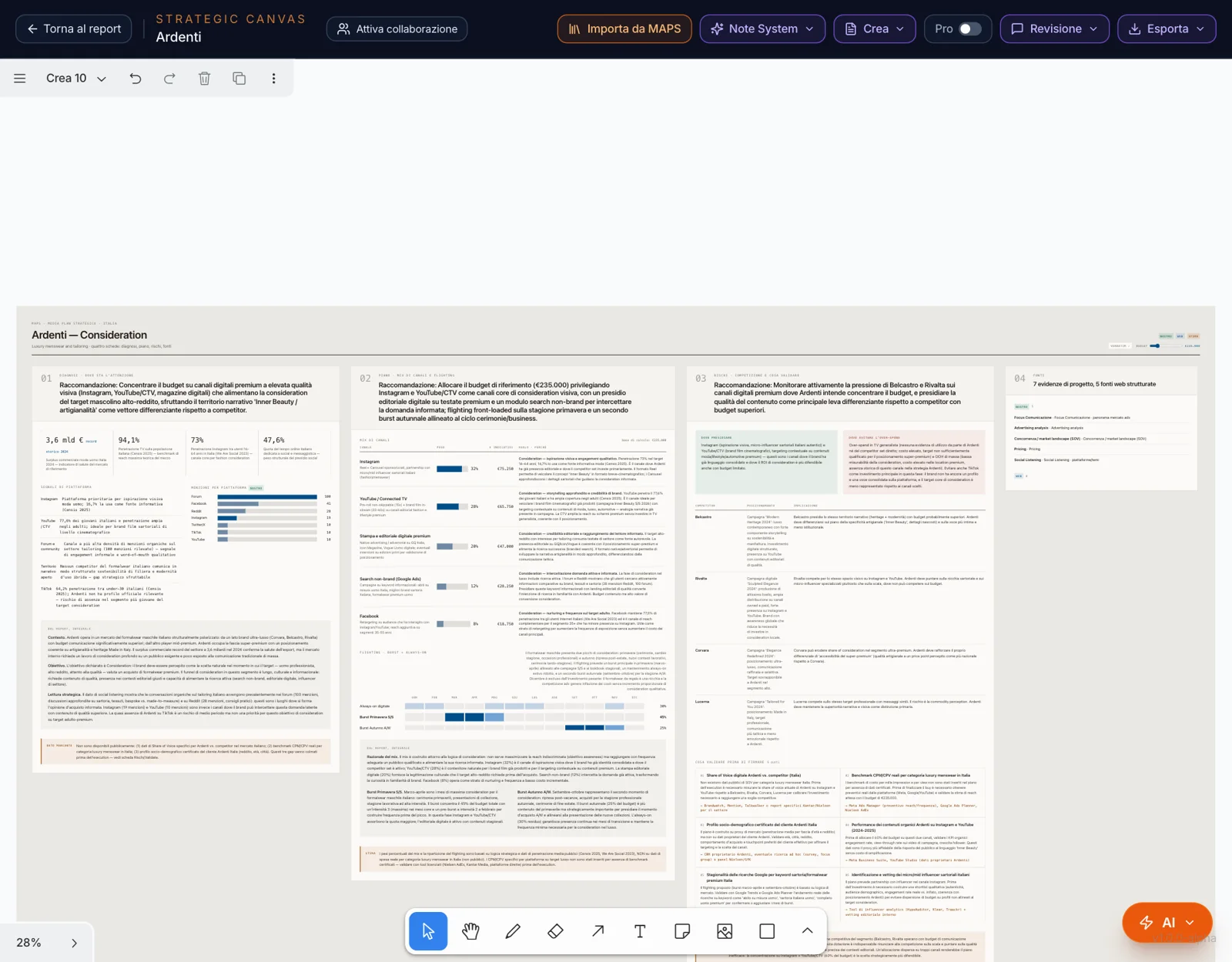
Media Plan
Goal and, if you like, budget: a diagnosis of where attention is, the channel mix and flighting, the risks, the sources.
Idea Lab
Explore a challenge, boost, develop or visualize an idea.
Everything Create places on the canvas goes into the project’s memory: you can ask the chat “what concepts did we propose for the fall campaign?”.