
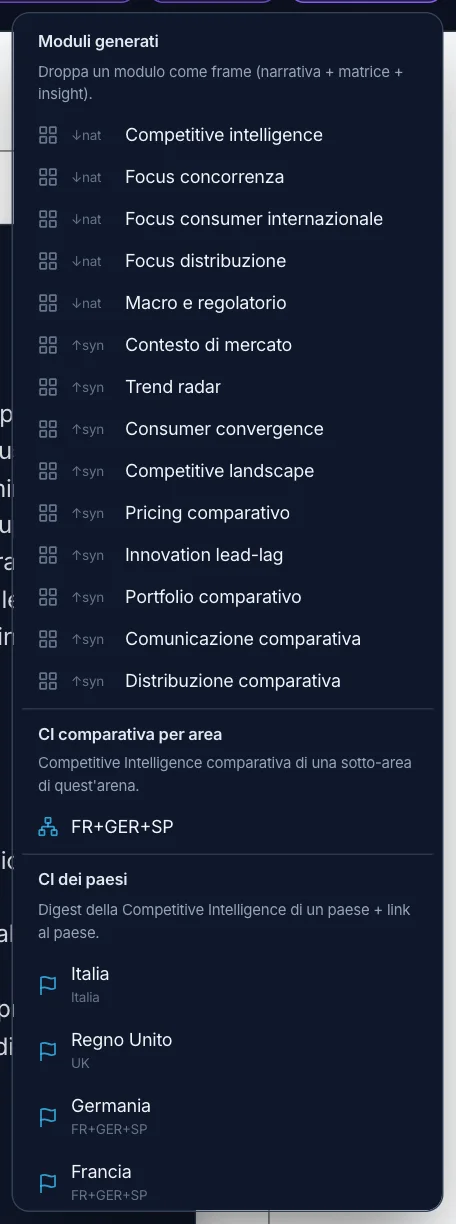
Every country,
and the synthesis across countries.
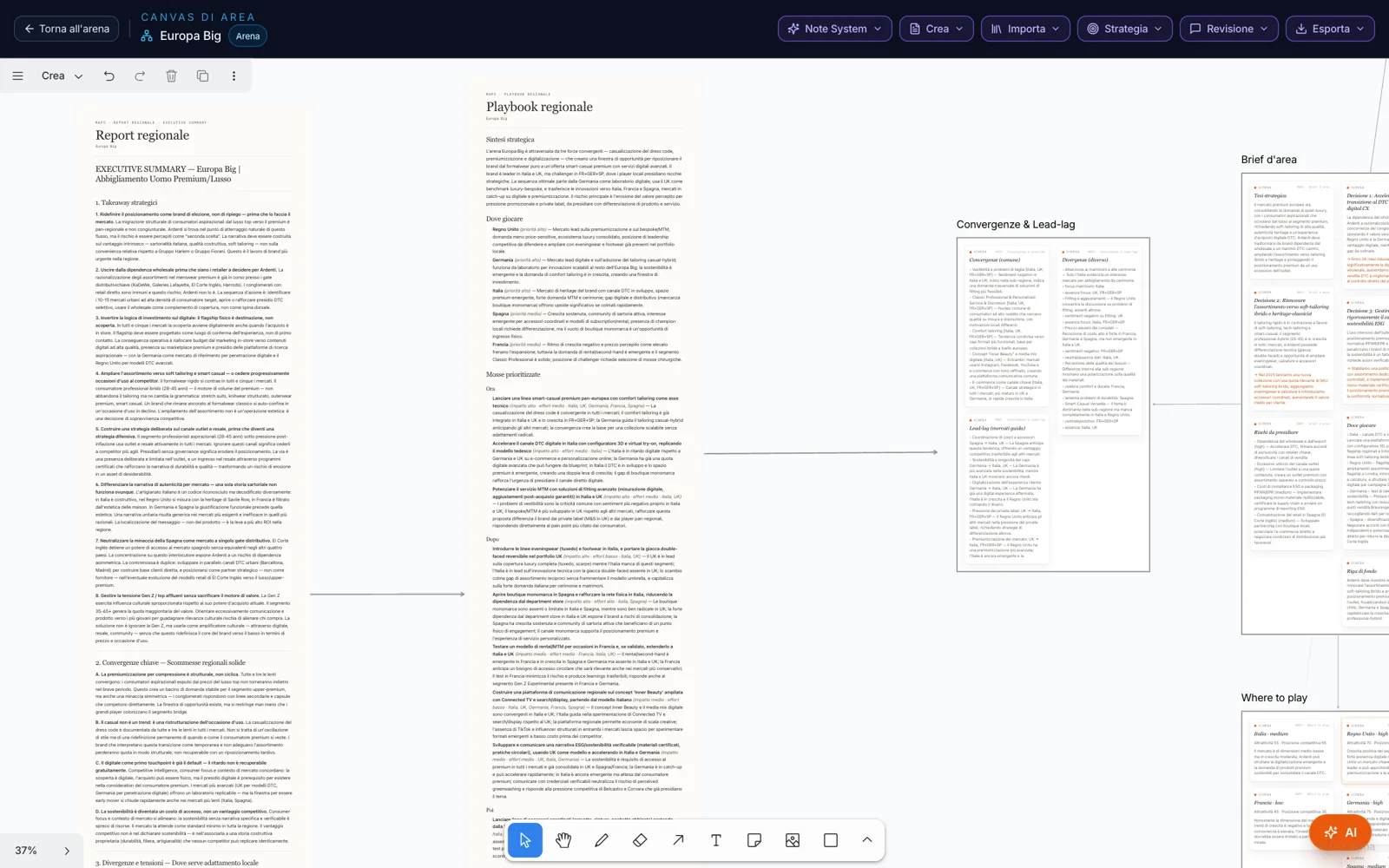
“Import” brings onto the canvas only what belongs to the area: the native research, done in each market’s language; the synthesis modules that compare the countries — context, trends, consumers, competition, pricing, portfolio, communication, distribution; the Quick Country Overview; the comparative Competitive Intelligence and that of each country, with “Go to country”.
Each module becomes a section: the narrative, the theme × country matrix and the signals — convergences, divergences, who leads whom, risks, opportunities.
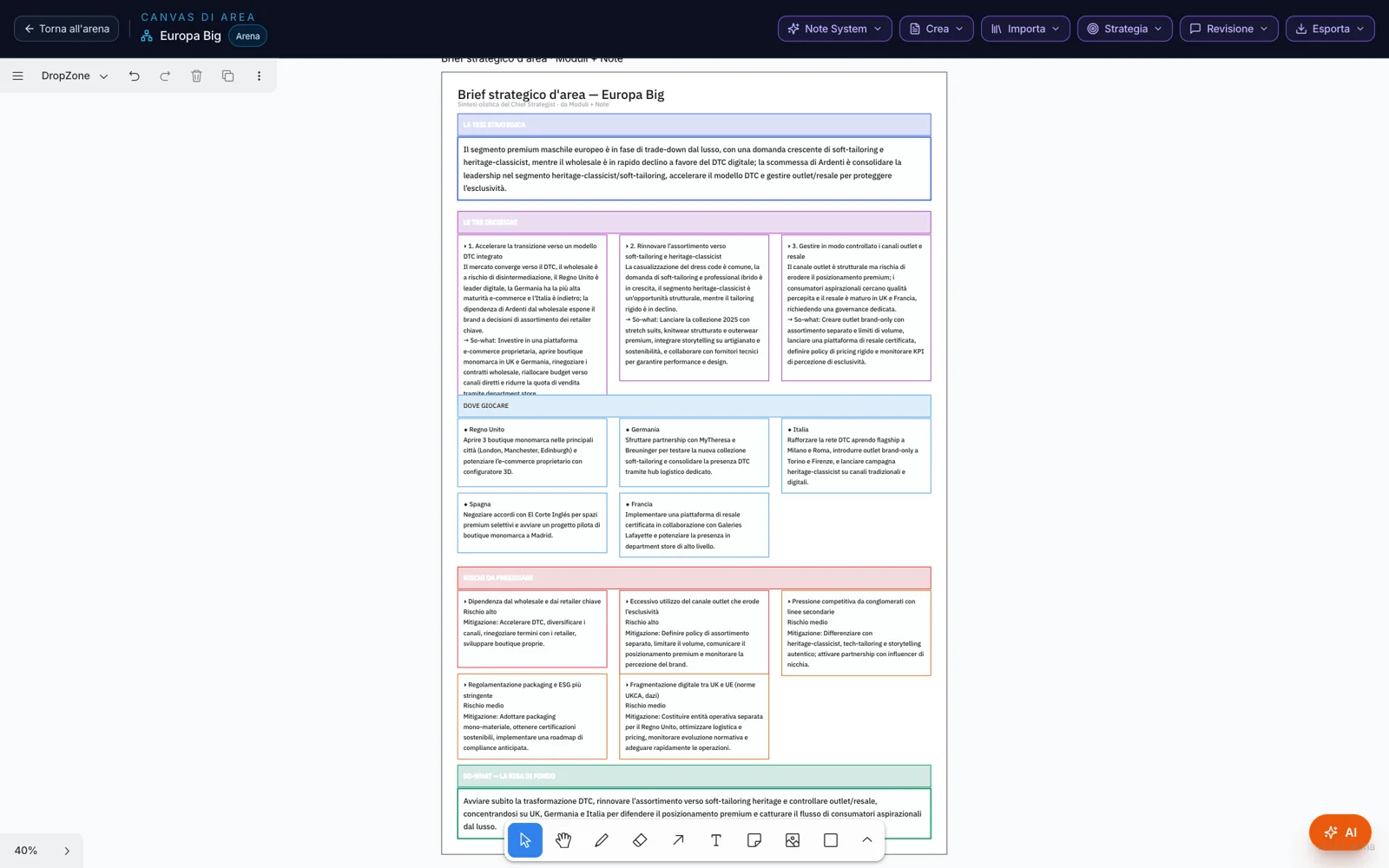
Where to play,
and in what order.
The Strategy menu turns the research into choices you can see on the table: the area strategic brief, where to play, the prioritization of moves, the roadmap by horizon, what transfers from one country to another, convergences and early signals, the risk radar, the white spaces.
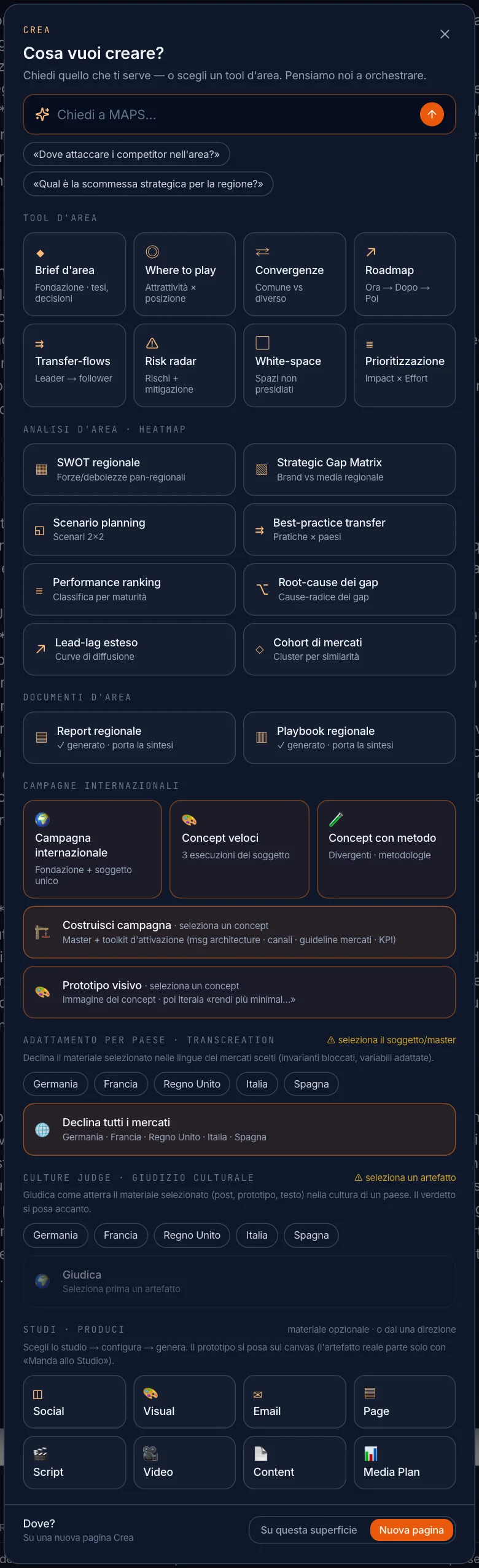
What do you want to create,
for the whole area.
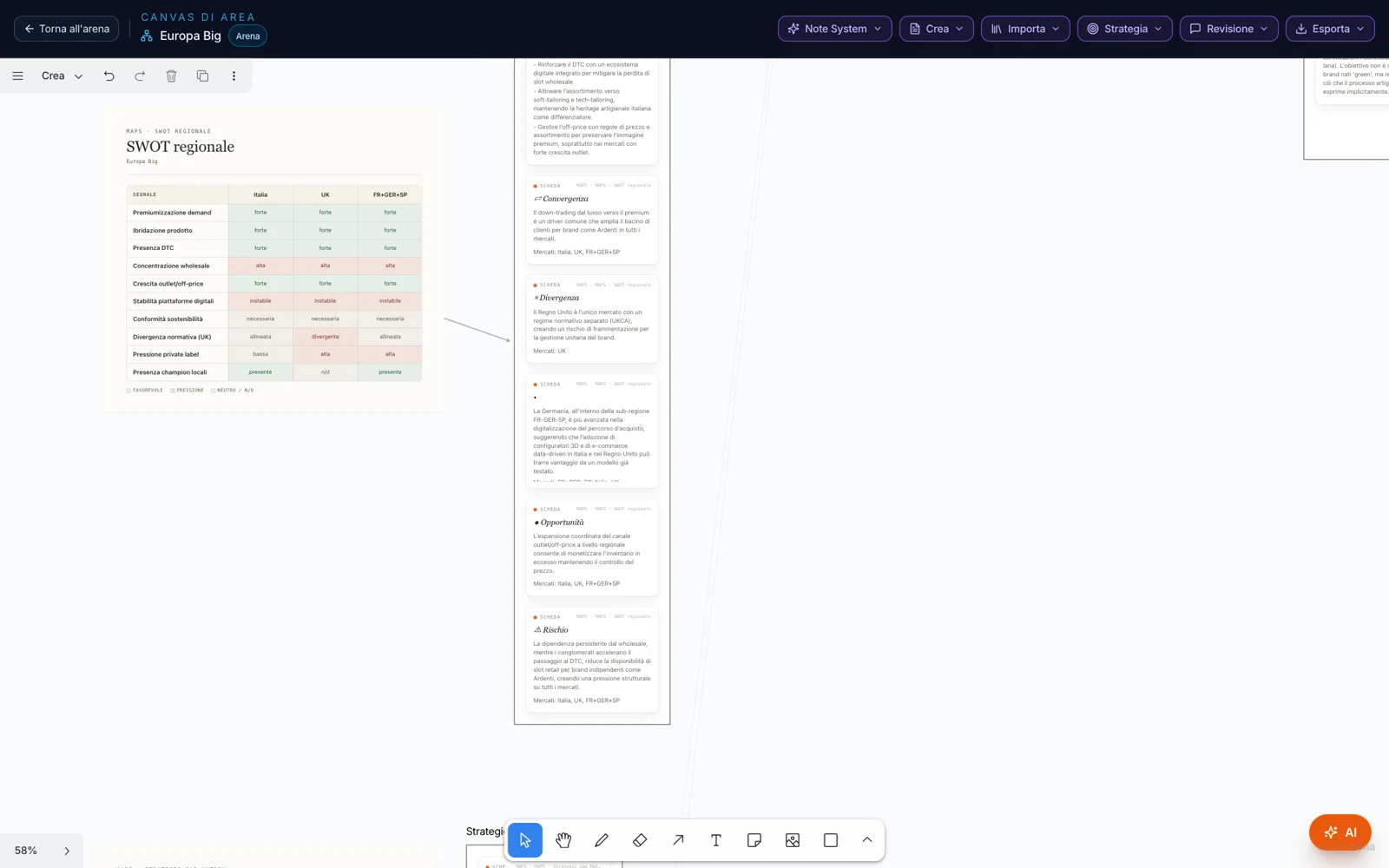
From the AI button, “Create” opens the tools built for several markets: the area tools, heatmap analyses such as the regional SWOT and the Strategic Gap Matrix, the regional report and playbook, international campaigns, transcreation, the cultural assessment, the Studios.
They unlock once the area has at least two synthesis modules: they work on a real comparison, not on a single country.
One idea for all,
adapted for each.
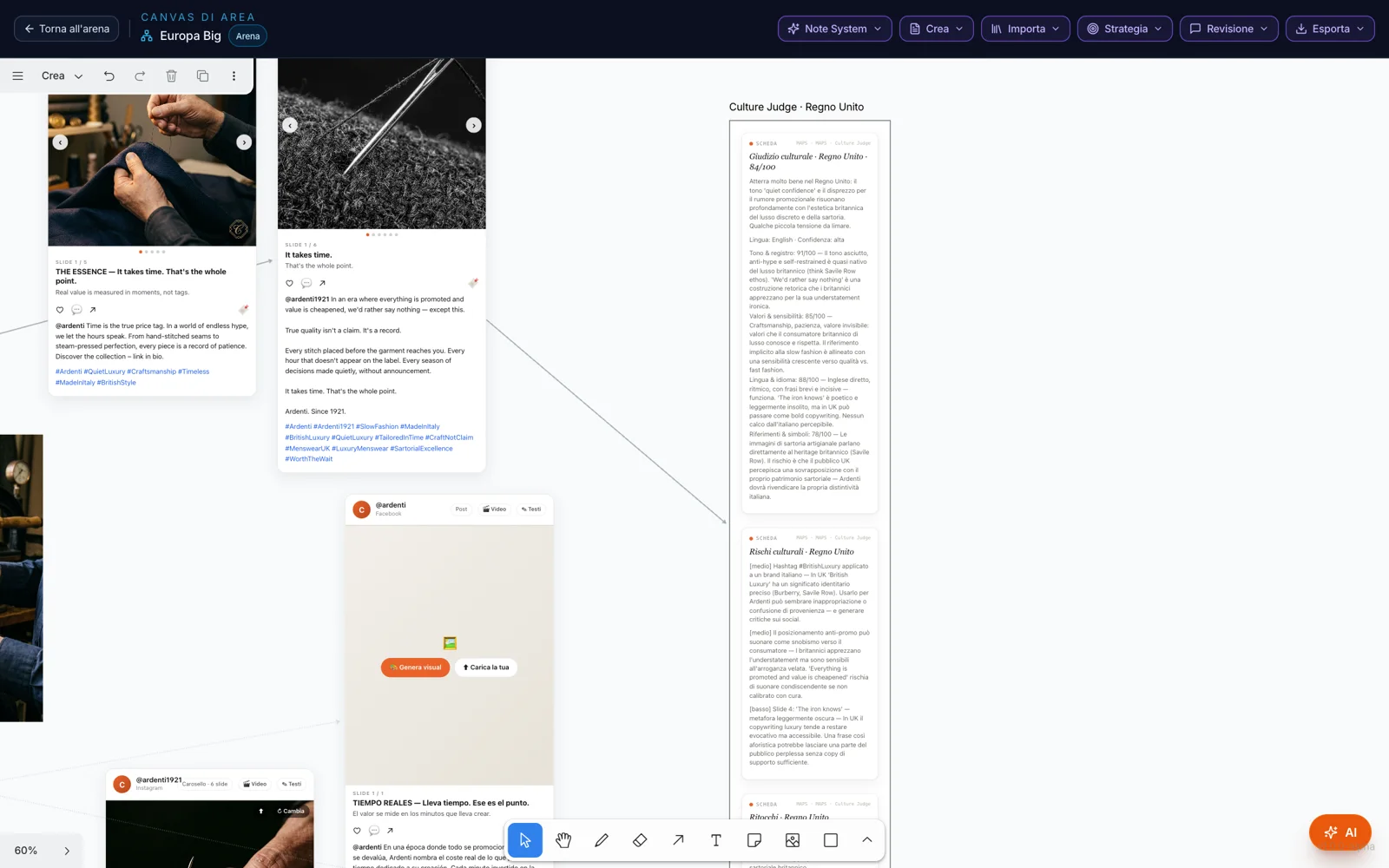
The international campaign starts from an area foundation — big idea, objective, target, tone, markets — and a single creative subject. Then the concepts: three executions of the subject, or divergent concepts built with a creative method, each with a note on how it holds up in the different markets.
“Build campaign” on the chosen concept produces the master and the toolkit: the creative master, the message architecture, the role of channels, the guidelines for the markets — what stays the same and what can change — and the KPIs. The visual prototype gives the concept an image.
What stays,
what changes.
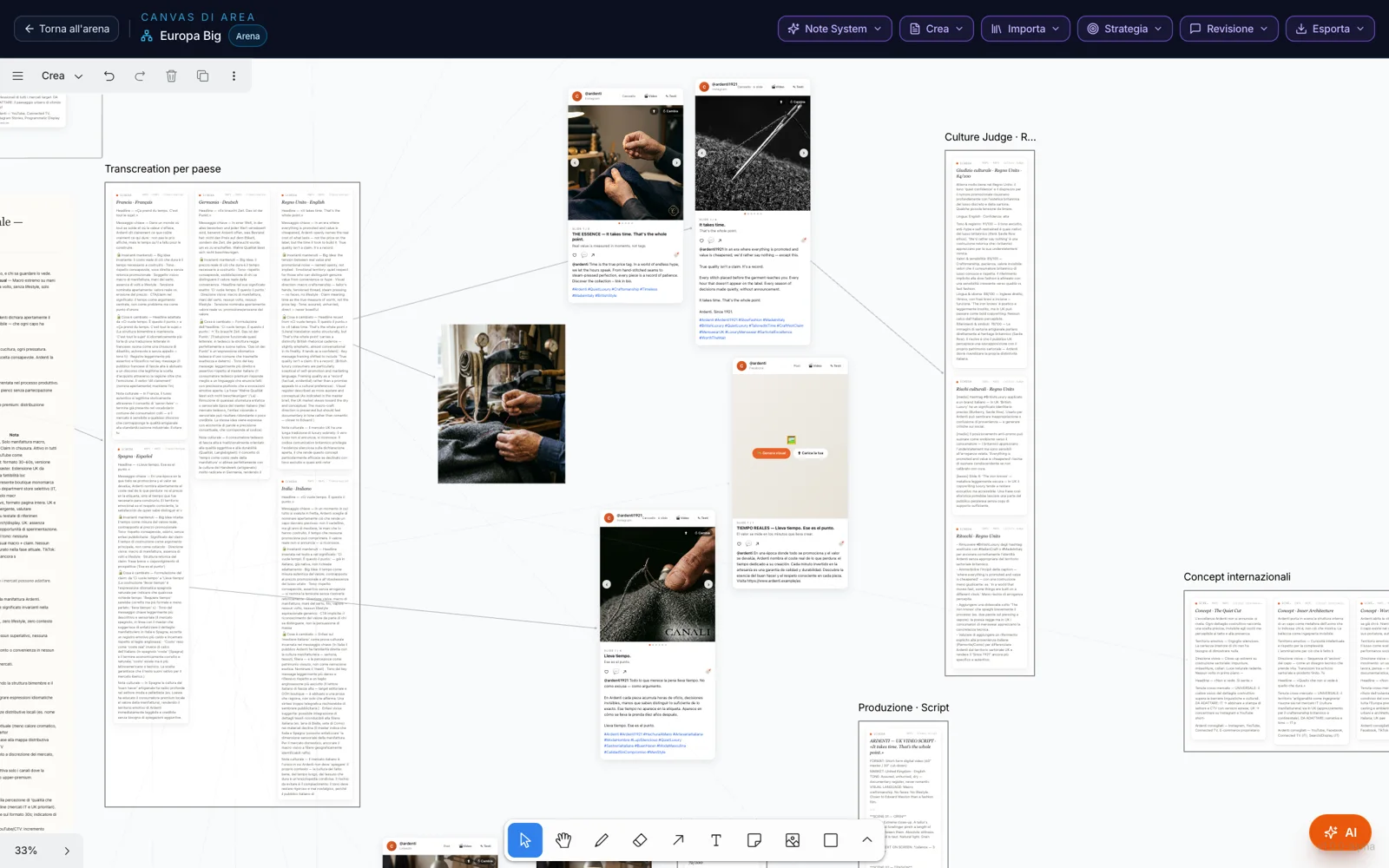
Transcreation takes the selected material and adapts it to the chosen markets: for each one, the headline, the key message, what stays and what changes, and why. On content — posts, pages, emails, videos — “Adapt by country” creates the version in the market’s language, next to the original.
The Culture Judge assesses how a piece of content lands in a country: a resonance score, the dimensions, the risks and the touch-ups. “Apply the touch-ups” places the adapted version alongside, with before and after linked.
From the area table,
into the right country.
In the Studios — social, visual, email, page, script, video, content, media plan — you pick “Produce in:” and the content is created in that country’s project, in its language, and can be opened in the Studio with “Back to canvas”. It needs a country with complete research; otherwise it’s a preview.
The area AI Chat queries the area’s countries and the regional research together. The Area Canvas also has its own Note System, comments, versions and export; and what you write on the canvas enters the area’s memory.